



In this article, we’ll show you how to use Shopify gift cards to boost sales for your Shopify store. We’ll cover everything from setting up gift cards on your store to promoting and maximizing their sales. By the end of this article, you’ll have the knowledge and tools you need to create a successful gift card strategy that can help take your Shopify store to the next level.
Gift cards are an effective tool for increasing sales and attracting new customers to your Shopify store. They are a convenient way for customers to give gifts to their loved ones and allow recipients to choose the products they want from your store. Additionally, gift cards can help increase brand loyalty and encourage repeat purchases.
If you’re looking for a simple yet effective way to boost sales for your Shopify store, gift cards are a great place to start. Shopify offers an easy-to-use gift card feature that allows you to create and sell custom gift cards to your customers.
Types of Shopify gift cards

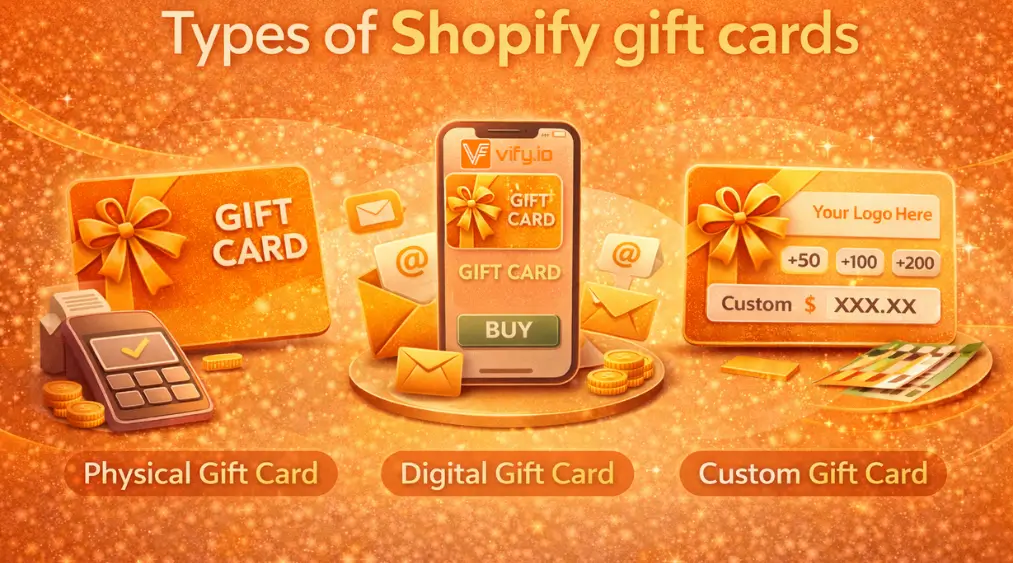
Certainly, here are some of the different types of gift cards you can offer for your Shopify customers, along with their advantages and disadvantages
Basic Gift Card
- A basic gift card is a pre-designed gift card that you can offer to your customers for a fixed amount. Customers can redeem the gift card for purchases on your store.
- These gift cards can be customized with a message and logo.
Custom Gift Card
- A custom gift card allows you to create a unique design that reflects your brand and is tailored to your customers. You can upload your own design or create one using Shopify’s design tool.
- Custom gift cards offer more flexibility in terms of design, and can be used for a fixed or variable amount.
Group Gift Card
- A group gift card is a gift card that can be purchased by multiple people to contribute to a larger gift card amount.
- This option is great for special occasions, such as weddings or birthdays, where friends and family may want to pool their resources to give a more substantial gift.
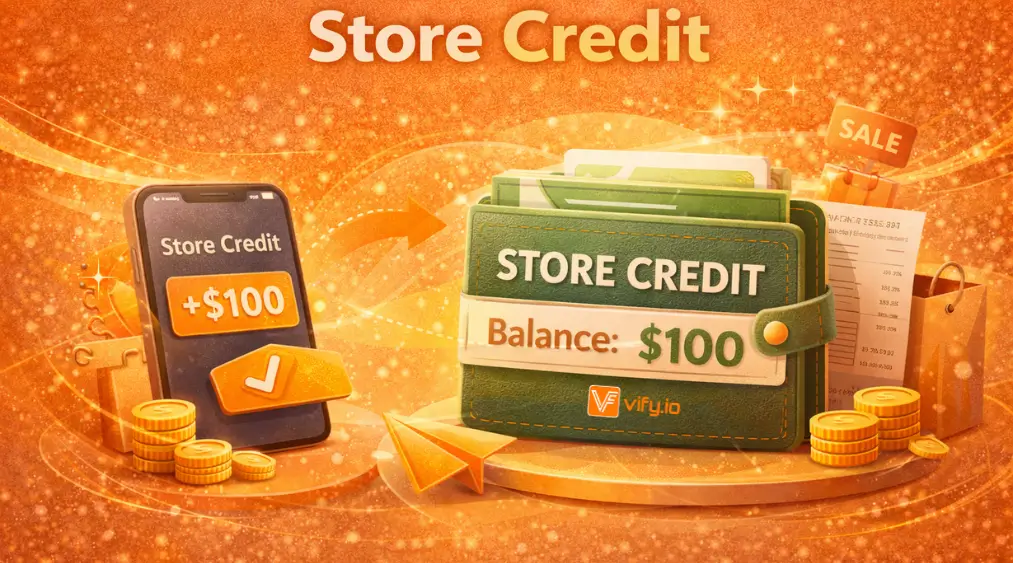
Store Credit
- Store credit allows you to offer a gift card that can be used exclusively in your store. Customers can use the credit to make purchases on your store.
- Store credit is a good option if you want to offer a gift card but also want to limit where customers can spend it.
Multi-Currency Gift Card
- Multi-currency gift cards allow customers to purchase gift cards in their local currency, which can help increase international sales.
- This option is great if you have a global customer base and want to make it easier for them to purchase and use gift cards.
By offering a variety of gift card options, you can appeal to different customer preferences and increase the chances of gift card sales for your Shopify store. However, it’s important to consider the advantages and disadvantages of each type and choose the ones that best suit your store and customer base.
How to use Shopify gift cards in your Shopify admin
Here is a step-by-step guide on how to enable gift cards in your Shopify admin
Step 1: Come over to Products –> Gift cards
- If you choose “Add gift card product”, this will let customers buy gift cards directly from our store
- Options 2, you can chooe “Issue gift card”, so we can send a gift card code directly to a customer. This option would be used if you have some kind of contest or giveaway on social media and you want to send the gift card to the winner

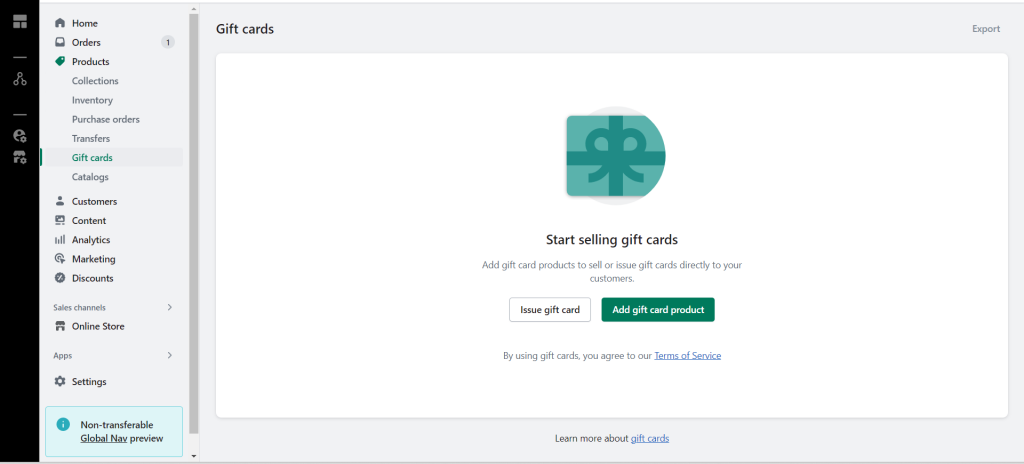
Step 1.1 Add gift card product
This will create a purchasable product on your store, which is a gift card.

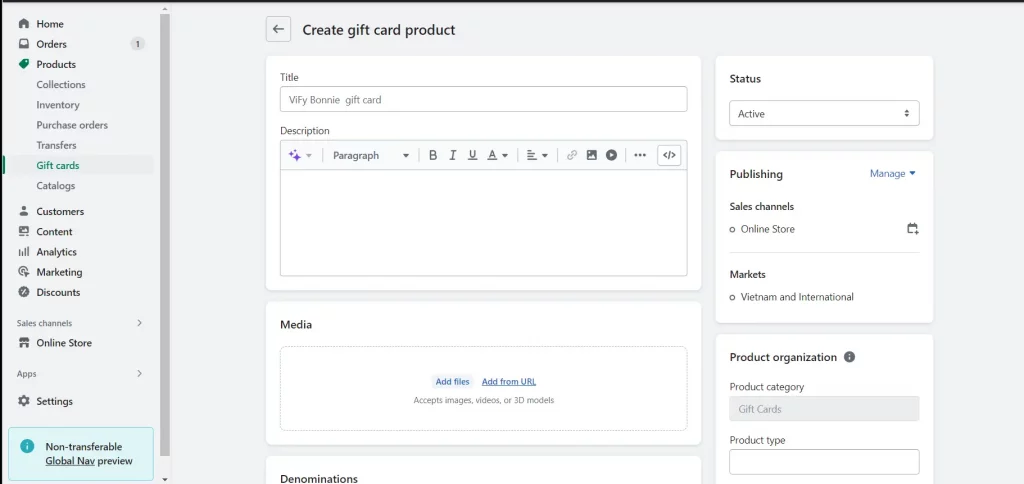
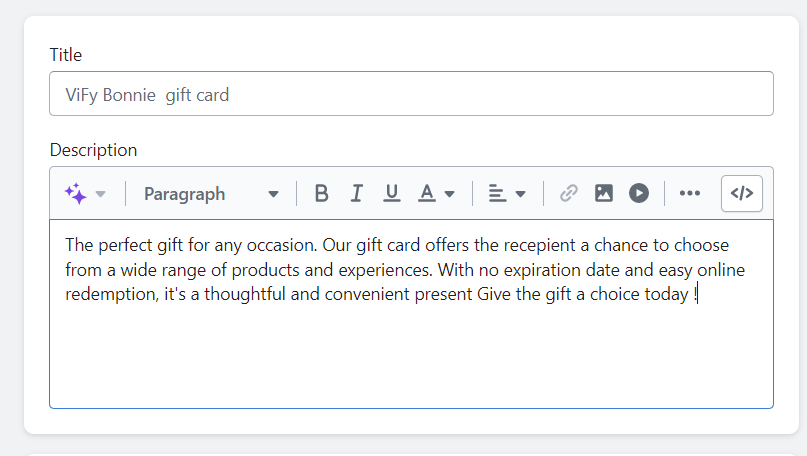
Step 1.1.1: Add Title and Description
Title is your gift card name, also product name, The title can be “your store name + gift card”.
Type in the description about gift card here

Step 1.1.2: Add an image
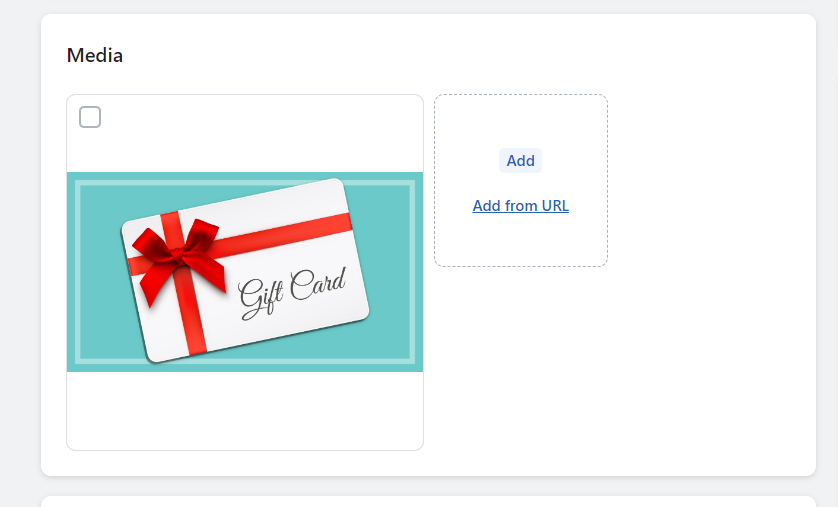
You can go ahead and easily take a free image from Pixabay.com, Freepik or Pexel to add on, or you can go ahead and add your own custom gift card image with your store branding on it, which is probably recommended.

Step 1.1.3: Denomination
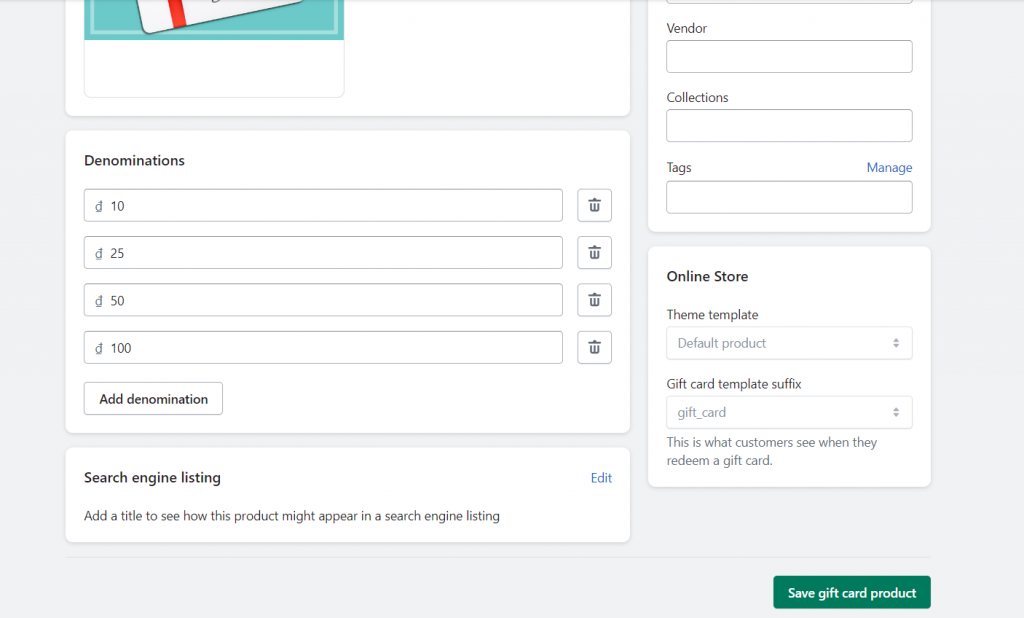
This part will be the different denomination of gift cards we want to offer to customers. There are several default denominations created for a gift card product in the currency of your store. Each denomination is saved as a variant of the gift card product. It is completely up to you, and you can add whichever you want.

Search engine listing
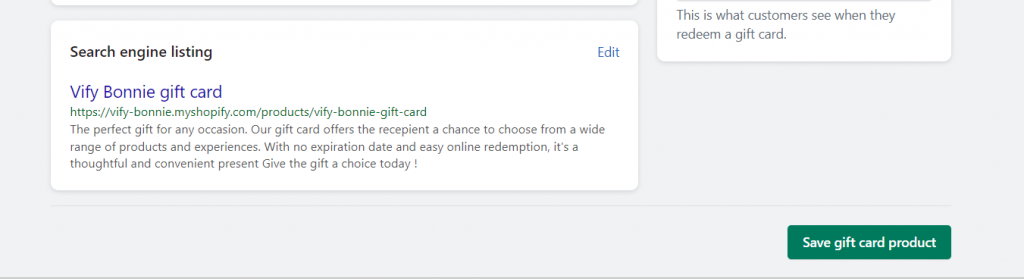
This is a preview of how your gift card product might appear in search engine results.

Step 1.1.4: Click “Save”
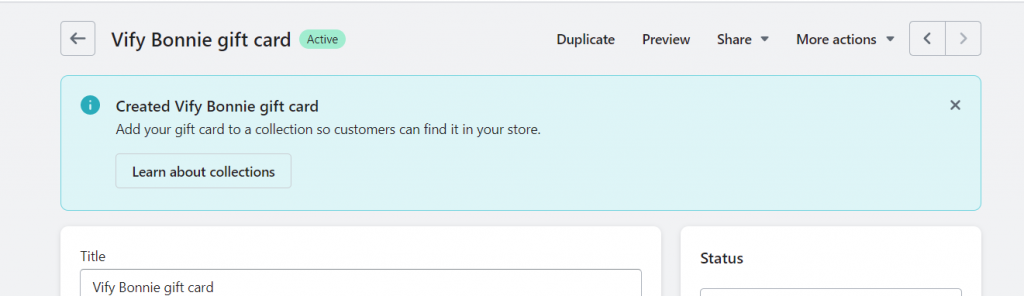
After finishing you set up process, click “Save”.
Then, you can go ahead and choose to add it to your collection if you want to.

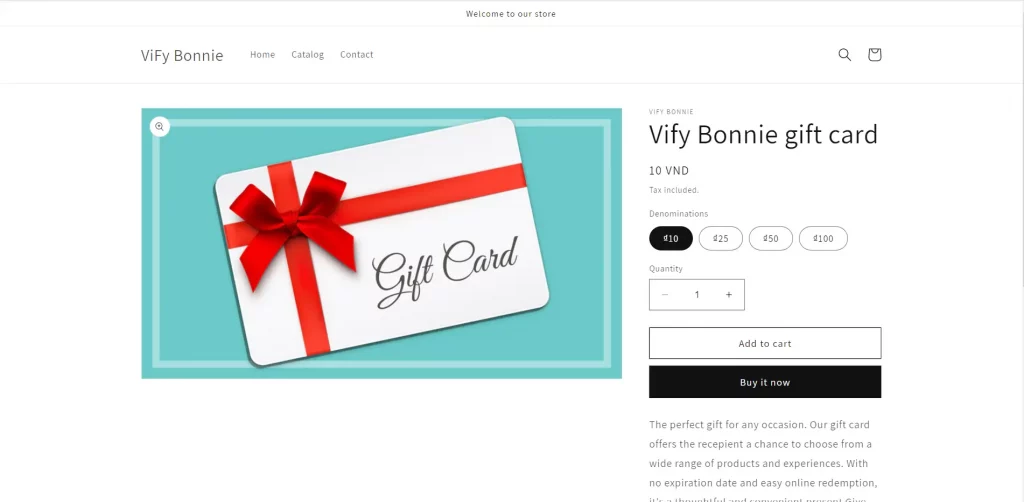
Click on “Preview” to see what this gift card is actually look like

Steps 1.2: Issue a gift card
Step 1.2.1 Add gift card details
Go back to “Gift card” and choose “Issue a gift card” to send a gift card code directly to a customer.

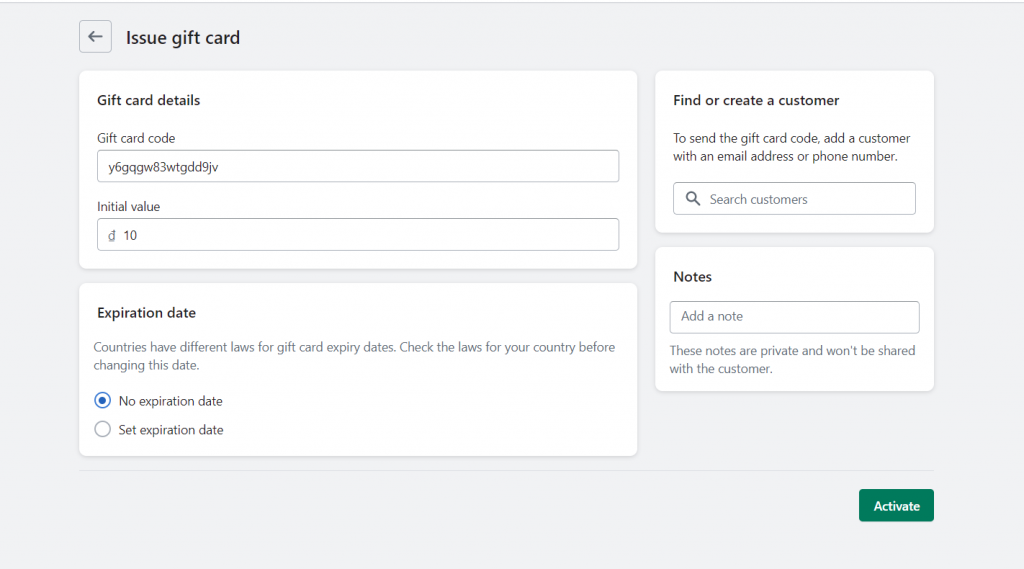
- Gift card code: By default, it is generated. You can set this code to whatever you want or leave it by its default generation.
- Initial value: How much we want this gift card to be worth.
Step 1.2.2 Send the gift card code to a customer
Send the gift card code directly to the customer by searching through our customer here. Or you can add an email address or phone number

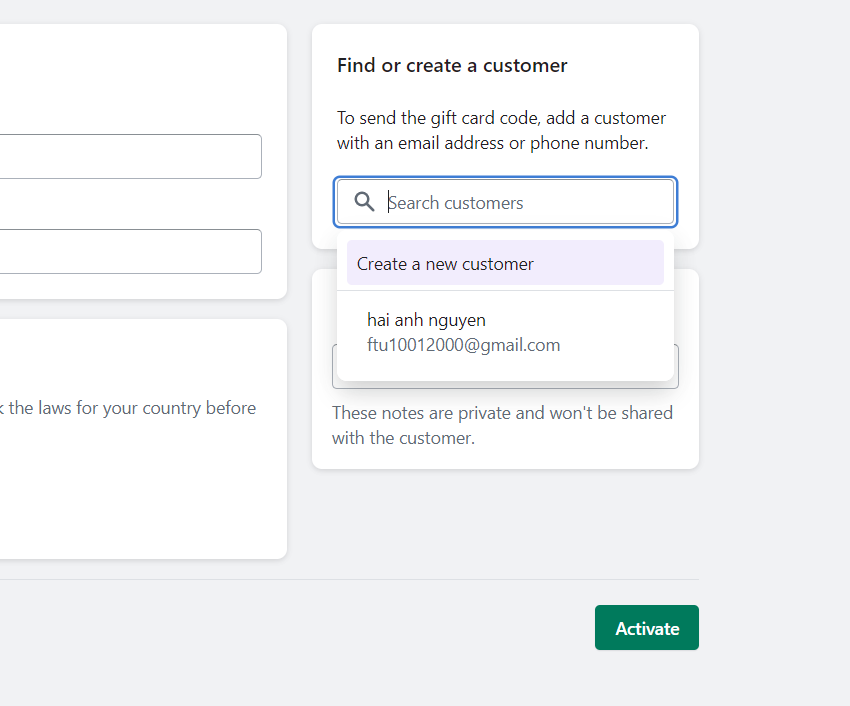
Add a note, for example “Tiktok giveaway”
Step 1.2.3 Activate
After finish setting, click “Activate and send”.
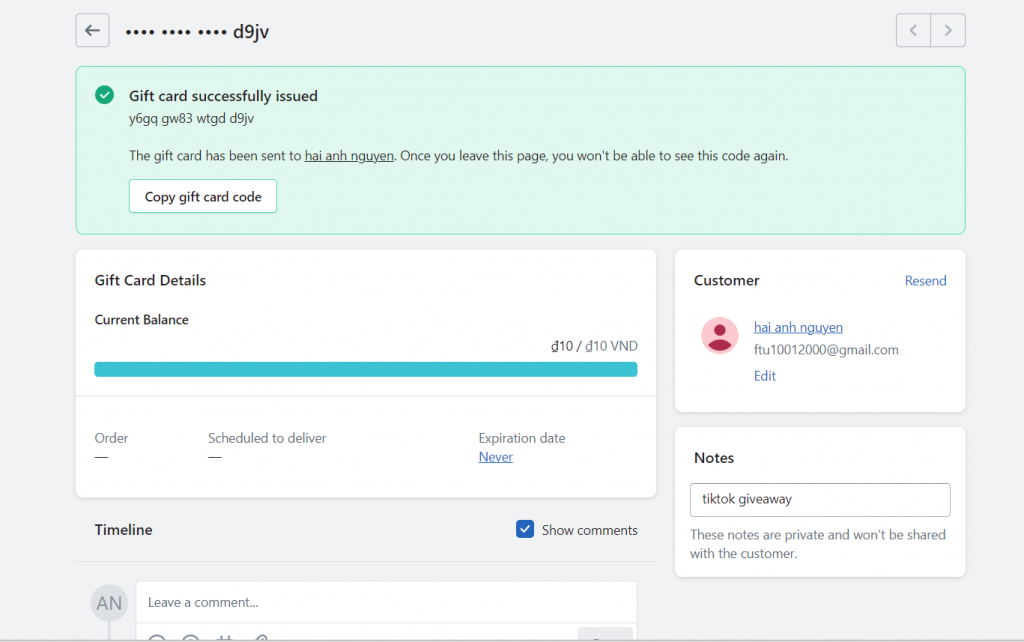
Then we can see the details of the gift card right here: the current balance, when it is going to expire, the email containing the gift card was sent to the customer

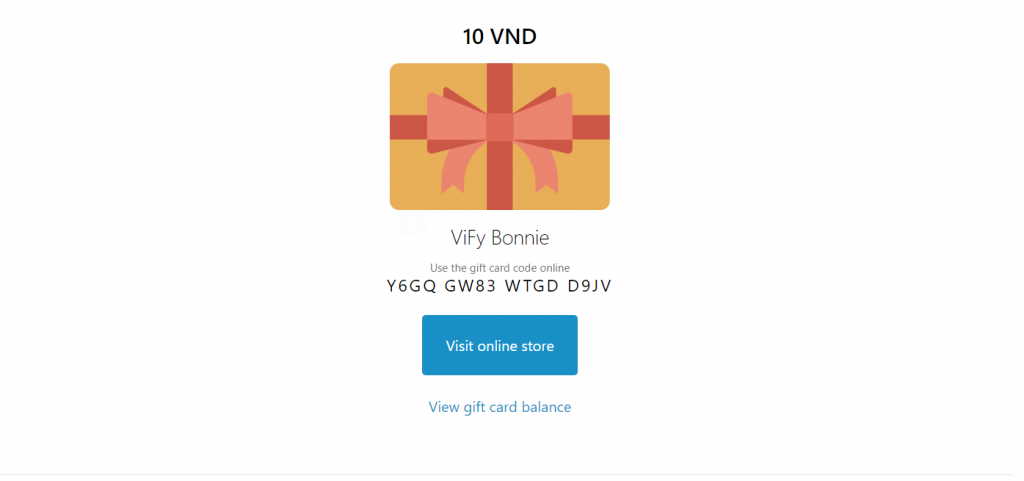
The gift card will actually look like this when the customer receive it

Best practice for promoting gift cards on your Shopify store
Displaying gift cards prominently on your homepage
Make sure that gift cards are prominently displayed on your homepage. This can be in the form of a banner, a featured product, or a call-to-action button.
Adding gift cards as a product category on your store
Create a separate product category for gift cards on your store. This makes it easier for customers to find and purchase gift cards.
Creating a dedicated gift card landing page
Design a dedicated landing page that provides more information about your gift cards. This page should include information about the different types of gift cards you offer, how they can be redeemed, and any other relevant details.
Highlighting gift cards in your email marketing campaigns
Use your email marketing campaigns to promote gift cards. This can be in the form of a dedicated email or by including gift cards as a featured product in your regular newsletters.
Offering discounts
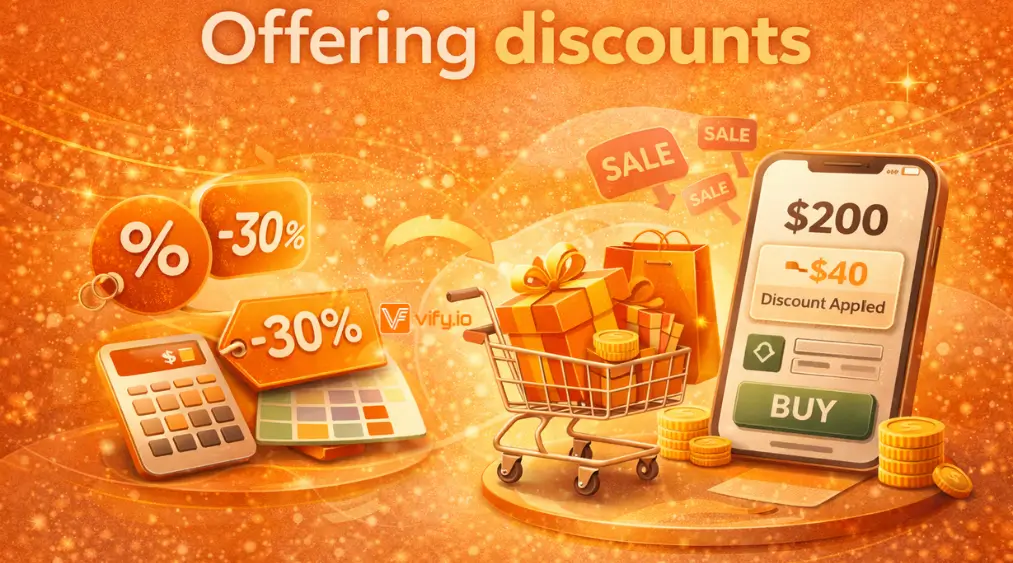
Consider offering discounts or promotions on gift cards. This can incentivize customers to purchase gift cards and can lead to increased sales for your store.
Offering gift cards as a checkout option
Include gift cards as a checkout option, so customers can easily purchase them when making a purchase on your store.
Creating gift card bundles or packages
Consider creating gift card bundles or packages, such as a set of three $10 gift cards for a discounted price. This can encourage customers to purchase multiple gift cards at once, which can lead to increased revenue for your store.
Using social media to promote gift cards
Utilize social media platforms like Facebook and Instagram to promote your gift cards. Create eye-catching graphics or videos that showcase your gift cards and their benefits.
Providing gift card recommendations
Offer gift card recommendations to customers who may be unsure of what gift card to purchase. This can be in the form of a quiz or by showcasing popular gift card options on your store.
Leveraging customer reviews
Highlight positive customer reviews of your gift cards on your store and social media channels. This can help build trust and encourage more customers to purchase gift cards.
By promoting gift cards effectively on your Shopify store, you can increase the visibility of your gift card offerings and encourage customers to purchase them.
How to use gift card to boost sales for your Shopify store?
Identify your target audience
Determine which customer segments are most likely to purchase gift cards from your store. This could include loyal customers, gift shoppers, or customers who frequently purchase high-end products.
Create customized gift card designs
Use design tools to create customized gift card designs that appeal to your target audience. For example, if your target audience is gift shoppers, consider creating designs that feature holiday or birthday themes.
Offer gift cards as a bonus for purchases
Encourage customers to make a purchase by offering them a gift card as a bonus. For example, offer a $10 gift card for every purchase over $50.
Create gift card bundles
Create gift card bundles that are tailored to your target audience. For example, offer a set of three $20 gift cards for a discounted price to appeal to loyal customers.
Utilize email marketing
Use email marketing to promote your gift card promotions to your target audience. Segment your email list and send customized emails that highlight the benefits of purchasing gift cards from your store.
Offer referral bonuses for gift card purchases
Encourage customers to refer their friends and family to purchase gift cards from your store by offering them a bonus gift card for every referral.
Create limited-time offers
Create limited-time offers for your gift card promotions to create a sense of urgency and encourage customers to make a purchase. For example, offer a discount on gift card purchases for a 24-hour period.
By using targeted gift card promotions, email marketing, referral bonuses, and limited-time offers, you can effectively use gift cards to boost sales on your Shopify store. Remember to continuously evaluate and adjust your gift card promotions to ensure they are effective and resonate with your target audience.
Wrap up
The article above explained how to use shopify gift cards. By now, we can clearly understand that gift cards can be a powerful tool to increase sales and strengthen customer loyalty to your Shopify store. By offering a variety of gift card options, creating targeted promotions, and utilizing email marketing and referral bonuses, you can encourage customers to purchase gift cards and ultimately drive more sales for your store.
Don’t be afraid to experiment with different gift card promotions and designs to find what resonates with your target audience. By continuously testing and refining your gift card strategy, you can unlock new revenue streams and build a loyal customer base.
If you’re selling on Shopify and need a professional invoice, especially one that’s easy to customize without any coding skills, then the Shopify order printer app is the best choice for you. Try it for free today and experience it for yourself. We’re confident you’ll love it.