



TikTok has become an important sales and marketing channel for Shopify merchants, making integration a practical way to reach shoppers while keeping store operations connected. Connect Shopify to TikTok to sync your product catalog, manage TikTok Shop sales, or run TikTok ads that drive customers back to your Shopify store. This guide explains how the integration works, the two main setup options, and the steps to connect both platforms smoothly while keeping products, orders, and inventory in sync.
Why connect Shopify to TikTok?
Connecting Shopify with TikTok creates a direct link between your ecommerce store and one of the most popular social commerce channels. With the integration in place, Shopify products can appear in TikTok Shop, videos, and LIVE content, while orders and inventory remain connected to the Shopify admin.
There are two main ways to use the integration:
- Sell through TikTok Shop: Shopify products are published as TikTok Shop listings, allowing customers to purchase directly within TikTok. Orders and inventory are synced between the two platforms, while TikTok Seller Center handles seller verification, payouts, and disputes.
- Run TikTok Ads: A TikTok Shop is not required. The integration connects Shopify with TikTok Ads Manager and enables the TikTok Pixel to track events such as product views, add-to-cart actions, and purchases on the Shopify store.
Both options use the official TikTok sales channel, but the setup process differs depending on the intended use.

What you need before connecting Shopify to TikTok
A smooth connect Shopify to TikTok setup starts with a few basic requirements. Having these ready helps avoid common connection and verification issues.
| Requirement | Why it matters |
|---|---|
| Active Shopify store | The TikTok sales channel requires a live Shopify store and a compatible plan. |
| Supported region | TikTok Shop availability depends on the country where the store and seller account are registered. |
| TikTok for Business account | The integration connects through a business account rather than a regular personal profile. |
| Seller verification documents | TikTok Shop requires identity or business verification before products can be sold. |
| Well-organized product catalog | Product titles, images, variants, prices, and categories are used when creating TikTok listings. |
Regional availability is particularly important. TikTok Shop operates in selected markets, so the Shopify store’s country needs to match an eligible TikTok Shop seller region. Merchants expanding into additional markets may also need separate seller verification for each region.
How to connect Shopify to TikTok Shop
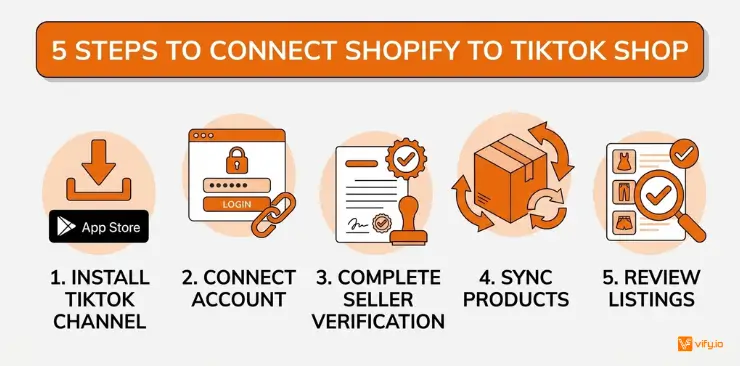
For merchants planning to sell directly through TikTok, the setup involves connecting the official TikTok channel, completing seller verification, and syncing the product catalog.
1. Install the TikTok sales channel
In Shopify Admin, open Settings → Apps and sales channels, then select Shopify App Store. Search for TikTok and install the official app published by TikTok Inc.
2. Connect the TikTok account
Open the TikTok app inside Shopify and find the TikTok Shop section. Select Connect, then sign in to the TikTok for Business account associated with the store.
Review the merchant terms and authorize the connection so Shopify and TikTok can exchange the required store and product data.
3. Complete seller verification
Open Shop Information and select Verify. TikTok will request identity or business documents based on the seller type and region.
Verification time varies by market and document type, so this stage may take longer than the technical setup itself.
4. Sync products with TikTok Shop
Once verification is approved, continue with the setup and select the products or collections intended for TikTok Shop.
Shopify product information is transferred to TikTok, but TikTok uses its own product categories. As a result, Shopify collections do not automatically determine the final TikTok category. Product categories may need to be mapped manually before listings become active.
5. Review the listings
Before publishing the full catalog, review several synced products. Pay particular attention to product titles, images, prices, variants, and categories.
Checking a small batch first makes it easier to identify formatting or mapping issues before they affect the entire catalog.
How to connect TikTok to Shopify for Ads
Selling through TikTok Shop isn’t required for merchants focused only on advertising. The same TikTok app also connects Shopify with TikTok Ads Manager and enables conversion tracking.
The basic process is straightforward:
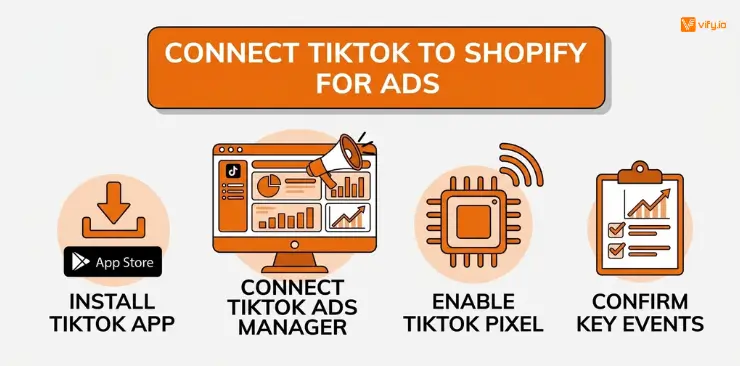
- Install the official TikTok app from the Shopify App Store.
- Open the Ads section and connect the TikTok Ads Manager account.
- Enable the TikTok Pixel for the Shopify store.
- Open TikTok Events Manager and confirm that key events such as page views, add-to-cart actions, and purchases are being recorded.
This setup provides the tracking layer needed to measure how TikTok campaigns perform on the Shopify store. TikTok Shop can also be added later without rebuilding the advertising connection.
What happens after you link Shopify to TikTok?
Once the connection is active, Shopify becomes the primary source of product information, while TikTok uses that data to create and maintain its listings.
| Data | How it works |
|---|---|
| Product information | Titles, descriptions, images, and other product data are transferred from Shopify and adapted for TikTok. |
| Pricing | Shopify prices generally sync automatically, while TikTok-specific promotions are managed separately in Seller Center. |
| Inventory | Stock levels are synchronized between the platforms, although delays or mismatches may occur at higher order volumes. |
| Variants | Size, color, and other variants are mapped when their structures match across both platforms. |
| Categories | TikTok uses its own product taxonomy, so categories require separate mapping. |
For a stable connect TikTok to Shopify setup, Shopify works best as the central source of truth. Making frequent product changes directly inside TikTok can create differences between the two catalogs and make future synchronization harder to manage.
Managing TikTok Shop orders in Shopify
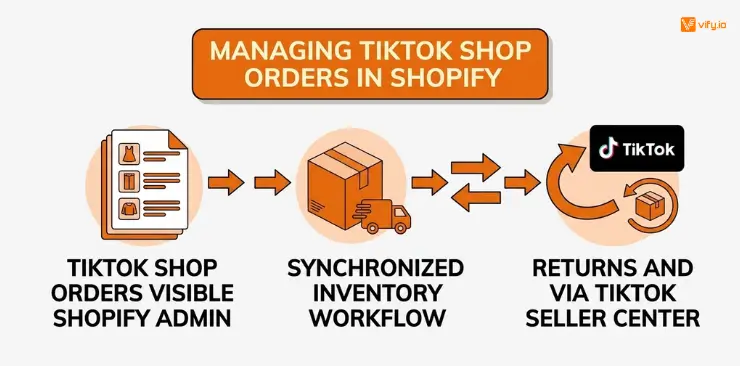
One of the biggest advantages of the integration is that TikTok Shop orders appear directly inside Shopify Admin alongside orders from other sales channels. This creates a more centralized workflow for fulfillment and inventory management.
The responsibilities are still divided between the two platforms:
- Fulfillment: Orders can be processed through Shopify using the same fulfillment workflow as other store orders.
- Returns and refunds: These are handled through TikTok Seller Center, even though the original order is visible in Shopify.
- On-Hold orders: Keeping order synchronization enabled helps prevent orders still in TikTok’s verification process from being fulfilled prematurely.
- Split orders: Orders requiring fulfillment across multiple locations can be supported when the relevant setup and fulfillment configuration are in place.
Understanding this division helps prevent common mistakes, especially around refunds and orders that have not yet been cleared for fulfillment.
Common Shopify and TikTok integration issues
Even after linking Shopify to TikTok, a few issues may arise during catalog synchronization or order processing.
| Issue | Common Cause | Solution |
|---|---|---|
| App isn’t compatible with the store | Unsupported region or Shopify setup | Check regional and store eligibility requirements. |
| Verification is rejected or delayed | Incorrect documents or poor image quality | Review TikTok’s document requirements and resubmit the correct information. |
| Products are missing or not listed | TikTok category mapping is incomplete | Assign the appropriate TikTok product category. |
| Inventory levels don’t match | Sync delay or direct TikTok-side edits | Keep Shopify as the primary source for product and inventory changes. |
| Orders aren’t appearing in Shopify | On-Hold synchronization is disabled or the connection needs authorization again | Check the sync setting and reconnect the TikTok account if necessary. |
Most issues are related to account eligibility, product mapping, or synchronization settings rather than the initial installation itself. Reviewing these areas first usually helps identify the cause more quickly.
Conclusion
Learning how to connect Shopify to TikTok gives merchants a practical way to combine Shopify’s ecommerce infrastructure with TikTok’s social commerce and advertising capabilities. The official integration supports both TikTok Shop selling and TikTok Ads, while keeping important product, inventory, and order data connected.
If you’re selling on Shopify and need a professional invoice solution, then Vify Shopify Order Printer app is the best choice for you. Try it for free today and experience it for yourself. We’re confident you’ll love it.