


If you’re experiencing issues with your store, checkout, or Shopify Admin, one of the first questions to answer is: Is Shopify down? Determining whether the problem is caused by a platform-wide outage or an issue specific to your store can save valuable time and prevent unnecessary troubleshooting. In this guide, you’ll learn how to check Shopify’s current status, identify common signs of an outage, and take the appropriate next steps to minimize disruption to your business.
Is Shopify down? 4 ways to verify
The official Shopify status page
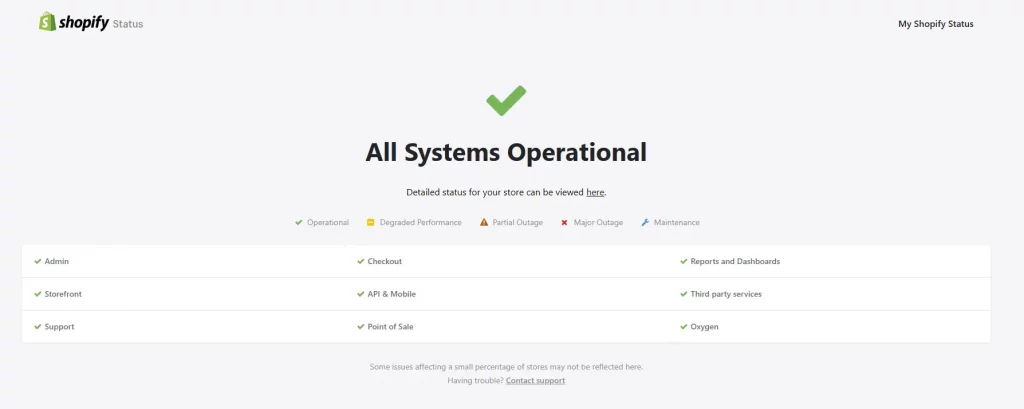
The single most reliable way to check whether Shopify is down is to visit shopifystatus.com. This is Shopify’s official real-time system health page, and it is the first URL you should check any time you suspect a platform issue.
The page shows the current operational status of every major Shopify component. If Shopify is down, this page will say so. If it shows green across the board, the problem is almost certainly something specific to your store rather than a platform-wide outage.
Check this page before doing anything else. It takes ten seconds and immediately tells you whether you should be troubleshooting your store or simply waiting for Shopify’s engineering team to resolve a known issue.

Downdetector
Search for ‘Shopify’ on downdetector.com to see user-submitted outage reports aggregated in near-real time. Downdetector also displays a geographic heatmap showing which regions have the highest concentration of reported problems.
Downdetector is particularly useful as an early-warning signal. Because it relies on user reports rather than official acknowledgment, it sometimes surfaces emerging issues before Shopify has posted an official update to its status page. If you see a spike in reports on Downdetector and the official status page still shows green, it is worth monitoring both closely.
Shopify’s official social channels
During significant outages, Shopify typically posts updates on its official support account on X (formerly Twitter): @ShopifySupport. These posts often provide context that complements the status page, especially during fast-moving incidents where the timeline of updates is still catching up to the scope of the problem.
Check whether other websites are accessible
If Shopify Status is showing all green but your store is still not working, check whether other websites are loading normally. If multiple sites are inaccessible, you may be experiencing a local internet connectivity issue rather than a Shopify outage. Try loading your store from a different device or network, such as switching from WiFi to mobile data, to rule out a connection problem on your end.
How to read the Shopify status page
If you have confirmed that Shopify is indeed experiencing an issue, here is how to interpret what you see on the status page:
| What You See | What It Means | What to Expect |
| Degraded Performance | A subset of merchants is experiencing errors; some transactions may fail | Some customers may experience issues; most transactions still completing |
| Partial Outage | A significant portion of a component is failing | A subset of merchants are experiencing errors; some transactions may fail |
| Major Outage | Critical service failure affecting many merchants | Widespread disruption; expect an active incident timeline with regular updates |
| Specific Component Down (e.g., Checkout) | Only that component is affected; others remain operational | Checkout failures while Admin and Storefront may still work normally |
Pay close attention to which specific component is down. A Shopify API degradation has a very different impact than a Checkout outage. Knowing exactly what is affected helps you assess the business impact accurately and communicate clearly with your customers and team.
What causes Shopify to go down?
Understanding why Shopify experiences downtime helps you anticipate when outages are more likely and prepare accordingly. The most common causes include:
Infrastructure failure. These are the most disruptive and the least predictable. Server-side issues can cascade quickly across interconnected components. The June 2026 incident, for example, affected Admin, POS, Storefront, and Checkout simultaneously for roughly 90 minutes due to a single infrastructural issue before engineers implemented a fix.
Scheduled maintenance. Shopify periodically takes components offline for planned upgrades, security patches, or feature deployments. These are announced in advance on the status page and are generally brief.


High-traffic events. Black Friday and Cyber Monday generate massive traffic spikes across the platform. While Shopify invests heavily in scaling infrastructure for these periods, localized incidents can still occur under extreme load.
Third-party dependencies. Shopify’s platform relies on a range of external services including cloud providers and payment networks. Issues with these external dependencies can cause Shopify components to fail even when Shopify’s own infrastructure is functioning normally.
API changes and deprecations. As Shopify evolves its platform, older integrations built on deprecated APIs can start failing. If your store uses custom code or apps that have not been updated, you may experience errors that look like downtime but are actually compatibility issues. The legacy REST Checkout API, for instance, was fully deprecated in April 2025.
How to prepare for future Shopify downtime
You cannot prevent platform outages, but you can minimize their impact on your business through preparation. Here are the most effective measures:
Set up proactive status monitoring
Do not wait until something breaks to check the status page. Subscribe to Shopify’s official status notifications at shopifystatus.com so you receive an email or SMS the moment an incident is reported.
Automate alerts with MESA
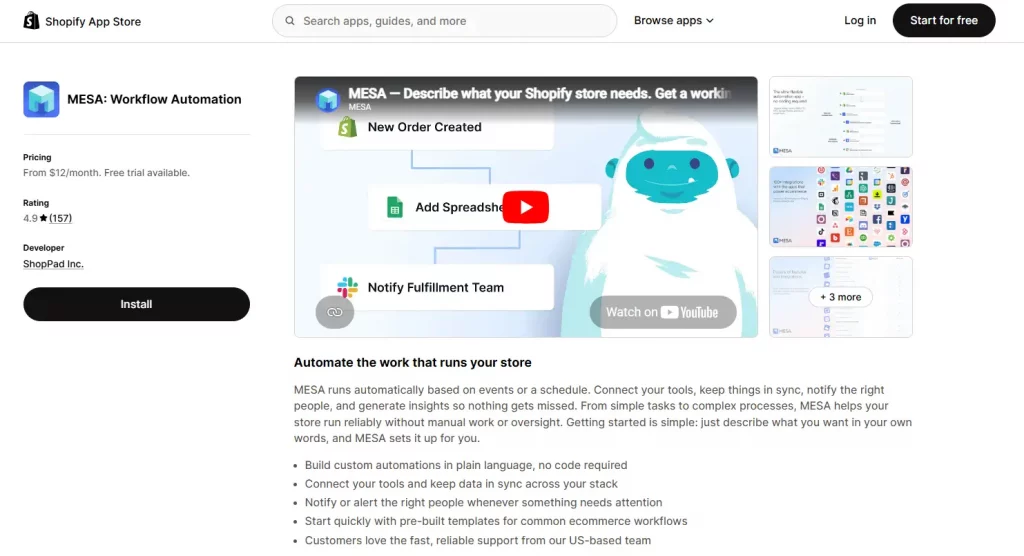
MESA is a Shopify-native automation tool that can monitor Shopify’s status and automatically send notifications to your Slack channel, email, or SMS when an incident is detected. This means your entire team is notified simultaneously without anyone having to manually check the status page.

Keep a downtime communication template ready
Prepare a customer communication template in advance for common outage scenarios: checkout down, storefront inaccessible, order processing delayed. When an incident happens, you can deploy these messages immediately rather than drafting them under stress.
Audit third-party apps regularly
Many apparent Shopify outages are actually app conflicts. Keep your app list lean, regularly remove apps you are no longer using, and stay current with updates. This reduces the likelihood of a conflict causing an issue that looks like a Shopify problem.
Conclusion
When something stops working, the first question many merchants ask is simple: is Shopify down? Fortunately, finding the answer is usually much easier than most people expect.
The next time you find yourself searching for “is Shopify down right now”, you’ll know exactly where to look and what steps to take next. More importantly, you’ll be able to respond with confidence instead of wasting time troubleshooting the wrong problem. Keeping an eye on Shopify’s system status, enabling alerts, and having a basic response plan in place can help you minimize disruption and keep your customers informed when unexpected issues arise.
If you’re selling on Shopify and need a professional invoice solution, then Vify Shopify Order Printer app is the best choice for you. Try it for free today and experience it for yourself. We’re confident you’ll love it.