


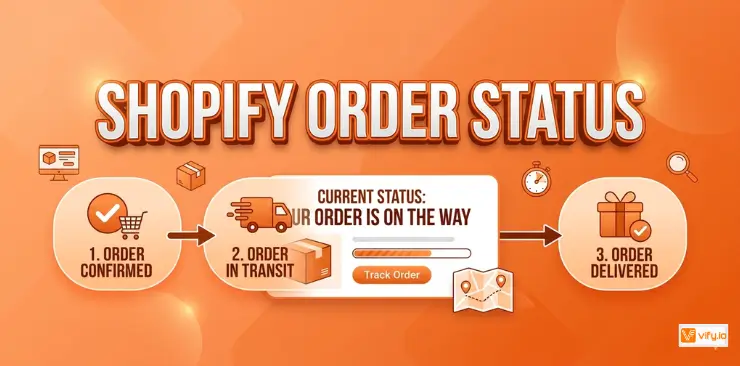
Understanding Shopify order status is essential for both merchants and customers. Clear order updates help shoppers track their purchases with confidence while reducing order-related support requests. Each status reflects a specific stage in the order journey, providing valuable insight into payment verification, fulfillment progress, shipping activity, and final delivery. This guide explains how Shopify order status works, how order tracking is managed, and how merchants can create a smoother post-purchase experience through effective communication.
What is Shopify order status?
Shopify order status refers to the current stage of fulfillment for a specific customer order. Every order in Shopify moves through a sequence of statuses that reflect what has happened to it so far and what comes next. Merchants see these statuses in the Shopify Admin, and customers see a version of them on the dedicated Shopify order status page.
Beyond simple order management, the status system plays an important role in communication. It helps merchants stay organized and manage fulfillment efficiently, while giving customers greater visibility into their purchases and confidence that their order is moving forward as expected.
What is Shopify order status page?
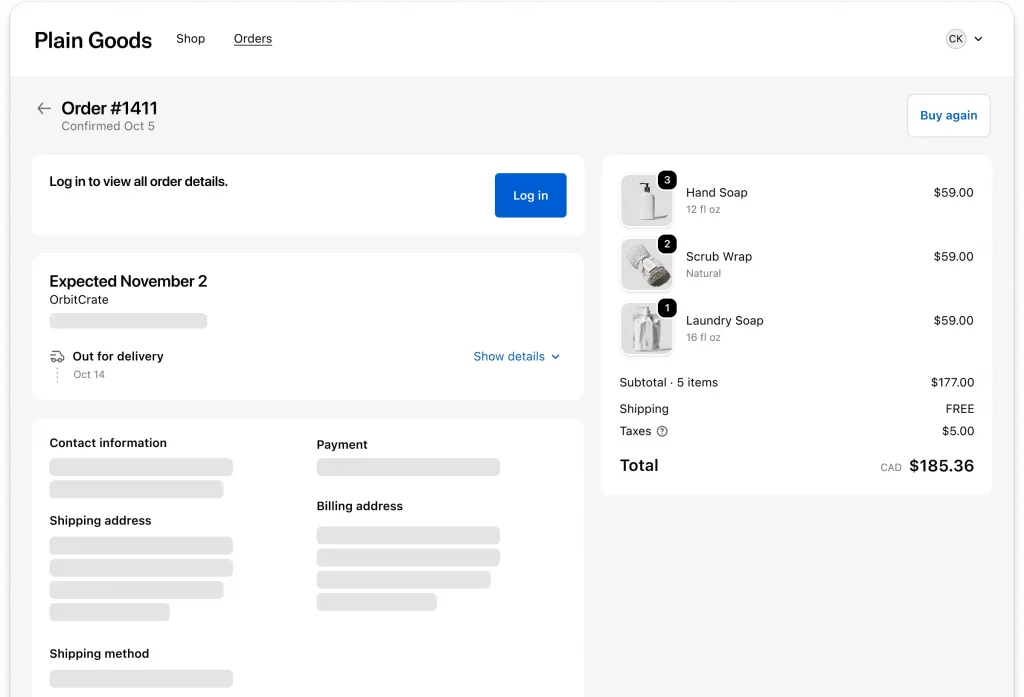
The order status page Shopify provides is the final screen customers see immediately after completing checkout. It is a dedicated, order-specific URL that customers can bookmark and return to at any time to check the latest status of their purchase.
This page acts as a central hub for post-purchase updates. Instead of contacting customer support for routine questions about order progress or shipping, customers can access important details themselves, including fulfillment updates, tracking information, delivery progress, and order summaries — all in a single dashboard.

Shopify order status types
Shopify tracks several layers of order status simultaneously. Understanding each layer helps you manage your store more effectively and answer customer questions accurately.
Payment status
Payment status indicates whether money has been collected for an order. The key values are:
| Payment Status | What It Means |
| Authorized | Payment has been pre-authorized but not yet captured. Common with manual capture settings. |
| Paid | Full payment has been successfully captured. Standard status for most completed orders. |
| Partially Paid | Only part of the order total has been paid. Can occur with split payments or partial refunds after payment. |
| Pending | Payment is in process but not yet confirmed. Common with bank transfers or cash on delivery. |
| Refunded | The full order amount has been returned to the customer. |
| Partially Refunded | Only part of the payment has been refunded. |
| Voided | The authorized payment was canceled before capture. |
Fulfillment status
Fulfillment status tracks whether the physical or digital goods have been shipped or delivered. The core statuses include:
| Fulfillment Status | What It Means |
| Unfulfilled | The order has been paid but not yet shipped. Action required by the merchant. |
| Fulfilled | All items in the order have been shipped with tracking information added. |
| Partially Fulfilled | Some items have been shipped but others are still pending. Common for multi-item orders shipped in batches. |
| In Transit | The shipment is on its way to the customer and tracking is active. |
| Out for Delivery | The package is with the delivery carrier and expected to arrive today. |
| Delivered | Confirmed delivery to the customer’s address. |
| Attempted Delivery | A delivery was attempted but unsuccessful. The package may need rescheduling. |
| On Hold | Fulfillment is intentionally paused, usually pending stock or a customer request. |
Order status
At the top level, an order in Shopify Admin will show one of two overall statuses:
Open — The order is active and requires attention. Either it has not been fulfilled or there is an outstanding action required.
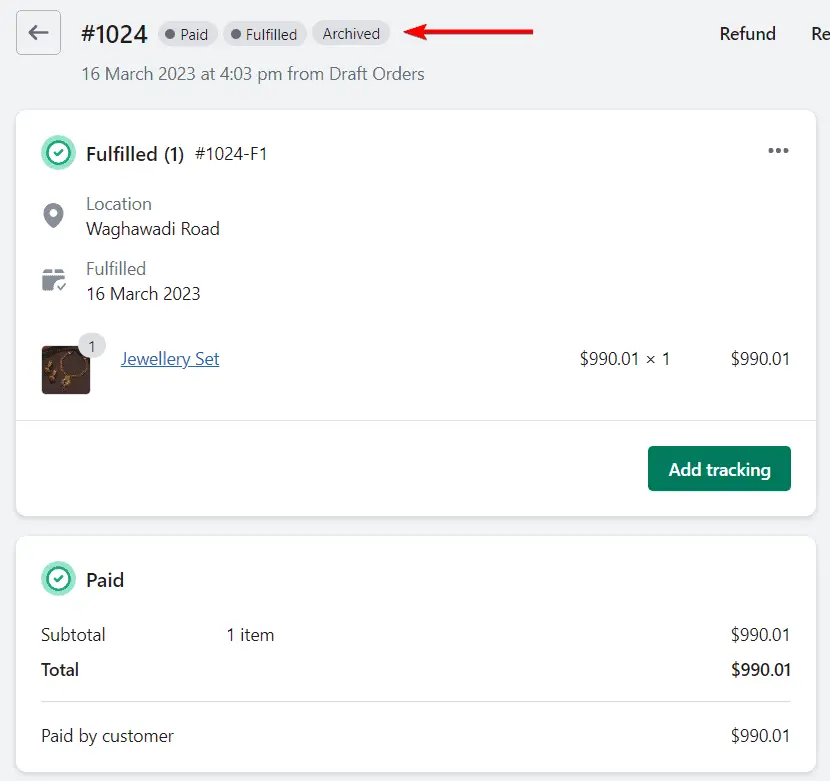
Archived — The order has been completed and removed from the active view. Archiving typically happens automatically once an order is both paid and fulfilled.
Managing Shopify order status
Always add tracking numbers
Providing tracking details as soon as an order is shipped is one of the simplest ways to improve the customer experience and reduce order-related inquiries. With a tracking number available, customers can check shipment progress directly from the order status page instead of reaching out to your support team for updates. Orders shipped without tracking information often generate unnecessary follow-up requests and create uncertainty for customers.
Update fulfillment status promptly
Customers naturally expect to see progress after placing an order. When an order remains marked as Unfulfilled for an extended period, many shoppers assume there is a problem and contact support for clarification. Keeping fulfillment statuses current helps reassure customers that their order is being processed as expected.
If your business requires additional processing time. such as made-to-order products, pre-orders, or custom items, communicate those timelines clearly during checkout and within order confirmation emails to avoid confusion.

Use order status emails proactively
Shopify automatically sends key notifications throughout the order journey, including order confirmations, shipping updates, and delivery notifications. These emails provide customers with convenient access to their order status page and help keep them informed without additional effort from your team.
Regularly review your notification settings and email deliverability to ensure customers receive these updates promptly and can easily track their orders when needed.
Handle partially fulfilled orders clearly
Orders containing multiple shipments can sometimes create confusion, especially when customers expect all items to arrive together. When only part of an order has been fulfilled, customers may not immediately understand why some products have shipped while others have not.
To avoid misunderstandings, explain split shipments in your shipping communications and let customers know if additional packages will arrive separately. Setting expectations early helps reduce support requests and creates a more transparent delivery experience.
Conclusion
A well-managed Shopify order status system helps create a more transparent and reliable post-purchase experience for customers. When shoppers can easily check their order progress and access accurate tracking information, they are more likely to trust your brand and feel confident about their purchase. For merchants, clear order communication can reduce support requests, improve operational efficiency, and strengthen customer relationships. By optimizing order status Shopify tracking and keeping customers informed at every stage, you can enhance the overall shopping experience and build a stronger foundation for long-term customer loyalty.
If you’re selling on Shopify and need a professional invoice solution, then Vify Shopify Order Printer app is the best choice for you. Try it for free today and experience it for yourself. We’re confident you’ll love it.