


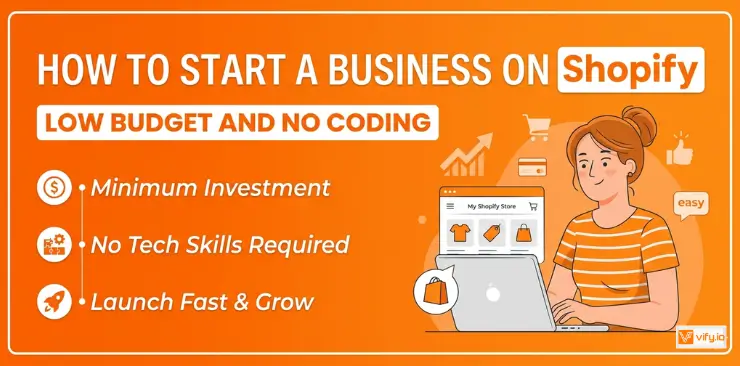
Turning an idea into a real online business doesn’t have to take months of planning or technical skills. If you want to start a business on Shopify, the platform gives you everything you need to launch quickly and scale over time. The challenge isn’t the tools — it’s knowing what steps actually matter. In this guide, you’ll learn a clear, practical approach to start a business on Shopify, from setting up your store to getting your first customers and building momentum from day one.
Prepare before you start a business on Shopify
Before you open your store, a little preparation goes a long way. Here’s what to sort out first.
1. Choose a Business Idea & Validate your Niche
The most important step when you decide to start a business with Shopify is picking the right niche. A niche too broad and you’ll struggle to stand out; too narrow and there may not be enough buyers.
Try these quick validation tactics:
- Search your product idea on Google Trends — is there consistent or growing interest?
- Check if competitors are running paid ads (a good sign that money is being made).
- Browse Reddit and Facebook Groups to see if people are actively talking about the problem your product solves.
- Validate with a small audience on social media before spending a cent on inventory.
2. Understand your Business Model
Not all Shopify businesses are the same. Pick the model that fits your resources:
- Dropshipping — sell products without holding inventory; supplier ships directly to customers.
- Print-on-demand — design custom products (t-shirts, mugs, posters) that are printed and shipped per order.
- Own inventory — buy or manufacture products yourself; higher margins, more control.
- Digital products — sell ebooks, courses, templates, or software with zero shipping costs.
3. Sort Out the Legal Basics
Before you launch, take care of these essentials:
- Register your business name and choose a legal structure (sole trader, LLC, etc.)
- Understand your local tax obligations — Shopify can help automate sales tax collection.
- Check your domain name availability and secure it early.
- Review Shopify’s Terms of Service to ensure your products are permitted on the platform.
How to Start a Business on Shopify
Ready to build? Here is the exact process to start a business on Shopify from scratch — no coding required.
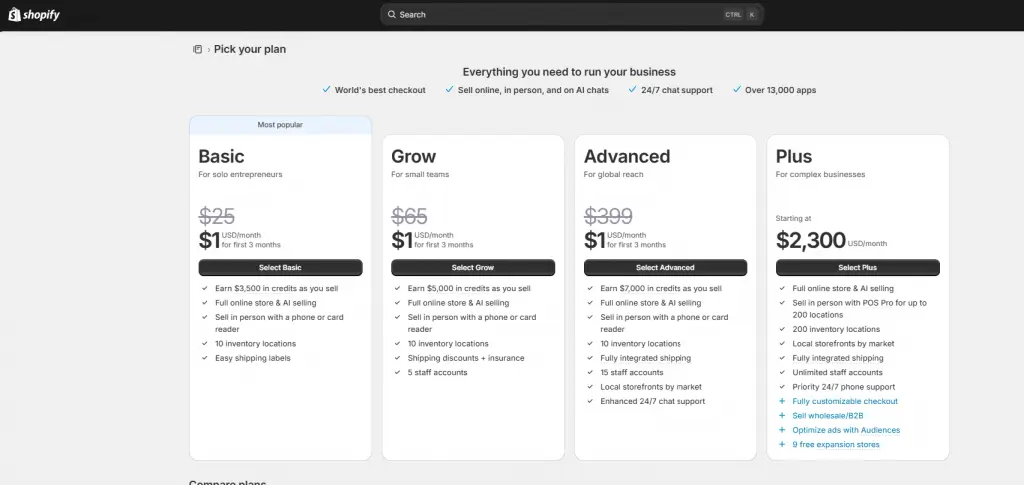
Step 1: Sign Up for Shopify & Choose the Right Plan
Go to Shopify.com and start your free trial (no credit card required). Shopify offers a 3-day free trial, after which you can choose a plan:
- Basic ($25/month): Best for new stores just starting out. Includes everything you need to launch.
- Grow ($65/month): Best for growing stores. Adds professional reports and lower transaction fees.
- Advanced ($399/month): Best for scaling stores with high volume. Offers advanced reporting and the lowest transaction fees.
- Plus ($2,300/month): Best for complex businesses with B2B/wholesale direction.
For most people starting out, the Basic plan is enough. You can always upgrade as your revenue grows.

Step 2: Pick a Theme & Customize your Storefront
Shopify’s Theme Store offers free and paid themes. When starting out, the free themes (Dawn, Sense, Craft) are professional and conversion-optimized. Customize your:
- Logo and brand colors — consistency builds trust.
- Homepage layout — feature your best products front and center.
- Navigation menu — keep it simple: Home, Shop, About, Contact.
- Footer — add your policies (refund, privacy) for customer confidence.
🌟 Don’t know which theme is suitable for your online store? Discover Top 12 Best Free Shopify Templates
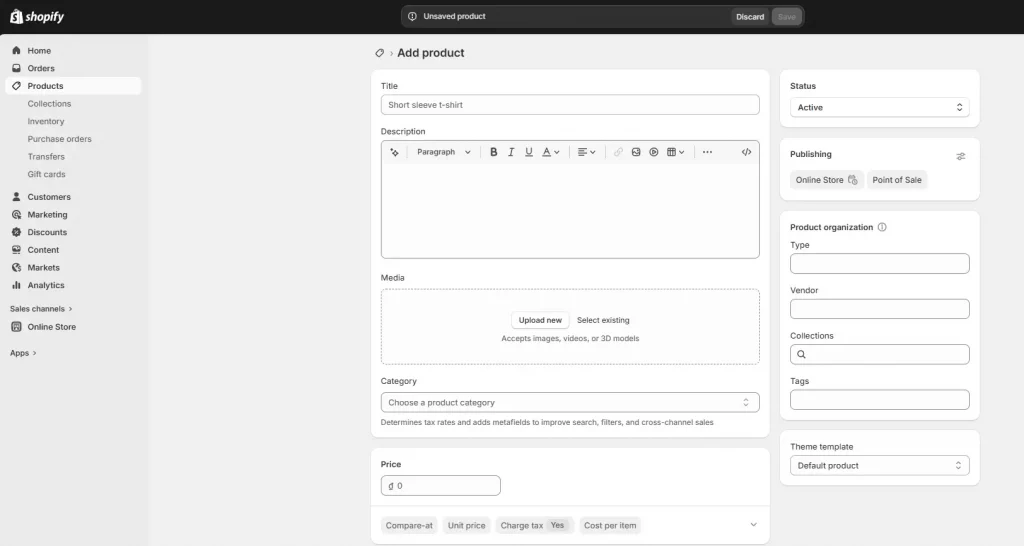
Step 3: Add Your First Products
Go to Products > Add Product. For each product, write:
- A descriptive, keyword-rich title (e.g., “Organic Cotton Tote Bag — Reusable & Eco-Friendly”).
- A detailed description that addresses customer questions and includes relevant keywords.
- High-quality images from multiple angles — use at least 3 photos per product.
- Clear pricing — research competitors and factor in your desired margin.
- Inventory tracking and shipping weight for accurate fulfillment.

Step 4: Set Up Payment Gateways
Go to Settings > Payments. Shopify Payments is the easiest option — no third-party transaction fees and it’s built right in. Other popular options include:
- PayPal — trusted globally; great for building immediate buyer confidence.
- Stripe — powerful and developer-friendly.
- Local payment methods — depending on your country, Shopify supports 100+ payment providers.
Enable multiple payment options to reduce checkout abandonment.
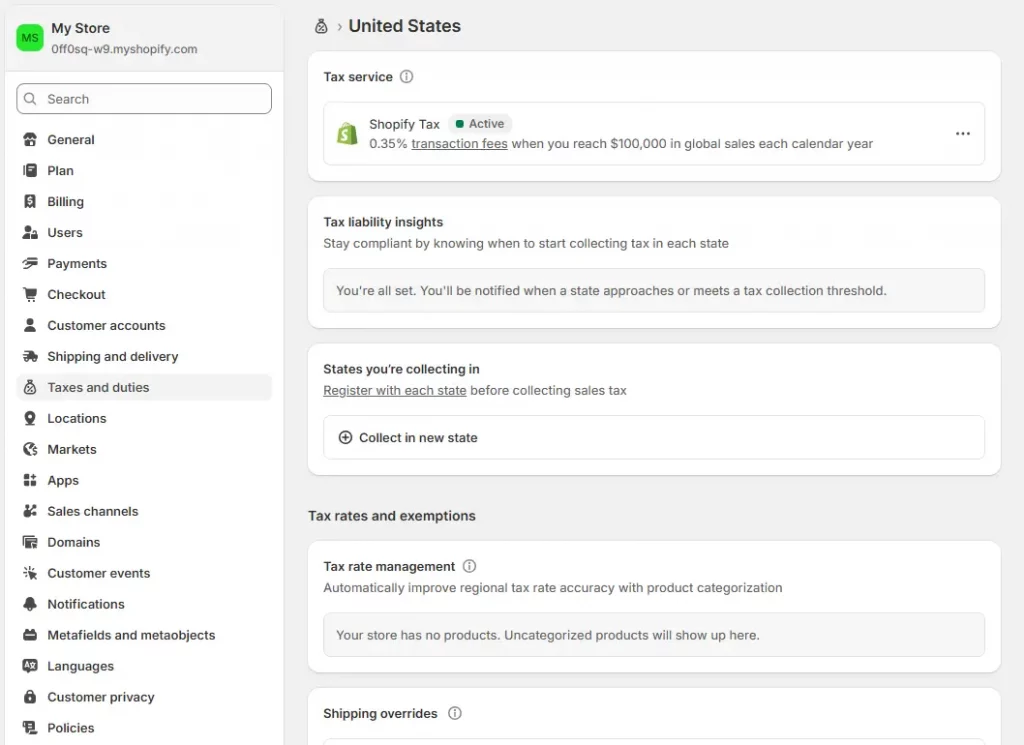
Step 5: Configure Shipping & Taxes
Go to Settings > Shipping and delivery. Set up:
- Shipping zones — define the regions you ship to.
- Shipping rates — offer free shipping (build it into your pricing), flat rate, or carrier-calculated.
- Taxes — Shopify can automatically calculate and apply taxes based on your location and your customer’s location.
Free shipping with a minimum order threshold (e.g., “Free shipping on orders over $50”) is one of the most effective tactics to increase average order value.

Step 6: Connect Your Domain & Launch
Go to Settings > Domains. You can:
- Buy a domain directly through Shopify (starts at ~$14/year).
- Connect an existing domain from GoDaddy, Namecheap, or another registrar.
Before going live, run through this pre-launch checklist:
- Place a test order and ensure checkout works smoothly.
- Check that all pages load correctly on mobile.
- Review your refund, privacy, and shipping policy pages.
- Set up Google Analytics and Meta Pixel for tracking from day one.
Once everything checks out — go live! Your Shopify store is open for business.
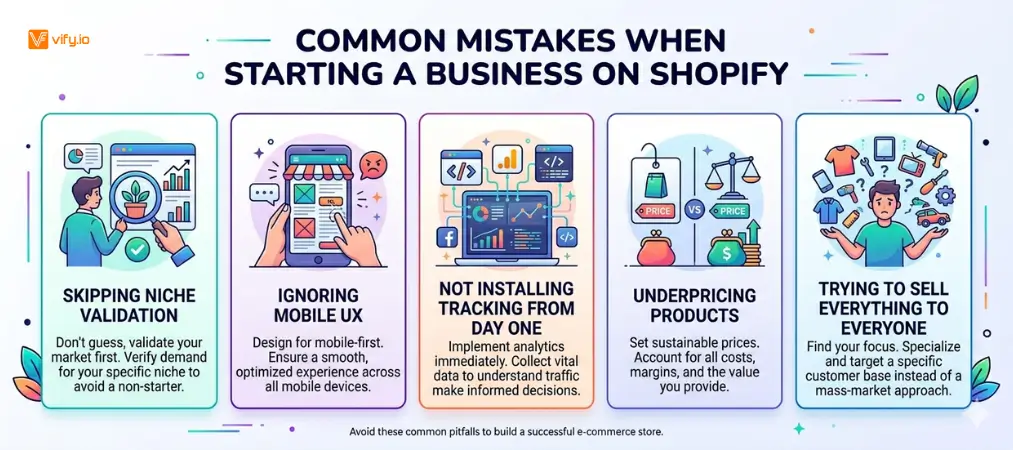
Common Mistakes when starting a business on Shopify
Learning from others’ mistakes saves you time, money, and frustration. Watch out for these:
- Mistake 1 — Skipping niche validation
Launching without any proof of demand is the fastest way to waste money on inventory or ads. Always validate before you invest.
- Mistake 2 — Ignoring mobile UX
Over 70% of Shopify store traffic comes from mobile devices. Your store must look and function flawlessly on a phone screen. Test obsessively on mobile.
- Mistake 3 — Not installing tracking from day one
Without Google Analytics and Meta Pixel installed before your first sale, you have no data to make decisions from. Set these up before launch — not after.
- Mistake 4 — Underpricing products
Many new entrepreneurs underprice out of fear of not selling. Calculate your full cost (product + shipping + Shopify fees + ad spend) and price for a healthy margin of at least 50–70%.
- Mistake 5 — Trying to sell everything to everyone
Niche stores outperform general stores. The more specific your target customer, the easier (and cheaper) it is to market to them.

Conclusion
Starting an online business doesn’t require perfection — it requires action and a clear plan. By following the steps in this guide, you now understand how to start a business on Shopify in a structured, practical way. The real advantage of Shopify lies in how quickly you can test, learn, and improve without heavy upfront investment. As you move forward, focus on refining your niche, optimizing your store, and consistently learning from real customer data. With the right mindset and execution, anyone can start a business on Shopify and turn it into a scalable, long-term source of income.
If you’re selling on Shopify and need a professional invoice solution, especially one that’s easy to customize with any coding skills, then Vify’s Order Printer app Shopify is the best choice for you. Try it for free today and experience it for yourself. We’re confident you’ll love it.