



A Shopify Facebook product feed sends your Shopify product data to Meta for use across Facebook and Instagram. When that data is incomplete or out of sync, products may show incorrect prices, missing images, or fail to appear in your catalog. This guide covers the main ways to create and manage a Shopify product feed for Facebook, along with practical fixes for common feed issues.
What is a Shopify Facebook product feed?
The terms “feed,” “data source,” and “catalog” are often used interchangeably, but they describe different parts of the Meta product setup.
| Term | What it is | Where it is managed |
|---|---|---|
| Product feed | The file or connection that carries product data such as title, price, image, and stock | Shopify, a feed app, or a hosted file |
| Data source | The source in Meta that receives product information and reports upload or sync status | Commerce Manager → Data Sources |
| Catalog | The container that stores product items and powers Meta shopping and advertising features | Commerce Manager → Catalog |
| Shop/ads | Customer-facing surfaces that use products in the catalog | Facebook Shop, Instagram Shopping, Meta ads |
The basic flow is:
Product feed → Data source → Catalog → Shop and ads
That distinction matters when troubleshooting. If an ad shows the wrong price, the issue may actually be incorrect catalog data. In that case, changing the ad creative won’t fix the underlying problem. You need to correct the product information at its source.
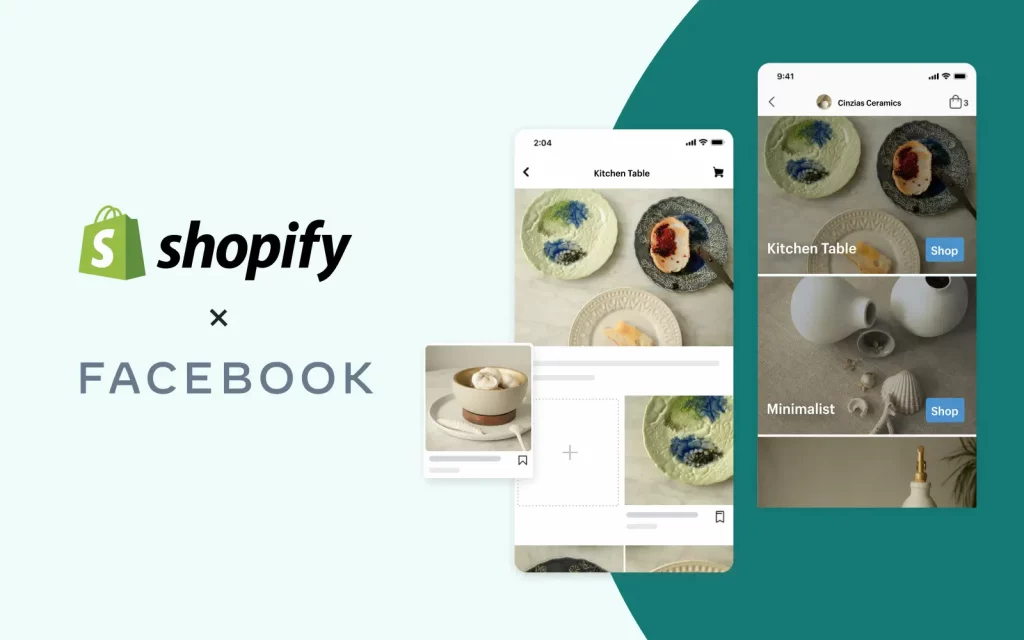
Shopify’s Facebook and Instagram by Meta channel uses a shared product catalog for Facebook Shop, Instagram Shopping, and Meta marketing features. A product made available through the channel can therefore be used across the relevant features rather than being maintained in separate catalogs.

Why the Shopify Facebook product feed matters
Ad creative gets attention, but the catalog provides the product information behind the experience.
Product eligibility
Products with missing required information can run into publishing or approval issues. Shopify’s current requirements include product availability on the Facebook and Instagram channel, shipping eligibility, a return policy, suitable titles, descriptions and images, policy compliance, a Google Product Category, and a non-free price.
Product accuracy
Prices, availability, images, and product links need to stay consistent with the Shopify store. A stale feed can leave shoppers seeing an outdated price or an item that is no longer available. Stock levels are the most common source of this mismatch, so good Shopify inventory management is just as important as the feed itself: if your counts are wrong in Shopify, they will be wrong in your Meta catalog too.
Catalog scale
Catalog-based campaigns are designed to work with large product sets. A single missing field can therefore affect many products at once. Fixing the underlying feed is usually more efficient than checking individual ads.
For that reason, catalog data deserves a place in the troubleshooting process whenever Meta ads or product listings behave unexpectedly.
A single missing field can also surface inside your Shopify Facebook Ads long before you notice it in the catalog, so a clean feed is the foundation for every campaign you run.

3 ways to create a Shopify product feed for Facebook
There are three common ways to connect Shopify products with a Meta catalog. The main difference is the amount of control and maintenance each method requires.
| Method | Setup effort | Cost | Control over fields | Automatic updates | Best suited for |
|---|---|---|---|---|---|
| Facebook & Instagram by Meta | Low, with several account connections | Free | Limited to available Shopify data | Yes | Most stores starting out |
| Third-party feed app | Low to medium | Varies by app | High | Yes | Large or complex catalogs |
| Scheduled data feed | High | Usually free, but requires maintenance | Very high | Based on schedule | Custom catalogs and unusual data |
For many Shopify stores, the official Facebook and Instagram channel is the simplest starting point. A separate Shopify Facebook feed app becomes more useful when additional field mapping, bulk rules, or multi-channel support is needed.
The main thing to avoid is sending the same products into one catalog through multiple unmanaged sources.
Method 1: Use Facebook & Instagram
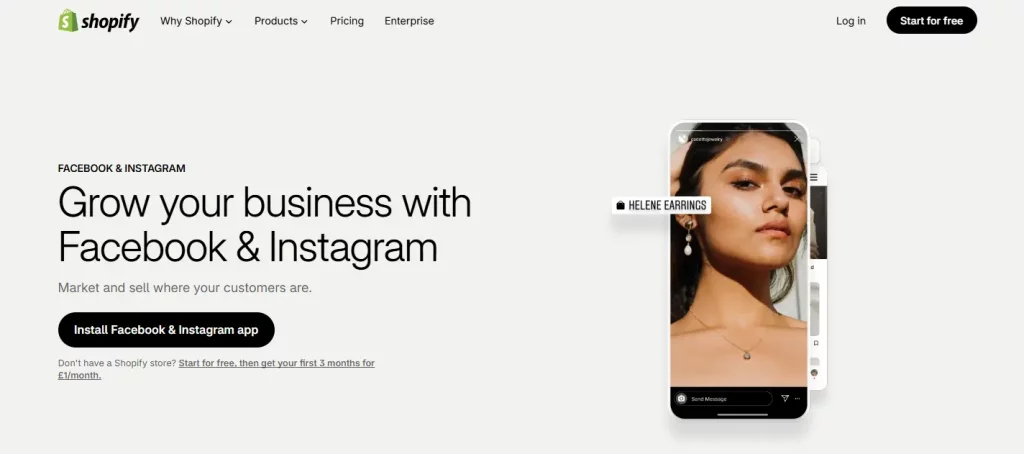
Shopify’s official route is the Facebook and Instagram by Meta sales channel. The channel is free to use with Shopify plans, subject to eligibility requirements, and it syncs products with a Meta catalog.
What products need to meet
Shopify currently lists several requirements for products published through the channel:
| Requirement | Detail |
|---|---|
| Availability | The product must be made available to Facebook and Instagram by Meta |
| Shipping | The product must require shipping, so digital products are excluded |
| Return policy | The store needs a return policy |
| Title, description, image | Product information must meet Meta’s catalog requirements |
| Policy compliance | Products must comply with Meta’s Commerce Policy and Community Standards |
| Category | A Google Product Category is required for product publishing |
| Price | The product can’t be free |
Shopify also provides a product status view that highlights publishing issues and lets merchants review products in bulk.
How to set up the channel
- Install Facebook and Instagram by Meta through Shopify.
- Connect the required Meta business assets, including the Facebook Page and business portfolio.
- Connect the relevant Instagram account and ad account when required.
- Complete the setup and review the product status section.
- Make the products that need to appear on Meta available to the channel.
- Check the Google Product Category assigned to each product.
- Review Commerce Manager for catalog issues and product status.
Shopify notes that the business portfolio and Facebook Page need to be connected correctly, and the account completing setup needs the required level of control over those assets.

What syncs automatically?
Product changes made in Shopify can be synced to the Meta catalog. Shopify specifically states that changes to product images, titles, and prices are automatically synced after the products update.
Google Product Categories also sync with the product data sent to Meta. Shopify says product details sync within about 15 minutes after you save product changes, though actual processing can vary by setup.
One limitation is important for international stores: Shopify collections sync to Facebook only for stores based in the United States. Stores outside the US need to create their Facebook collections manually in Commerce Manager.
How long does syncing take?
Shopify says product changes usually appear after the next sync, which can take a few minutes.
A delay does not necessarily mean the feed is broken. When a recent price or image change is missing in Meta, check the product status and the catalog before changing the source data again.
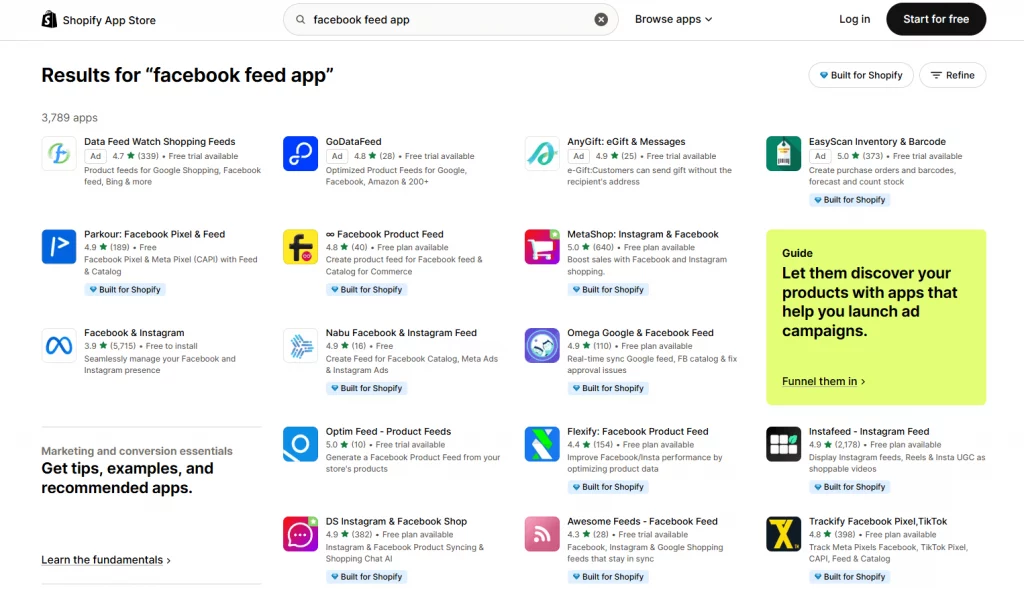
Method 2: Use a third-party Shopify Facebook feed app
The official channel handles the basic connection, but it does not provide the same level of feed customization as a dedicated feed app.
A third-party app can be useful for:
- Custom product mappings
- Bulk field changes
- Feed rules
- Product filtering
- Variant handling
- Multiple currencies
- Multi-channel feeds
- Additional catalog attributes
This approach becomes more relevant for larger catalogs or stores that advertise across several platforms.

Method 3: Create a scheduled data feed
A third option is to create the product feed manually and let Meta retrieve it on a schedule. This method gives much more control over the data structure, but it also creates more maintenance work.
Google Sheets
Google Sheets can be a practical starting point for a custom Shopify product feed for Facebook. Product data is maintained in the sheet, the file is shared with Meta, and scheduled retrieval keeps the catalog updated.
The main limitation is update frequency. Scheduled feeds are not designed for real-time inventory changes, so stores with rapidly changing stock need to account for that delay.
Feed rules
Feed rules can help map columns and transform product data without rebuilding the original file. This is useful when the Shopify data structure does not match Meta’s expected fields.
Supplementary feeds
Supplementary feeds can add or enrich information without changing the main product data source. This can be useful for stores that need additional catalog attributes while keeping the primary feed intact.
For most Shopify stores, the maintenance required for a custom feed is only worthwhile when the catalog has unusual requirements that the standard channel or a feed app cannot handle.

Required fields in a Shopify Facebook product feed
The exact requirements can vary by catalog setup and product category, but the core product fields generally include the information shoppers need to identify and purchase an item.
| Field | Shopify source | Common issue |
|---|---|---|
| id | Variant SKU or product/variant ID | Changing identifiers can affect matching |
| title | Product title | Excessive promotional wording or poor formatting |
| description | Product description | Missing or unsuitable content |
| availability | Inventory | Catalog status does not match actual stock |
| condition | Product condition | Missing information |
| price | Variant price | Currency or price mismatch |
| link | Product URL | Incorrect or redirected URL |
| image_link | Featured image | Missing or placeholder image |
| brand | Vendor | Blank vendor field |
The identifier rule that causes confusion
Product identifiers are one of the areas that can trigger feed errors.
Meta’s product data requirements use identifiers such as brand, MPN, or GTIN. For many Shopify stores, the Vendor field is the natural place to maintain brand information, so keeping that field consistent can help avoid missing identifier data.
A product feed should also preserve stable IDs. Changing product identifiers unnecessarily can make catalog matching harder and may affect historical product data.
Variant data matters too
Variants need accurate information when attributes such as size, color, or other options distinguish one version from another.
Shopify’s publishing-error documentation specifically lists missing variant information such as size and color as a common issue. Some product categories may require additional attributes as well.
For a catalog with many variants, consistent product data is especially important. A single missing attribute can create multiple product-level errors.


Common Shopify Facebook feed Errors and Fixes
| Error or symptom | Likely cause | Fix |
|---|---|---|
| Product won’t sync | Product is unavailable, digital, free, missing a return policy, or missing required data | Review Shopify’s product requirements and product status |
| “Add a product image” | Product has no suitable image | Add a valid product image |
| “Select a product category” | Google Product Category is missing or unsuitable | Assign the most relevant category |
| Variant errors | Size, color, or other variant information is missing | Complete the required variant data |
| “Missing required field” | Brand, MPN, GTIN, or another required field is missing | Add the required identifier or attribute |
| Wrong price or stock | Stale data, failed sync, or competing feed sources | Check the actual source and latest sync status |
| Upload rejected | Unsupported format or mismatched columns | Use a supported format and map the fields correctly |
| Collections missing | Store is outside the US | Create the collections manually in Commerce Manager |
Shopify’s current documentation provides a product status view specifically for identifying publishing errors, and its common error list includes missing images, product categories, and variant information.
Frequently Asked Questions
What is a Shopify Facebook product feed?
It’s the structured data that carries your Shopify products to a Meta catalog: titles, prices, images, and stock. Facebook and Instagram shops and catalog ads are built from that catalog.
Do I need a separate feed for Instagram?
No. Facebook and Instagram share one catalog, and Shopify’s documentation notes that a product made available to the channel is available to every feature you’ve set up.
How do I create a Shopify product feed for Facebook without an app?
Use Shopify’s free Facebook & Instagram channel, or build a CSV or Google Sheets file and schedule it in Commerce Manager. The channel is the simpler of the two.
How often does the Shopify Facebook feed update?
Shopify says changes usually sync within a few minutes, though some guides mention up to about 24 hours. Scheduled file feeds can’t run more than once per hour.
Is a Facebook product feed free?
The channel is free to install, and feed apps range from free plans to roughly $64 a month and up. Ad spend is a separate cost.
Conclusion
A well-managed Shopify Facebook product feed keeps product information accurate across Meta and makes catalog issues easier to diagnose. For most stores, Shopify’s built-in Facebook and Instagram channel is enough, while larger or more complex catalogs may benefit from a dedicated feed app or custom feed. The key is to keep product data consistent, avoid duplicate sources, and fix issues at the source before they affect Facebook and Instagram.
For Shopify stores looking for a professional invoice solution that’s easy to customize without any coding, Vify Shopify Order Printer app is worth considering. Try it for free today and see how it fits your store’s needs.