

How to add or change a favicon on a Shopify store may seem like a simple task, but many people still struggle with how to do it correctly. If you’re looking to change the Shopify favicon, don’t worry—in this article, Vify will guide you through the process in the easiest way possible. Simply follow the instructions in this guide to get started.
Have you ever heard of the word favicon?
If you are the kind who likes to open many browser tabs at once while working, I am sure that you also struggled to identify a tab in the browser sometimes, when there are too many tabs being opened and the titles are showing just too short to read. Favicons are your life-saver these times.

Can’t find a tab in the browsers
So, what is a favicon, and what’s it used for?
A favicon is a small image or icon on the top left of each browser tab, usually in square format, and displayed next to your page SEO tile.
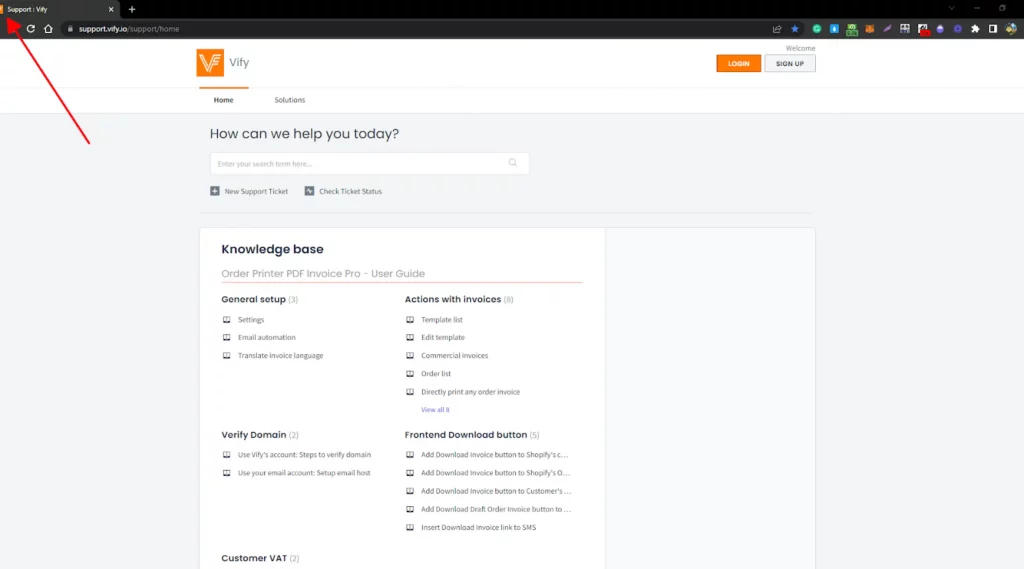
Instead of reading the name, users can look at the favicon, and get a clue about the brand identity regarding the page they’re referring to with their logo representation on the browser tab. Hence, they can shift between the open tabs with ease.
Favicon also appears next to your page’s SEO title in search engine results, on the bookmark bar,.. making your website look professional. This is crucial to make your store stand out from a bunch of other websites on the internet and might be a direct reason to boost your Click-Through-Rate.
Favicon in Shopify
In Shopify, if you haven’t set up your favicon, the platform would use your browser’s default favicon instead. However, most merchants would want to change it to their own brand image. So, in this article, I will show you step-by-step how to add a favicon to your Shopify store.
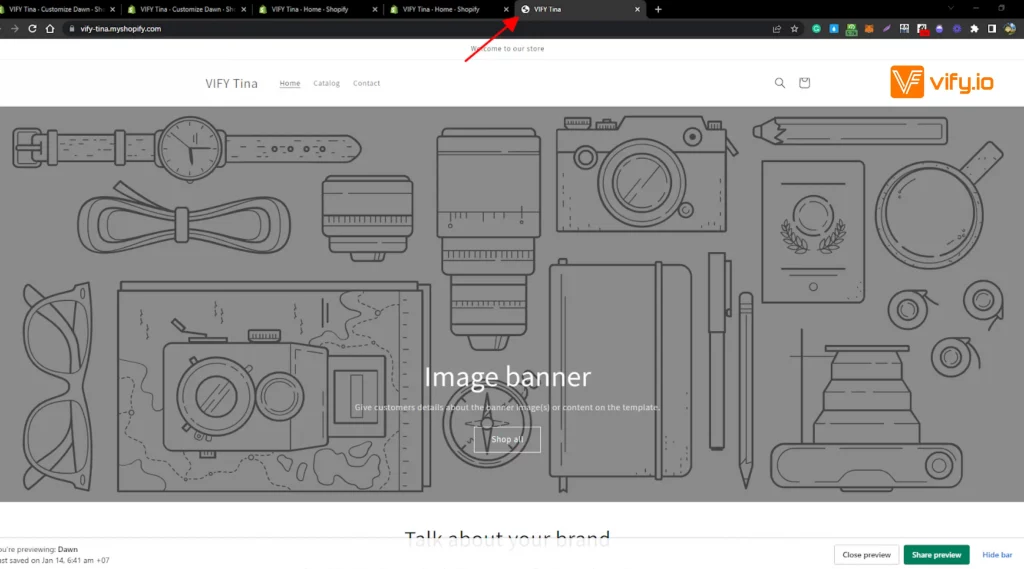
There are a lot of websites that provide custom favicon services for free. You could search “free favicon generator” on the internet to find out or you can create your own, but using your brand logo is the most favorable choice for most store owners
The ideal size for a favicon is either 16×16 pixels or 32×32 pixels. If your favicon file is too large, then it will be reduced to 32×32 pixels when you upload it to Shopify.
How to add a favicon to your Shopify store
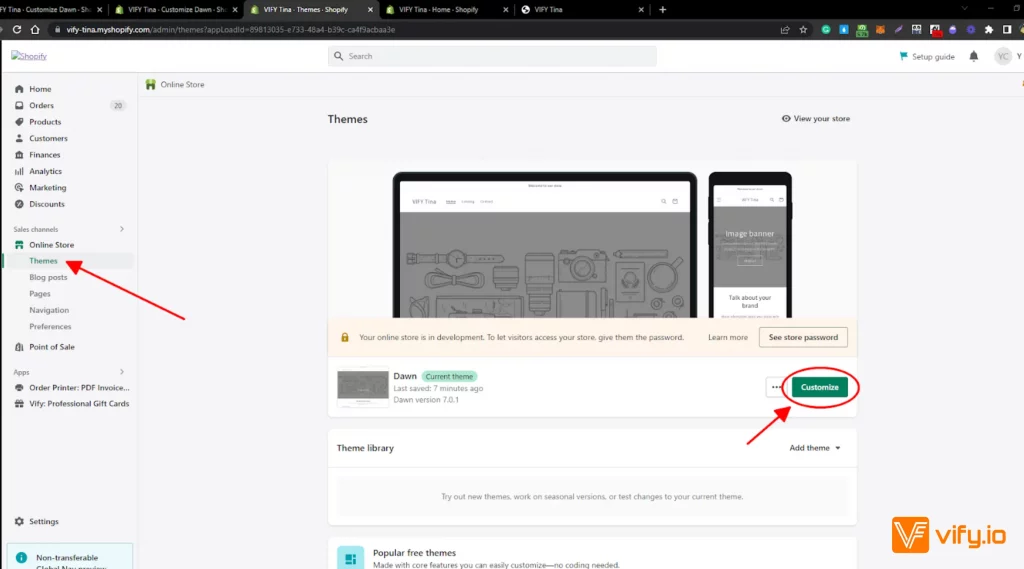
Step 1: Select the Themes section.
From your Shopify admin, select Online Store > Themes.
Choose the theme that you want to edit, and then click Customize.
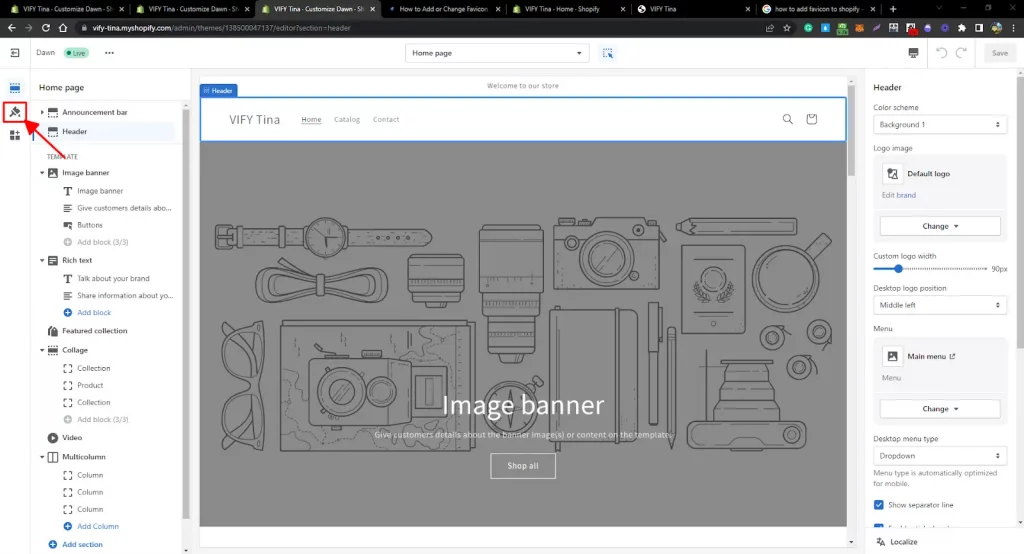
Step 2: Go to the Theme settings tab.
Go to Theme settings by clicking on the brush symbol on the theme editor toolbar
Step 3: Choose a favicon.
Scroll down to see the Favicon section, and click Favicon.
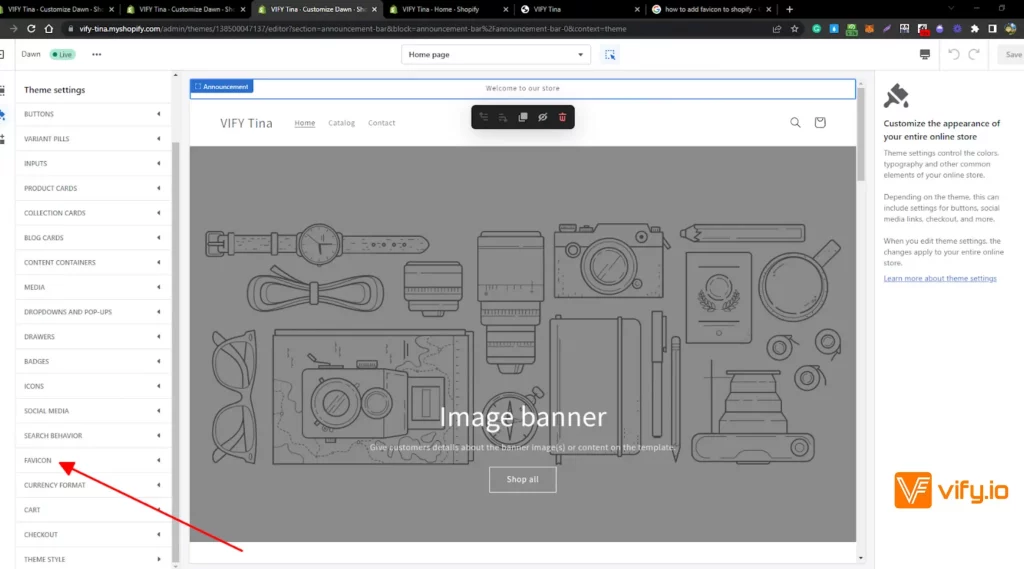
There are two options for you here: you could upload your favicon or use your logo/cover image as a favicon.
1. Select/Upload a favicon:
In the Favicon image area, click Select image, and then do one of the following:
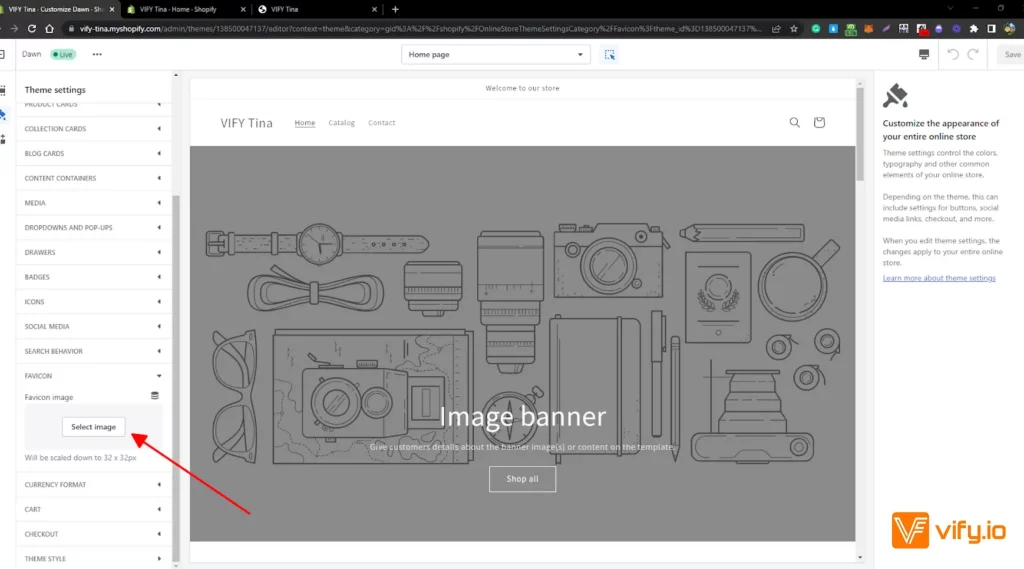
To select an image that you have already uploaded to your Shopify admin, click the Library tab.
To select an image from your local computer, click the Library tab, and then click Upload
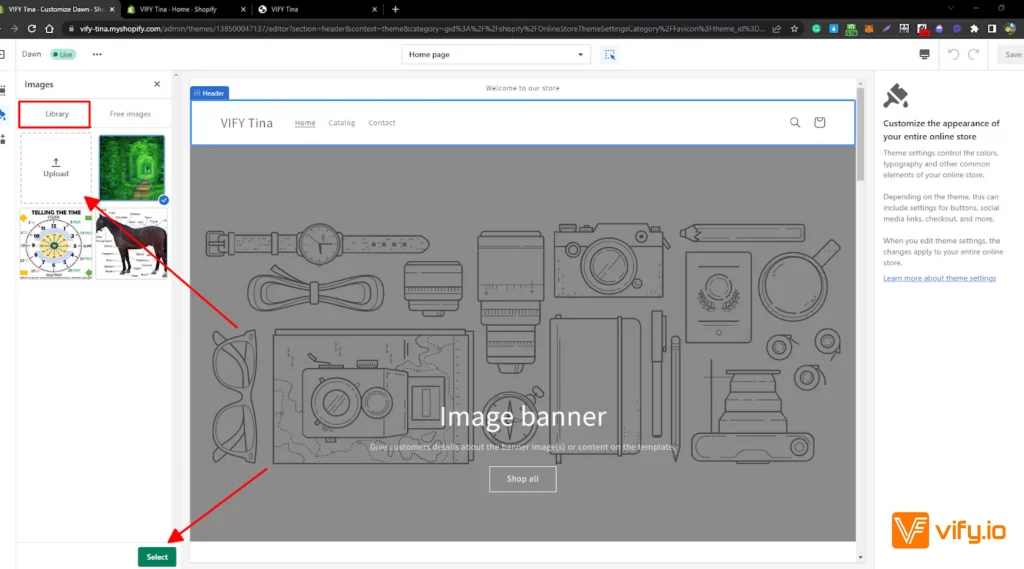
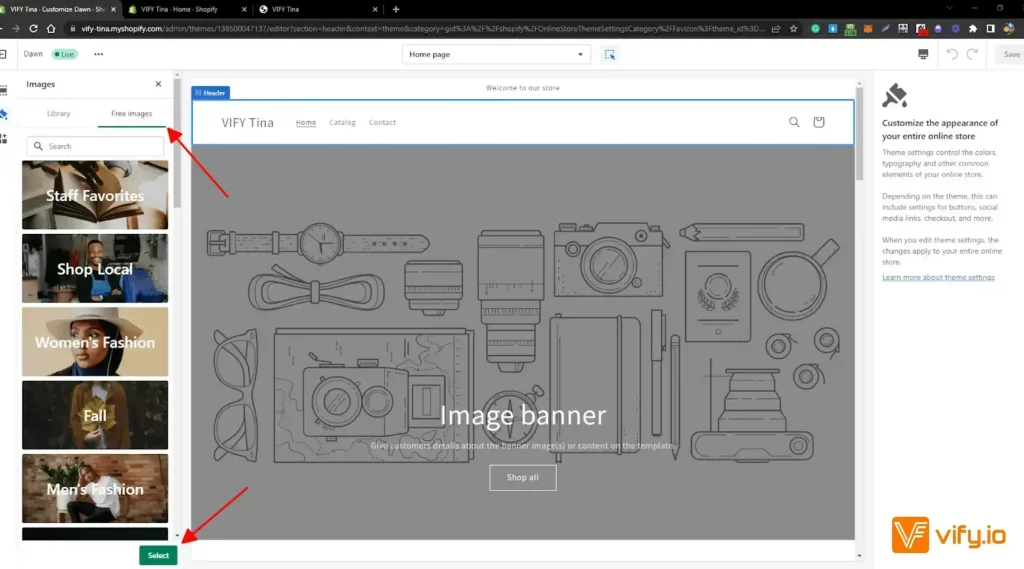
Apart from that, you could also choose free images from Shopify as your favicon. Next to the Library tab, choose the one you like and click Select.
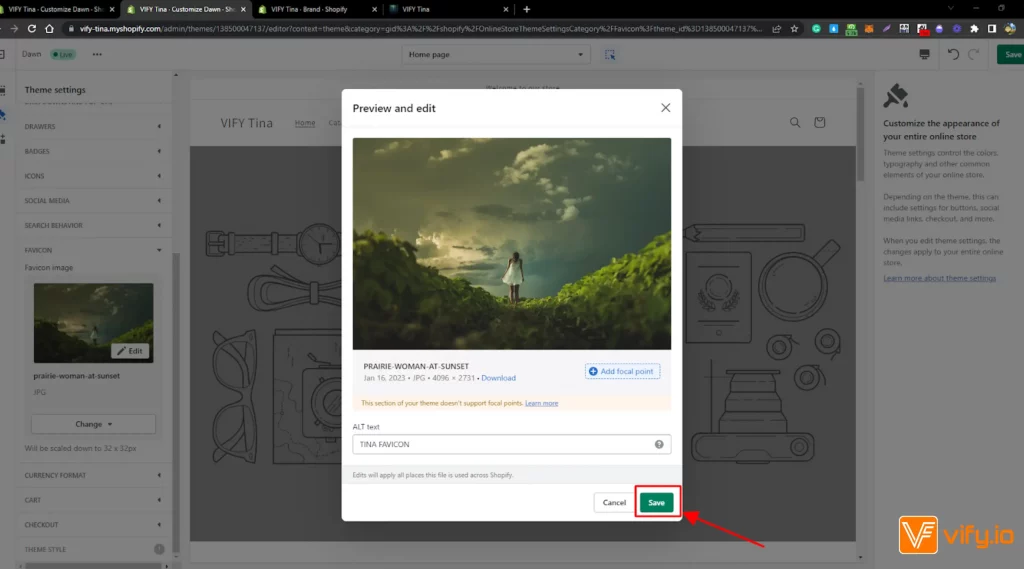
To add alt text to your favicon image: Click Edit.
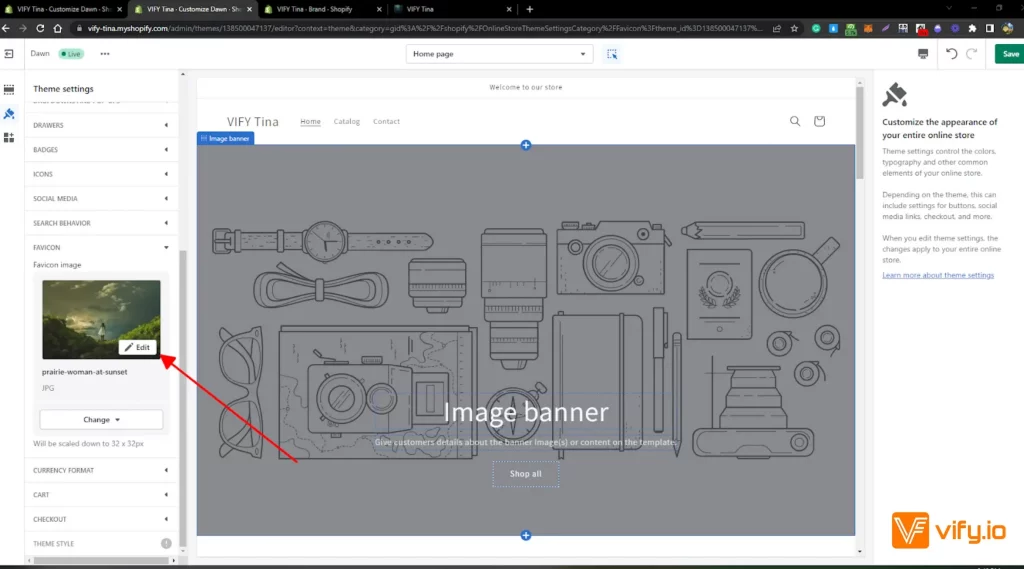
In the Edit image window, enter a brief description of the image and click Save.
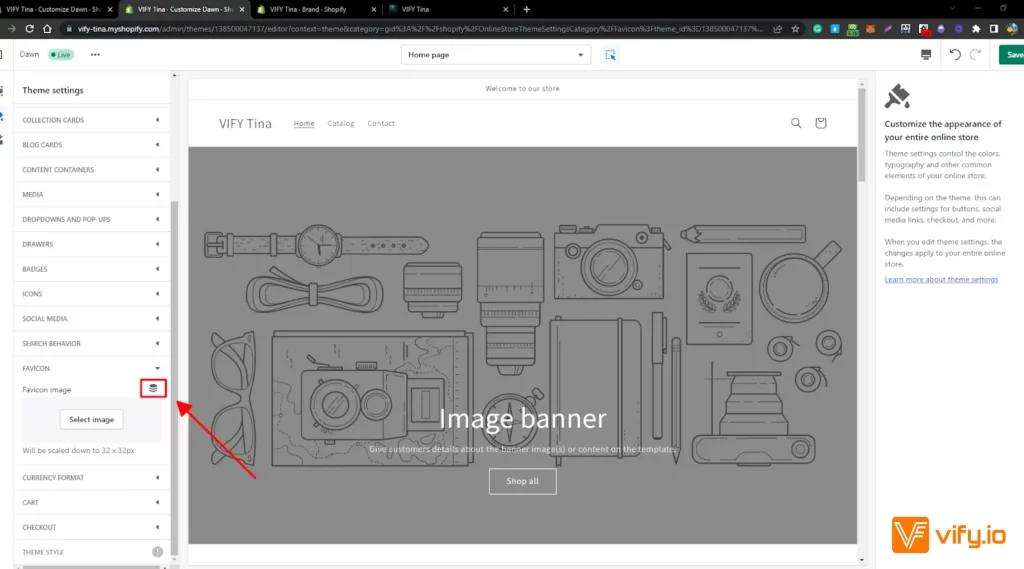
2. Use your brand logo/cover image as a favicon
Click on the symbol next to Favicon.
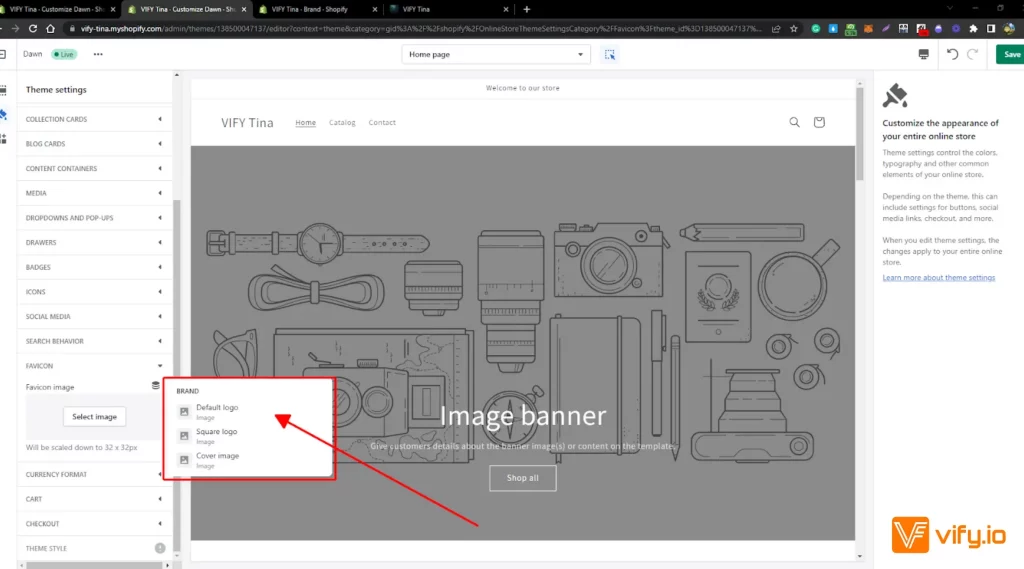
Choose your website default logo/square logo/cover image to be your favicon
Step 4: Save.
Lastly, don’t forget to Click Save to finish your work.
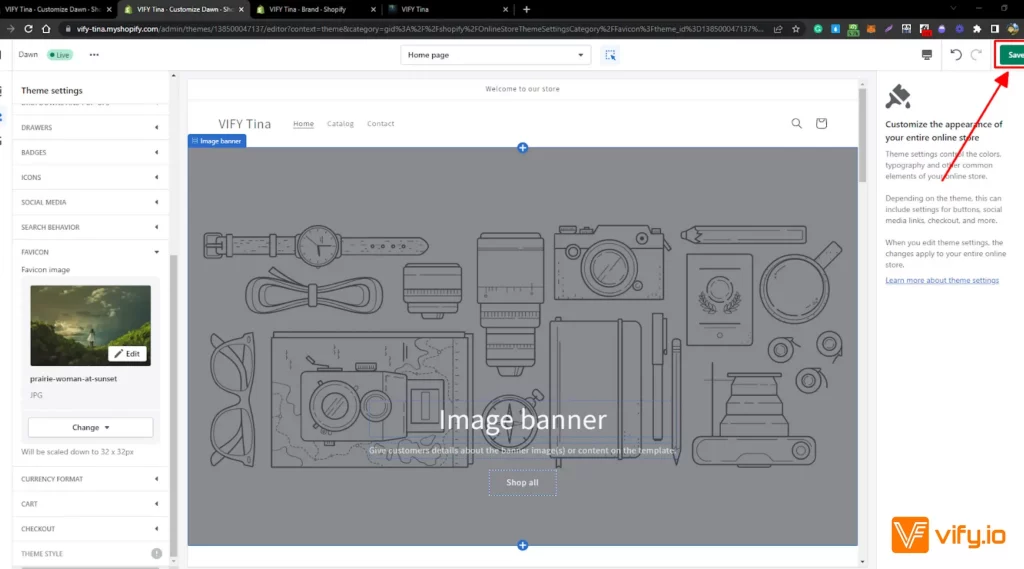
Then you’re done adding the favicon to your Shopify store. The steps on mobile are also the same as on Desktop.
Conclusion
Favicons, also known as favorite icons, play an important role for online store owners. They help a website stand out in the browser tab bar and enhance the overall user experience while browsing the internet. For this reason, adding a favicon—or knowing how to change the Shopify favicon—is essential and should be one of the first steps when building and customizing your online store.
Hopefully, this article has given you a hand in manipulating steps to add a favicon to your Shopify store. If you want to know more about how to set up a Shopify store, you can check our other articles on our website here: vify.io
If you’re selling on Shopify and need a professional invoice solution, especially one that’s easy to customize with any coding skills, then Vify’s Shopify Order Printer app is the best choice for you. Try it for free today and experience it for yourself. We’re confident you’ll love it.