
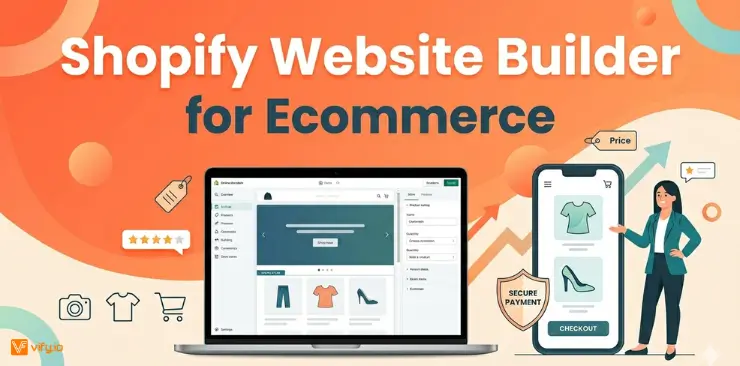
Launching an online store is easier than ever, but building one that can actually grow sustainably takes the right foundation. The Shopify website builder for eCommerce gives you a complete toolkit to go from idea to a fully functional store without coding. In this guide, you’ll learn how to use Shopify’s ecommerce website builder to design your storefront, manage operations, and scale your business with confidence.
What is Shopify Website Builder for Ecommerce?
Shopify is a cloud-based commerce platform founded in 2006 that has grown to power over 5.6 million active online stores and support merchants in 175+ countries. At its core, Shopify’s ecommerce website builder gives you all the tools needed to create, customize, and run a professional online store — without needing to write a single line of code.
Who is Shopify built for?
Shopify’s ecommerce website builder is designed to scale with businesses of every size:
- Solo entrepreneurs and side-hustle sellers launching their first product
- Small and medium-sized businesses building a direct-to-consumer (D2C) channel
- Growing brands needing multi-channel selling (online, in-person, social media)
- Enterprise retailers requiring advanced automation, custom development, and dedicated support via Shopify Plus

How the Ecommerce Website Builder by Shopify is structured
The platform is organized into five core pillars:
- Online Store: Your public-facing ecommerce website, built and customized through Shopify’s visual editor
- Admin Dashboard: The back-end hub where you manage products, orders, customers, and analytics
- Shopify App Store: 18,000+ apps to extend your store’s functionality
- Shopify Payments: The built-in payment processor to accept credit cards, Buy Now Pay Later, and more
- Sales Channels: Integrations with Amazon, Instagram, TikTok Shop, Google Shopping, and physical POS systems
Key Features of Shopify’s Ecommerce Website Builder
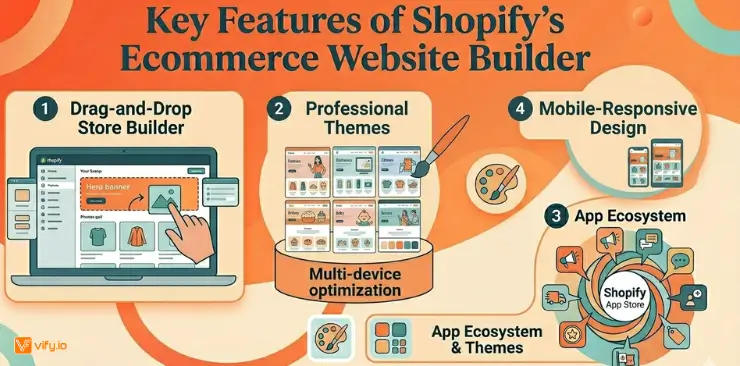
The Shopify ecommerce website builder stands out because its features work together as a unified system rather than a collection of disconnected tools. Here is a breakdown of what makes Shopify a leading choice.
Drag-and-Drop Store Builder
Shopify’s visual editor lets you design every element of your storefront — hero banners, product grids, testimonials, announcement bars — without touching code. The Online Store 2.0 architecture introduced Sections Everywhere, allowing you to add, move, and remove content blocks on any page, not just the homepage. For developers, the platform supports Liquid templating, custom Metafields, and a full theme development environment.
Professional Themes
Shopify offers a theme library with over 1,000 templates, ranging from free options to premium themes priced between $100–$500. Each theme is:
- Mobile-responsive by default
- Speed-optimized for Core Web Vitals performance
- Customizable through the no-code theme editor
- Tested across browsers and devices
Popular themes like Dawn, Sense, and Refresh give small businesses polished, conversion-focused storefronts out of the box.
🌟 Don’t know which theme is suitable for your online store? Discover Top 12 Best Free Shopify Templates
App Ecosystem
One of the most practical advantages of Shopify’s ecosystem is its app store, with over 18,000 apps, especially when it comes to handling post-purchase operations. Among these, order printer apps play a critical role. They automate invoice generation, ensure tax compliance, and help you deliver a more professional customer experience at scale. Instead of manually creating documents or relying on basic receipts, the right app can streamline your entire invoicing workflow.
If you’re looking to choose the right solution, explore our detailed guide on the Top 10 Best Order Printer Apps for Shopify to find the best fit for your store.
Mobile-Responsive Design
With over 60% of global ecommerce traffic coming from mobile devices, Shopify ensures every theme and page is fully responsive. The Shopify mobile app also lets merchants manage orders, respond to customers, and monitor sales from anywhere.
How to build an Ecommerce Website on Shopify
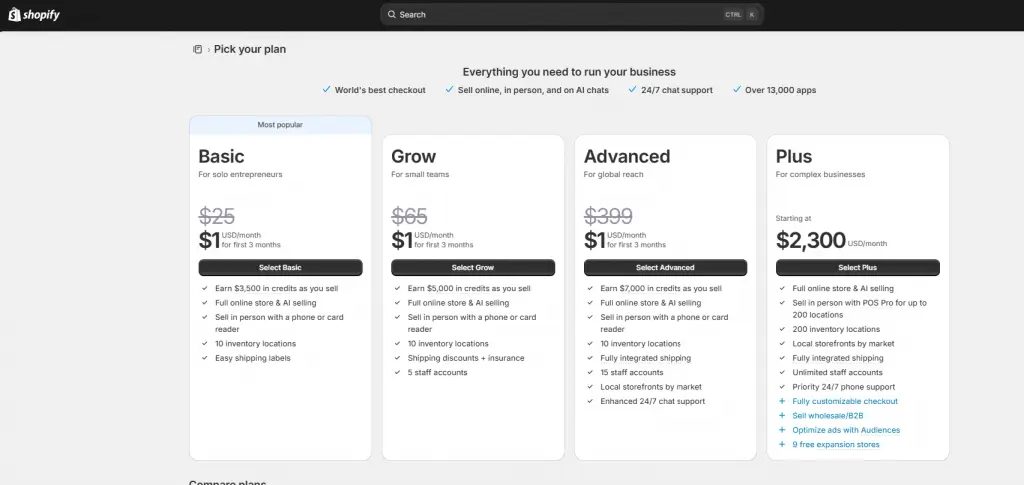
Step 1 — Sign Up & Choose a Plan
Start with Shopify’s free trial (currently 3 days, extendable to $1/month for the first 3 months for qualifying users). Visit Shopify.com, enter your email, and follow the onboarding guide. You’ll be asked a few questions about your business stage, product type, and goals — Shopify uses these to tailor your initial dashboard experience.
Step 2 — Pick & Customize a Theme
Navigate to Online Store > Themes in your admin panel. Browse the free and paid theme library, preview themes in both desktop and mobile views, and install the one that fits your brand. From there, open the theme editor to:
- Upload your logo and set your brand colors and typography
- Arrange homepage sections (hero, featured collections, testimonials, newsletter)
- Create and customize your navigation menus
- Set up your footer with policies, social links, and contact info
Step 3 — Add Products, Collections & Pricing
Go to Products > Add Product to upload your inventory. For each product, you can add multiple images, set variants (size, color, material), configure pricing and compare-at pricing for sale displays, manage stock levels, and set SEO metadata at the product level. Group products into Collections (categories) to organize your store and improve navigation.
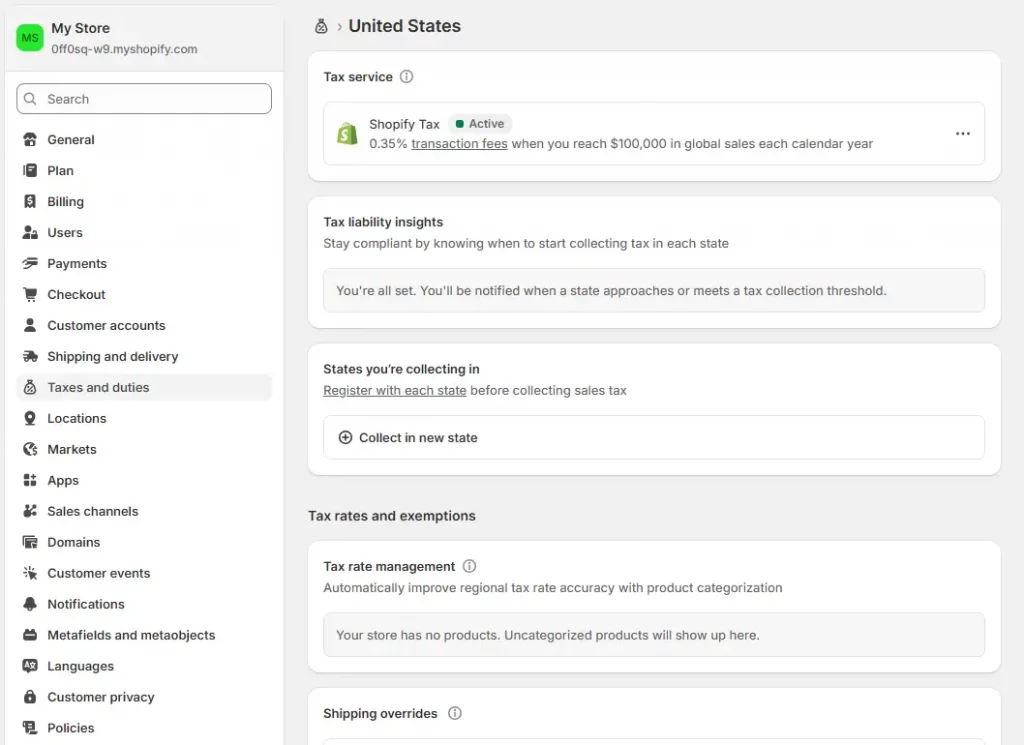
Step 4 — Configure Shipping, Taxes & Payments
In the Settings panel, configure:
- Shipping zones and rates: flat rate, weight-based, free shipping thresholds, and carrier-calculated shipping (UPS, USPS, FedEx)
- Taxes: Shopify automatically calculates tax rates based on your business location and customer location for supported regions
- Payments: Enable Shopify Payments for the lowest transaction fees, or connect a third-party gateway like PayPal, Stripe, or Authorize.net
Step 5 — Set Up Your Domain & Go Live
You can purchase a custom domain directly through Shopify (from ~$14/year) or connect an existing domain from providers like GoDaddy, Google Domains, or Namecheap. Once your domain is connected and SSL is verified (Shopify handles this automatically), remove your storefront password under Online Store > Preferences to publish your store.
Step 6 — Optimize for SEO
Before you drive traffic, complete these SEO essentials inside your Shopify dashboard:
- Edit the SEO title and meta description for every product, collection, and page
- Add alt text to all product images
- Submit your sitemap to Google Search Console
- Install a Google Analytics 4 property and connect it via the Shopify Google channel
- Ensure your store loads in under 2.5 seconds on mobile (use Shopify’s built-in speed report)
Ready to build your Ecommerce Store with Shopify?
The Shopify ecommerce website builder has earned its place as the go-to platform for millions of businesses worldwide — and for good reason. It combines a beautifully simple setup experience with the depth and scalability to support businesses from their very first sale all the way to tens of millions in annual revenue.
If you’re ready to turn your product idea into a professional online store, Shopify’s free trial is the best place to start. You can have a live, branded storefront up and running faster than you might think.
Start your free Shopify trial today and experience firsthand why Shopify is the world’s leading ecommerce website builder.
Conclusion
Shopify website builder for eCommerce is a powerful solution designed to help businesses create and manage professional online stores with ease. With Shopify, merchants can build fully customized eCommerce websites without advanced coding knowledge, making it an ideal platform for both beginners and growing brands. The platform offers a wide range of features, including responsive themes, secure payment gateways, inventory management, SEO tools, and app integrations to support business growth. Whether you’re launching a small online shop or scaling a large eCommerce business, Shopify provides the flexibility and tools needed to create a seamless shopping experience for customers worldwide
If you’re selling on Shopify and need a professional invoice solution, especially one that’s easy to customize without any coding skills, then Vify Order Printer app Shopify is the best choice for you. Try it for free today and experience it for yourself. We’re confident you’ll love it.