Did you know that 67% of customers prefer self-service over speaking to a support agent? Yet most Shopify store owners underestimate one of the simplest tools available to them: the FAQ page.
A well-built FAQ page for Shopify can cut your support ticket volume by 20–30%, help shoppers make faster purchase decisions, and — when done right — even rank on Google and bring in organic traffic. If you want to create an effective FAQ page for your store, this guide is for you. Let’s get into it!
Why FAQ Page for Shopify matters
Before diving into the how-to, it’s worth understanding the why — because a Shopify FAQ page does a lot more than just answer questions.
Reduce customer support volume
Every question your FAQ page answers is one less email, live chat message, or Instagram DM your team has to handle. For stores processing hundreds of orders a month, that’s hours of saved time per week. Gorgias, a popular Shopify helpdesk platform, found that merchants who maintain a thorough FAQ section see a measurable reduction in repetitive support tickets — especially around shipping times, return policies, and order tracking.
Improve SEO
An FAQ page for Shopify is one of the easiest ways to add keyword-rich, question-based content to your store. When you add FAQ schema markup, Google can display your answers as rich results directly in search — meaning your store appears even before shoppers click through to a competitor’s site.
Questions like “How long does shipping take?” or “Do you offer free returns?” are things real customers type into Google every day. Your FAQ page can rank for those searches.
Build trust and increase conversion rates
Shoppers who feel informed are more likely to buy. When a potential customer lands on your store and sees a clear, thorough FAQ section, it signals professionalism and transparency. It answers the silent objections holding them back from clicking “Add to Cart.”
What to include in a Shopify FAQ Page
The questions you include should reflect what your actual customers are asking. Start by reviewing your support inbox, checking your live chat logs, and looking at what people ask in your social media comments. Here are the most common and important categories for any FAQ for Shopify store:
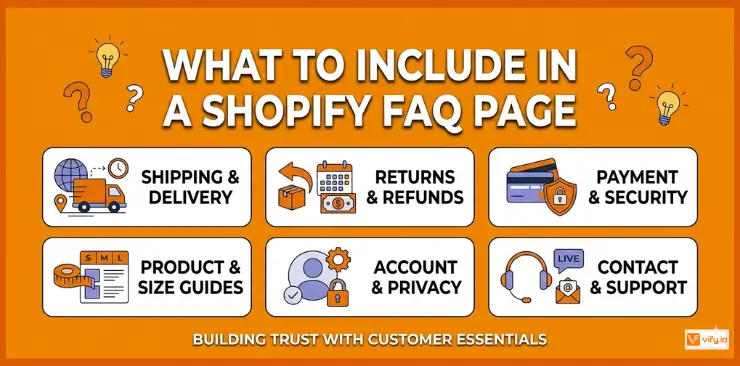
Shipping & Delivery
This is consistently the most-asked category for any e-commerce store. Include:
- How long does shipping take?
- Do you offer free shipping? If so, what’s the minimum order?
- Do you ship internationally?
- How can I track my order?
- What happens if my package is lost or delayed?
Returns, Refunds & Exchanges
Shoppers want to know they’re protected before they buy. Cover:
- What is your return policy?
- How do I start a return or exchange?
- How long does it take to receive a refund?
- Are there any items that can’t be returned?
Payment & Security
Ease any payment anxiety upfront:
- What payment methods do you accept?
- Is my payment information secure?
- Do you offer buy now, pay later options?
- Will I be charged VAT or import duties?
Product-Specific Questions
These vary by niche but often include:
- How do I choose the right size?
- What materials are used?
- Is this product compatible with [device/system]?
- How do I care for or maintain this product?
Account & Privacy
- Do I need an account to place an order?
- How do you use my personal data?
- Can I update my shipping address after ordering?
Contact & Support
Always include this, even on your FAQ page:
- How can I contact your support team?
- What are your customer service hours?
- How quickly do you respond to inquiries?
How to add an FAQ Page Shopify
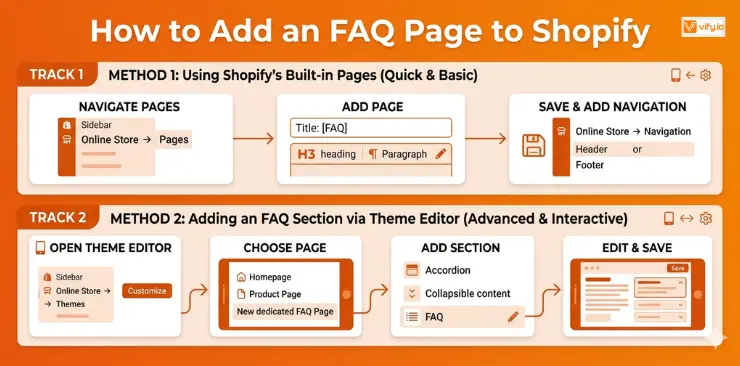
There are two main ways to create a FAQ Shopify page, depending on your technical comfort level and how advanced you want it to be.
Using Shopify’s Built-in Pages Feature
This is the quickest way to get a basic Shopify FAQ page without any apps or coding.
- From your Shopify admin, go to Online Store → Pages
- Click Add page
- Title the page “FAQ” or “Frequently Asked Questions”
- Use the content editor to write out your questions and answers. Format questions as bold text or use H3 headings, and write answers in regular paragraph text beneath each.
- Click Save
- Go to Online Store → Navigation and add your FAQ page to your header or footer menu so customers can find it
Adding an FAQ Section to an Existing Page via Theme Editor
Many modern Shopify themes (including Dawn, the default free theme) include an FAQ or collapsible content section you can add to any page.
- Go to Online Store → Themes → Customize
- Navigate to the page where you want to add an FAQ section (your homepage, a product page, or a dedicated FAQ page)
- Click Add section and look for “Collapsible content,” “FAQ,” or “Accordion”
- Add your questions and answers directly in the theme editor
- Save and publish
Recommendation: Discover Top 12 Best Free Shopify Templates.
FAQ Page Best Practices for Shopify Stores
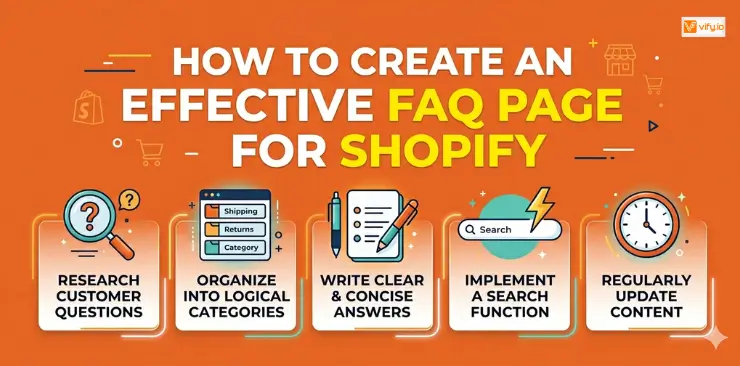
Having an FAQ page is the first step. Making it effective requires a bit more thought. Here are the practices that separate a great Shopify FAQ page from a forgettable one.
Write questions in the customer’s voice
Avoid corporate language. Your customers don’t ask “What is the estimated transit duration?” — they ask “How long will my order take to arrive?” Write every question as if it came directly from a real customer.
Group questions into logical categories
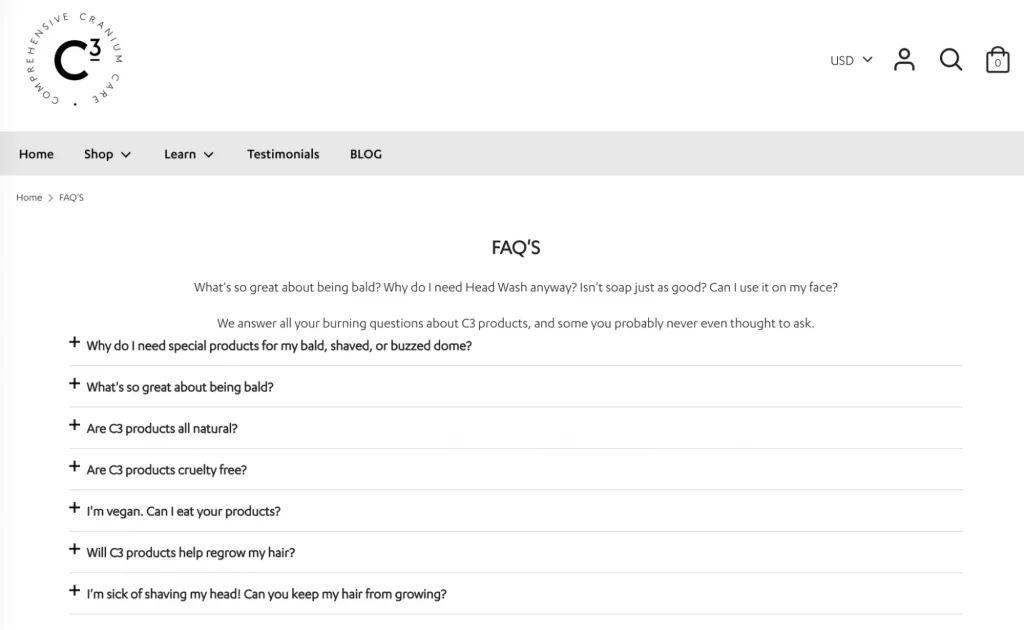
Once you have more than 8–10 questions, grouping them into categories becomes essential. Typical categories include Shipping, Returns, Payments, Products, and Account. This makes scanning fast and prevents customers from skimming past the answer they need.
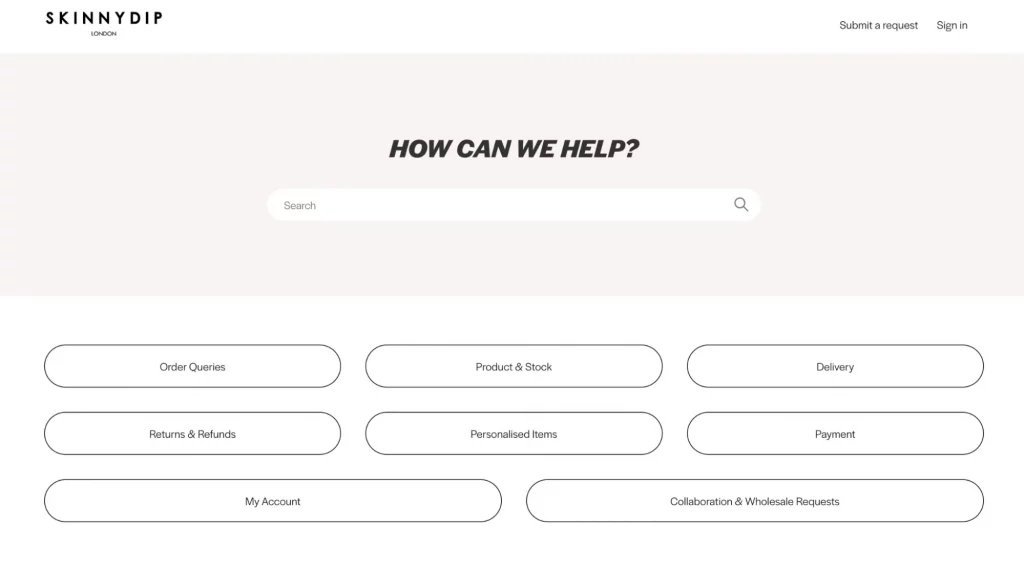
Add a search bar for larger FAQs
If your FAQ page has more than 10–15 questions, a search bar is a game-changer. Most dedicated FAQ apps include this feature. It reduces frustration and helps customers get to their answer in seconds without scrolling.
Update your FAQ regularly
Your FAQ is only useful if it’s accurate. Shipping times change seasonally. Return policies get updated. New payment methods get added. Set a recurring reminder (monthly or quarterly) to review your Shopify FAQ content and update anything that’s out of date.
Link to related pages
Your FAQ page shouldn’t be a dead end. Link each answer to the most relevant page on your site: shipping policy, return portal, contact page, or specific product pages. This improves navigation and gives Google more context about your site structure.
Conclusion
A well-structured FAQ page for Shopify is far more than a simple support resource — it’s a powerful tool for improving customer trust, reducing repetitive support requests, and increasing conversions across your store. By answering common questions clearly and proactively, you help shoppers feel more confident before they buy while also creating valuable SEO-friendly content that can drive additional organic traffic. Investing time into your FAQ page is one of the easiest ways to improve both customer experience and store efficiency.
If you’re selling on Shopify and need a professional invoice solution, then Vify Shopify Order Printer app is the best choice for you. Try it for free today and experience it for yourself. We’re confident you’ll love it.