Starting an online store often begins with exploring the platform before making a long-term commitment, and the Shopify free trial offers exactly that opportunity. With 3 days of free access followed by 90 days for just $1 per month, entrepreneurs can test Shopify’s features, build their storefront, and evaluate the platform with minimal upfront investment. This guide explains how the Shopify free trial works, what’s included, how to claim the offer, and how to make the most of your trial period before launching your store.
What is Shopify Free Trial?
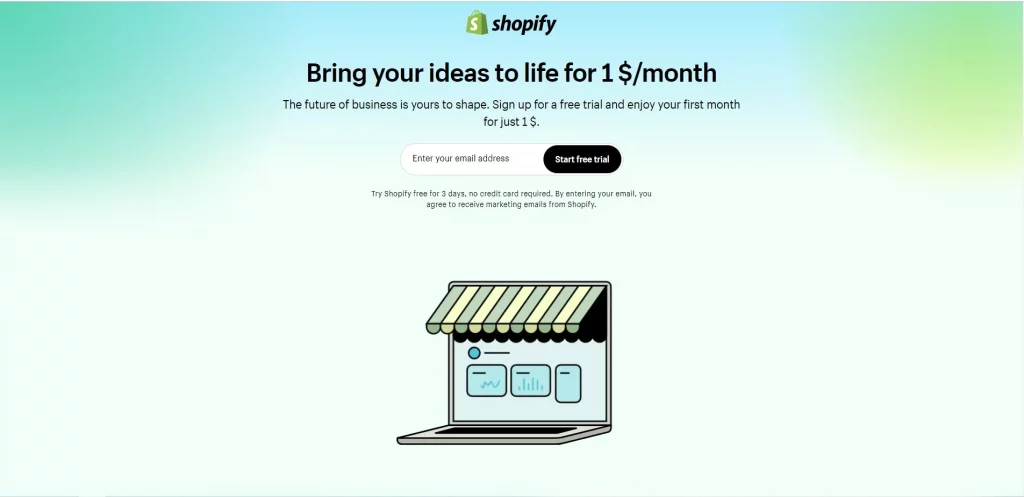
The current Shopify free trial gives new users the opportunity to explore the platform and build their store before committing to a full-priced subscription.
- Enjoy 3 days of free access without entering a credit card.
- Continue with a discounted offer of $1 per month for the next 90 days.
- In total, you’ll receive 93 days of Shopify access for just $3.
Compared to the regular Shopify Basic plan, which starts at $39 per month, this promotion provides a cost-effective way to test the platform, set up your store, and potentially begin attracting customers before transitioning to standard pricing.
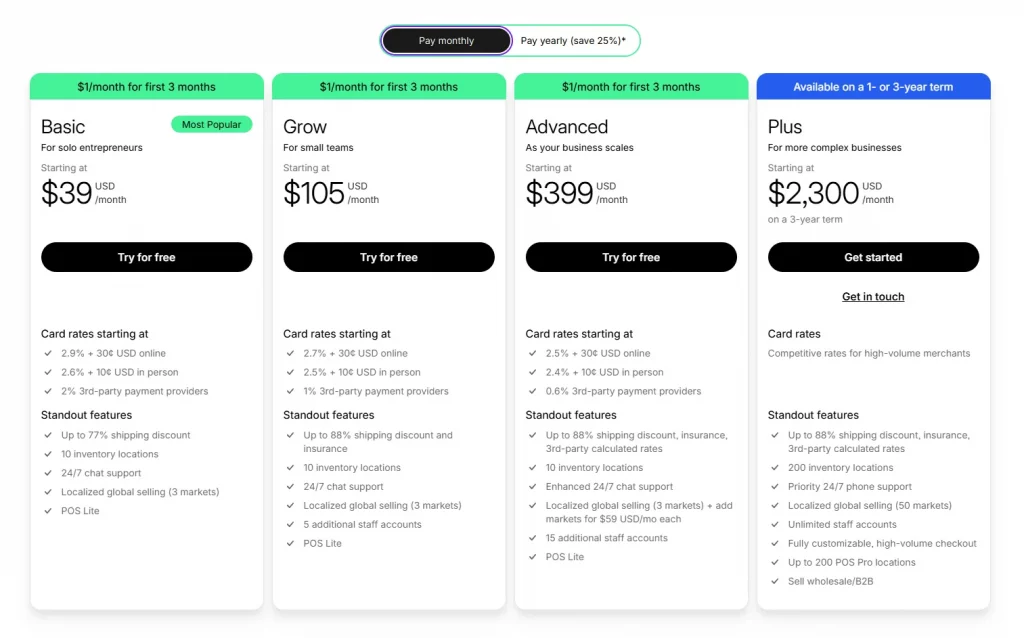
During the trial period, users can access most of Shopify’s core features, including the store builder, theme customization tools, app integrations, and analytics dashboard. The primary restriction is that live order processing remains unavailable until a paid subscription is activated.
It’s important to be aware that Shopify’s trial offers have evolved over time. Previous promotions such as the 14-day free trial are no longer available, and claims about a 90-day free trial or Shopify free trial 6 months are generally based on outdated information. At present, Shopify’s official offer consists of 3 free days followed by 90 days at $1 per month.
How to start your free Shopify trial
Starting your free trial Shopify is simple and takes less than five minutes.
Step 1: Go to Shopify.com and click “Start Free Trial”
Head to Shopify and look for the “Start Free Trial” button on the homepage. You can’t miss it. No referral link or coupon code is needed for the standard 3-day trial.
Step 2: Enter your email address
You don’t need a credit card at this stage. Just provide a valid email address. You can also sign up using your Google, Facebook, or Apple account if you prefer.
Step 3: Set up your Shopify account
Shopify will ask you a few quick questions about your business — whether you’re already selling, what you plan to sell, and where you’re located. These questions help Shopify personalize your dashboard. It only takes a minute and helps you see the most relevant features right away.
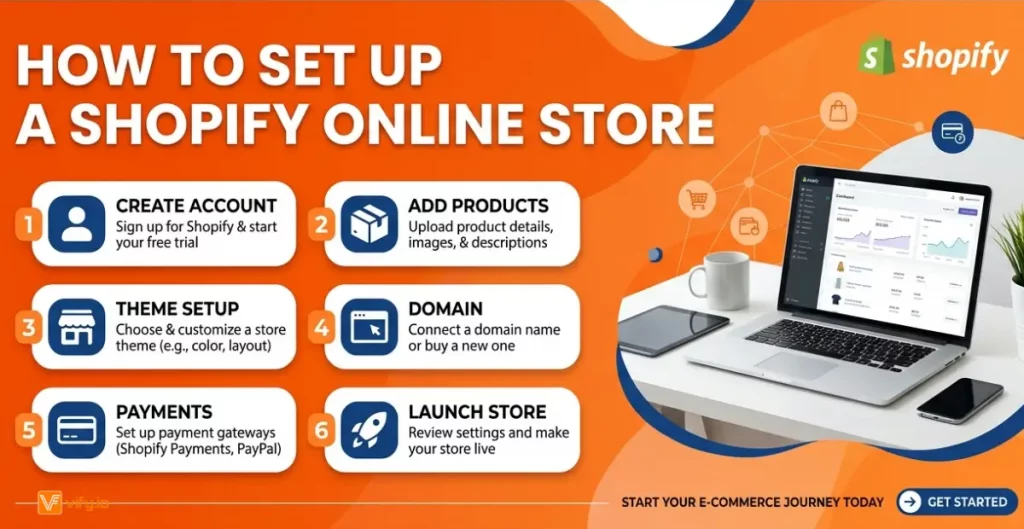
Step 4: Create your store name
Choose your store name carefully — it becomes part of your default Shopify URL (yourstore.myshopify.com). You can connect a custom domain later, but your myshopify.com handle stays with your store permanently.
Step 5: Start building
You now have full access to Shopify for 3 days. Start customizing your theme, adding products, and setting up your navigation.
Step 6: Before the 3 days end, activate the $1/month plan
This is the most important step many new users miss. Before your 3-day trial expires, go to Settings → Plan and select the $1/month promotional plan. You’ll need to enter a credit card at this point, but you’ll only be charged $1/month for the next three months. This unlocks checkout so you can start accepting real orders.
What Shopify free trials offer
Understanding the trial’s limitations upfront saves you from surprises later.
What you CAN do during the free trial
The Shopify free trial gives you access to most of the platform’s core features, making it easy to build and prepare your store before launching.
- Build and customize your online store: choose from 1000+ free and paid themes, customize layouts, colors, fonts, and branding.
- Add unlimited products: upload product photos, write descriptions, set pricing, and organize into collections.
- Install apps: explore the Shopify App Store and install tools for email marketing, reviews, upsells, invoice order printer (consider Vify Shopify Order Printer app as the best choice for you. Free trial and free plan available).
- Set up payment gateways: configure Shopify Payments, PayPal, and other payment methods so you’re ready to sell the moment your paid plan activates.
- Configure shipping and taxes: set up shipping zones, rates, and tax rules for your target markets.
- Access Shopify Analytics: explore your dashboard, set up Google Analytics integration, and get familiar with reporting.
- Test the admin interface: navigate orders, customers, inventory, and all other backend features.
Recommendation: Explore how to Create a Shopify Store without Coding
What you CANNOT do during the free trial
While the trial provides access to most store-building features, there are a few important restrictions to keep in mind.
- Receive live customer orders: your checkout is locked until you activate a paid plan. Visitors can browse your store, but they can’t complete a purchase.
- Process actual transactions: even if you’ve configured Shopify Payments, no real transactions go through during the free trial period.
- Use your custom domain for a live store: you can connect a domain, but the store won’t be publicly open for business
Conclusion
The Shopify free trial gives entrepreneurs a valuable opportunity to explore one of the world’s leading eCommerce platforms with minimal upfront investment. With 3 days of free access and an additional 90 days at just $1 per month, you have time to build your store, test products, customize your brand, and prepare for launch. Taking advantage of the free Shopify trial can help you gain hands-on experience and make an informed decision before committing to a full subscription. The sooner you start, the sooner you’ll be ready to turn your ideas into a profitable online store.