
Every Shopify merchant eventually faces the same question: is anyone actually searching for this product? Before investing in inventory, product pages, ads, or content, Google Trends for Shopify offers a free way to understand where search interest is heading. Google Trends does not connect directly with Shopify, so its value comes from turning search trends into practical decisions about products, inventory, marketing, and content. This guide explains ways to use Google Trends for Shopify, what its data can and cannot tell you, and how to compare search interest with your own Shopify data.
What Google Trends measures
Google Trends reports relative search interest, not absolute search volume. Google Trends divides each data point by the total searches for the selected geography and time range, then scales it from 0 to 100. A score of 100 represents peak interest for the selected term, location, and period, while 50 represents half that relative interest.
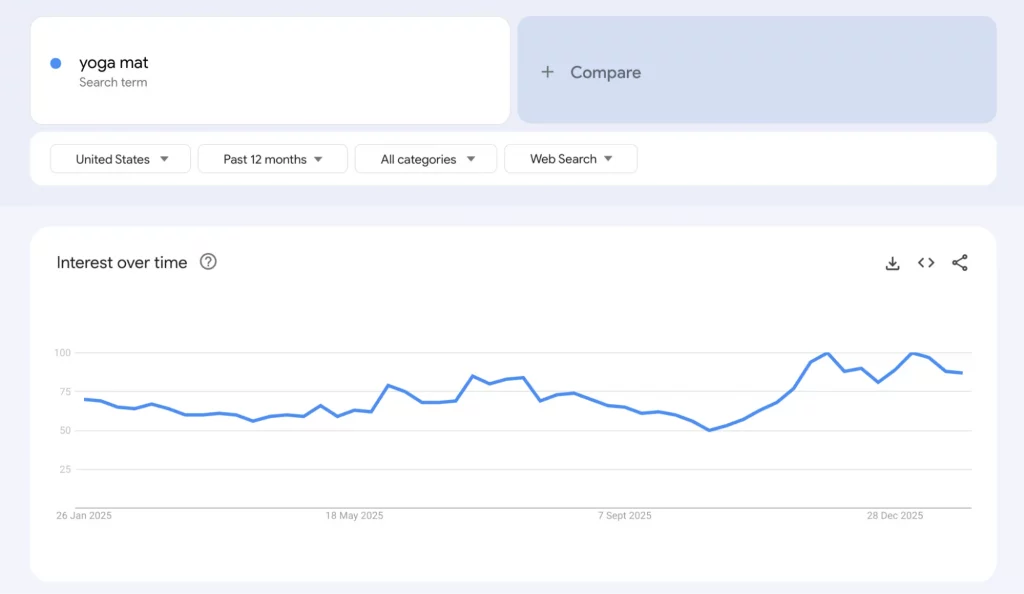
This explains one of the most common misunderstandings about Google Trends. If “yoga mat” scores 100 in January and 40 in July, the data shows a seasonal pattern. It does not tell you whether that represents 4,000 searches or 4 million searches.
Google Trends also works with a sample of searches rather than the complete search dataset. Google considers this sample representative because its systems process billions of searches each day. For Google Trends and Shopify research, the practical takeaway is to use Trends to understand direction, shape, and timing, rather than market size. Another source is needed when absolute search volume is important.
| Data source | Best for | What it cannot tell you |
|---|---|---|
| Google Trends | Direction of interest, seasonality, regional differences, related and rising searches | Absolute search volume or whether searchers will buy |
| Keyword-volume tools such as Google Keyword Planner and third-party SEO tools | Estimated monthly searches, keyword difficulty, and competition | Fine-grained timing and fast-emerging queries |
| Shopify Analytics and search reports | What visitors search for and buy on a store | Demand outside existing traffic |
Used together, these sources answer different questions. Google Trends provides a broader view of search interest, keyword tools help estimate search demand, and Shopify data shows what is happening inside the store.
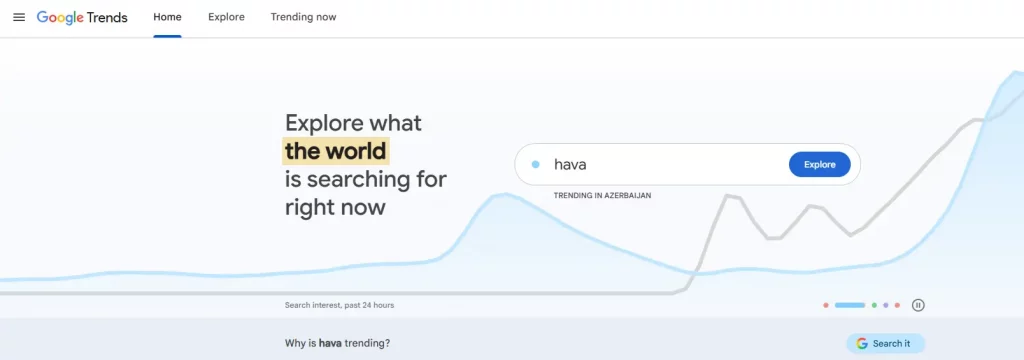
The Google Trends Shopify workflow
Google Trends is often treated as a product-finding tool. In practice, Google Trends Shopify research can support several decisions across product validation, inventory planning, SEO, advertising, and market expansion.
| Job | Google Trends feature | Shopify decision it informs |
|---|---|---|
| 1. Validate a product | Explore + Shopping search type + 5-year range | Whether to source, test, or skip a product |
| 2. Plan the year | Year-over-year seasonality | Inventory purchasing and campaign planning |
| 3. Choose the right words | Compare exact-match terms and related queries | Product titles, collection names, blog topics, and ad copy |
| 4. Pick markets | Interest by region and location comparison | Advertising, shipping, and localization priorities |
| 5. Catch the moment | Trending now | Timely content and short-run ad creative |
Each job uses a different part of Google Trends, so the most useful workflow depends on the business decision behind the research.
1. Validate product demand
Product validation is one of the most popular applications of Google Trends for Shopify, but it is also one of the easiest to misuse. The goal is not simply to find a line that goes up. The important part is understanding what type of trend that line represents.
A six-step validation sequence
1. Start with a broad product term
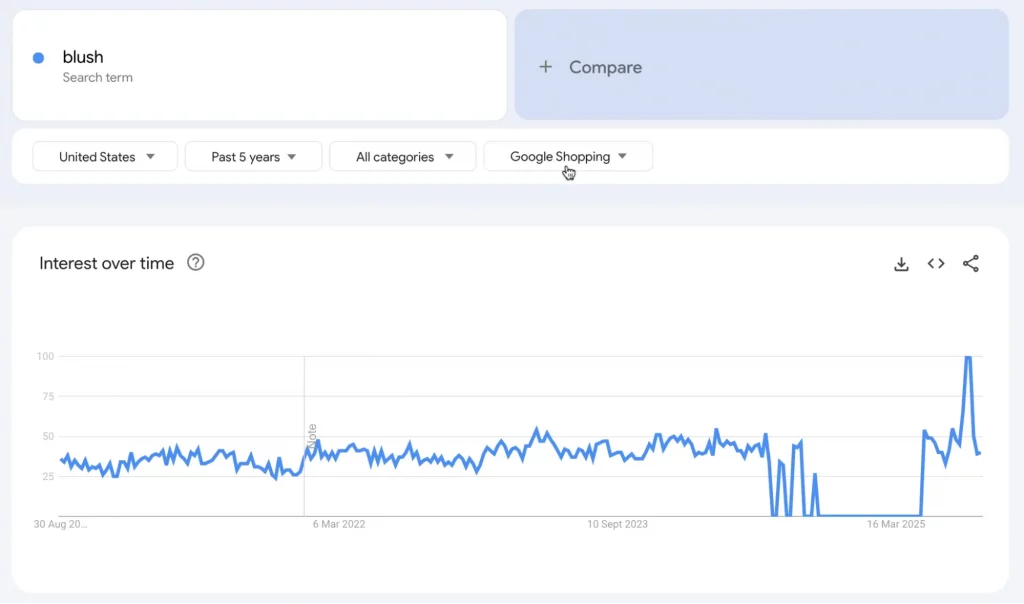
Open Explore and enter the product as a search term. Start broad, such as “moisturizer,” before narrowing the research to a more specific term such as “SPF moisturizer.”
2. Switch the search type to Google Shopping
Shopify’s guidance recommends this filter because it puts more emphasis on product-related searches. A spike in Web Search may come from news, curiosity, or viral content, while Shopping searches provide a more relevant signal for product research.
3. Check five years, then twelve months
A 30-day or 90-day increase can be misleading when a product has a seasonal cycle. Google Trends data reaches back to 2004, making longer time ranges useful for identifying recurring patterns and separating seasonal movement from genuine growth.
4. Set the location to the target market
A national trend can hide differences between regions. Search interest should be checked against the location where the product is expected to sell.
5. Compare alternatives
Use Compare to evaluate the product against a related product, a broader category, and a stable benchmark with known demand. Google Trends Explore supports comparisons between multiple groups of terms.
6. Review Related queries
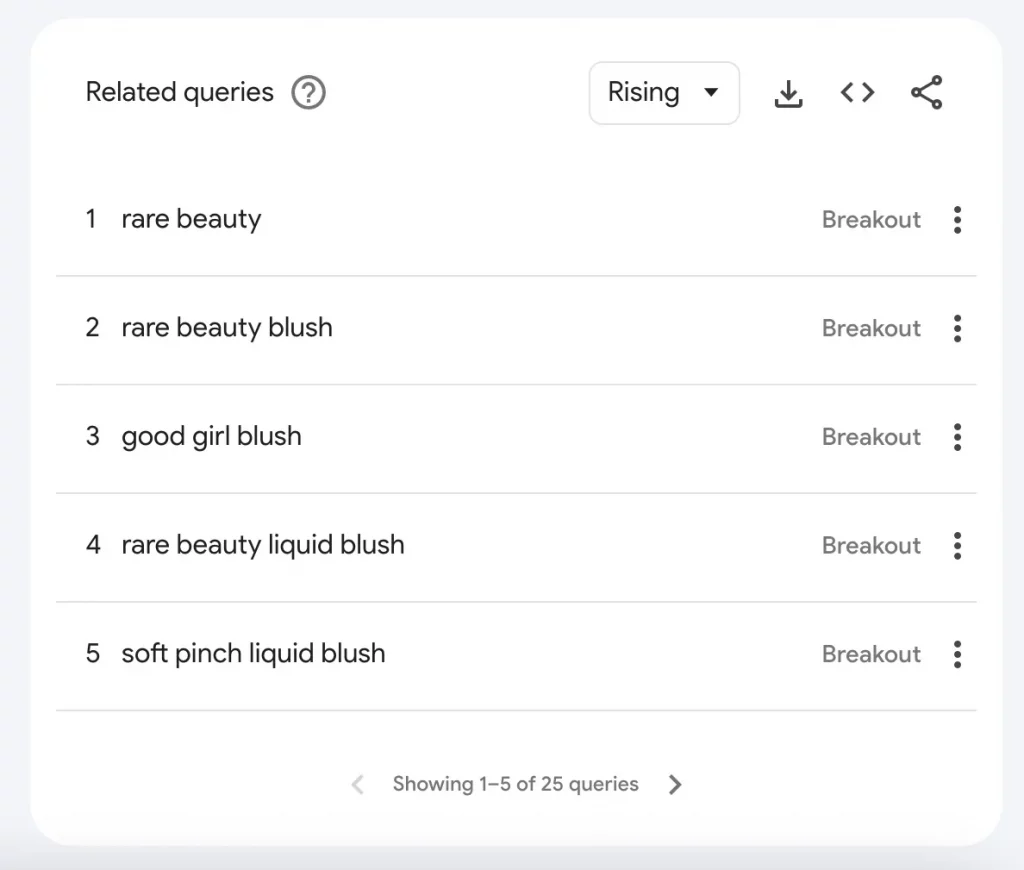
Check both Top and Rising queries. Top queries show terms frequently searched alongside the main keyword, while Rising queries highlight terms experiencing the fastest growth. Google uses “Breakout” when a query has grown by more than 5,000% compared with the previous period.
Classify the trend shape before making a decision
The most useful result of product validation is not simply “up” or “down.” Different trend shapes carry different commercial implications.
| Shape | What the chart looks like | Risk | Practical Shopify response |
|---|---|---|---|
| Fad | Sharp spike followed by a quick return toward baseline | Dead stock and wasted ad spend | Test with short lead times, such as print-on-demand or dropshipping, rather than committing to large inventory |
| Seasonal | Repeating peaks around the same period each year | Capital tied up during the off-season | Purchase ahead of the peak, plan bundles, and prepare clearance activity |
| Evergreen | Stable baseline with mild fluctuations | Higher competition | Differentiate through branding, bundles, and content |
| Emerging | Multi-year growth with increasing related searches | Early-stage uncertainty | Start with a small test and build supporting content early |
The appropriate response depends on the business model. A dropshipping store with limited inventory risk may be able to test a fad product more easily than a merchant ordering thousands of units from a manufacturer.
Search interest also does not equal sales. A rising curve shows that attention is increasing, but competitor research, marketplace reviews, and customer feedback are still important before committing significant budget.
2. Build a seasonal inventory and marketing calendar
Seasonality is one of the most useful applications of Google Trends for Shopify. Products that do not initially appear seasonal can still follow predictable search cycles.
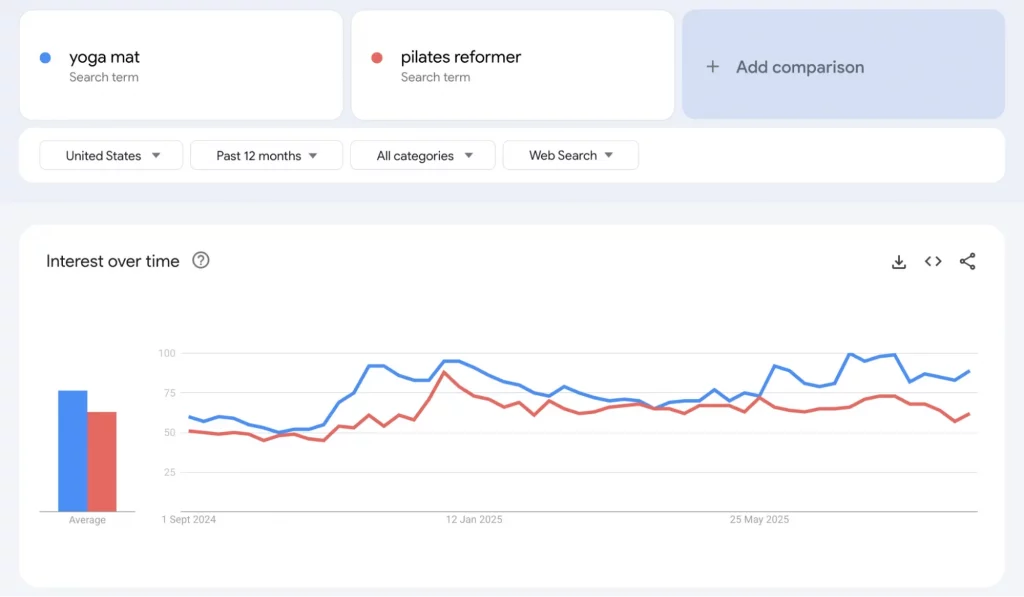
For example, searches for “lunchbox” peak in August before the school year begins, while “yoga mat” interest rises around January alongside New Year’s resolutions.
How to turn seasonality into a calendar:
- Compare the same months across several years. One January spike is an isolated observation. Repeated January increases across several years provide a much stronger indication of a recurring pattern.
- Watch the beginning of the climb. The peak is not the only important point. Search interest often starts rising weeks before the peak. Ads, product pages, and inventory need to be ready during that ramp-up.
- Work backward from supplier lead times. If a supplier needs eight weeks and demand starts climbing in early autumn, place the purchase order in summer.
- Separate product seasonality from category seasonality. If both “yoga mat” and the broader category rise in January, the store may be benefiting from a wider category trend. If only one specific product spikes, the signal may point to a more focused niche opportunity.
A simple calendar can track three points:
- Demand ramp begins
- Demand peaks
- Demand returns to baseline
Each point can then be connected to a Shopify action, such as creating a collection, launching an email flow, scheduling a promotion, or preparing clearance activity.
For businesses that depend heavily on holiday demand, reviewing the previous year’s ramp-up dates before the season begins can also reveal whether current inventory is likely to arrive in time.
3. Find the exact keywords
One of the most underrated uses of Google Trends for Shopify is finding the language shoppers actually use. Internal product terminology does not always match customer search behavior.
For example, a store may need to decide between “hair dryer brush” and “blowout brush.” Comparing both terms in Google Trends provides a clearer indication of which phrase attracts more search interest.
How exact matching works
Google Trends handles search terms in a specific way that can affect the results. Without quotation marks, Trends returns searches containing the individual words in any order. A search for “banana sandwich,” for example, can also capture a query such as “peanut butter sandwich with banana.”
Putting the phrase in quotation marks limits the results to the exact phrase.
Google Trends also does not automatically combine misspellings, synonyms, plurals, or singular forms. Different variations therefore need to be tested separately.
Where this matters for Shopify SEO
- Product and collection titles: Choose language that matches customer searches, then use it naturally in titles, headings, and URLs.
- Blog topics: Related queries can reveal questions and modifiers that shoppers want answered before buying.
- Ad copy and Google Shopping feeds: Using language that matches actual search behavior can help make product messaging more relevant.
Use Top and Rising queries differently
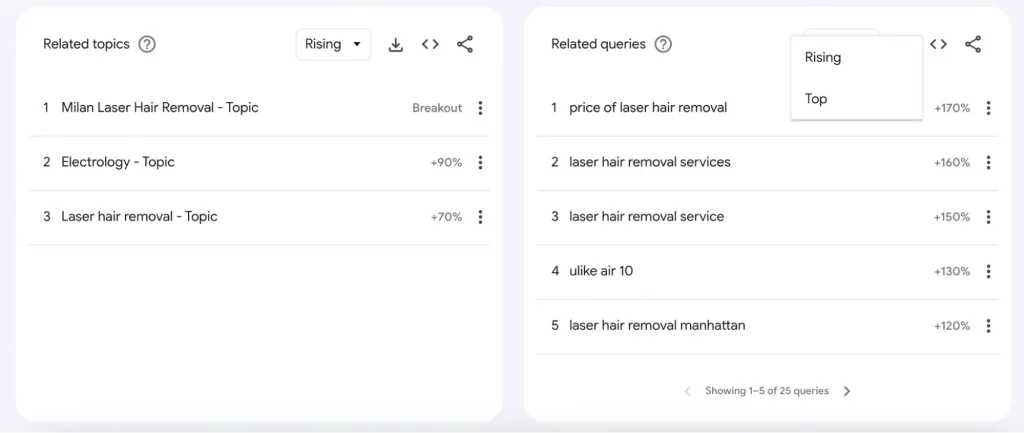
When using Google Trends for Shopify, Top and Rising queries serve different purposes. Top queries can reveal terms worth building permanent pages around, while Rising queries can highlight topics that are gaining attention and may be useful for timely content.
For example, Shopify’s guidance uses a laser hair removal example where Rising queries showed growing interest around price and specific locations. That type of information can support price-focused content or location-specific landing pages.
Google has also added Gemini-powered assistance to the Explore page, which can suggest related terms based on a topic description. These suggestions are best treated as brainstorming input and verified in the actual Trends data before being used for store decisions.
4. Decide priority markets and regions
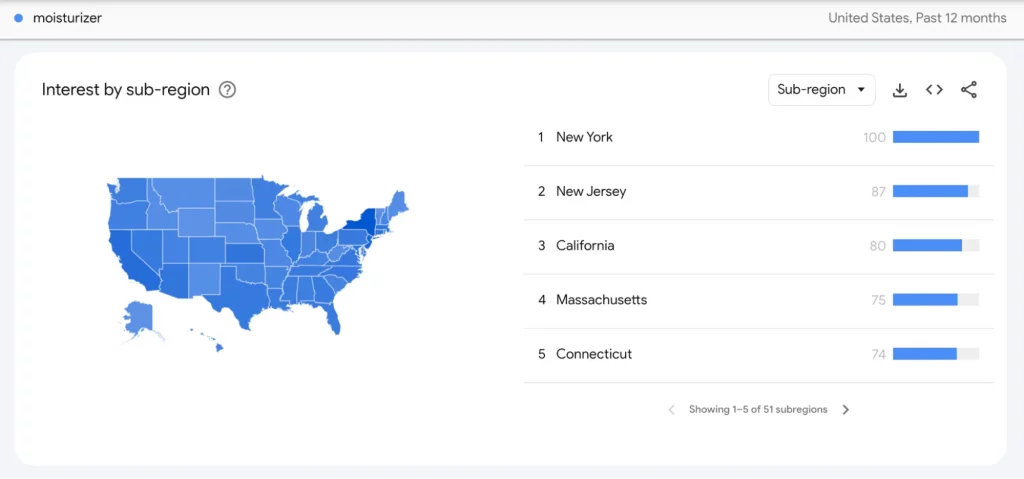
The Interest by region view shows where a search term is relatively most popular. Depending on available data, the results can be explored at country, state, or city level.
An important limitation is that the scores represent relative interest, not total search volume. Two regions with the same score do not necessarily have the same number of searches.
Three ways to use regional data in a Shopify store:
- Localize campaigns
If product interest is concentrated in specific regions, advertising and shipping promotions can be adjusted around those markets. - Compare locations for the same term
Google’s Compare feature allows different locations to be assigned to terms, making it possible to compare search patterns across markets. - Test language and regional assumptions
Cross-language research needs extra care. Google explains that terms typed in non-Latin characters primarily return data from regions using that script. Combining terms with a “+” sign can help when comparing different language versions.
For international Shopify stores, Google Trends for Shopify can serve as an initial check before translating a store, setting up localized pricing, or investing heavily in a new market. The data can show whether there is meaningful search interest in the relevant product category.
5. Time ads and content
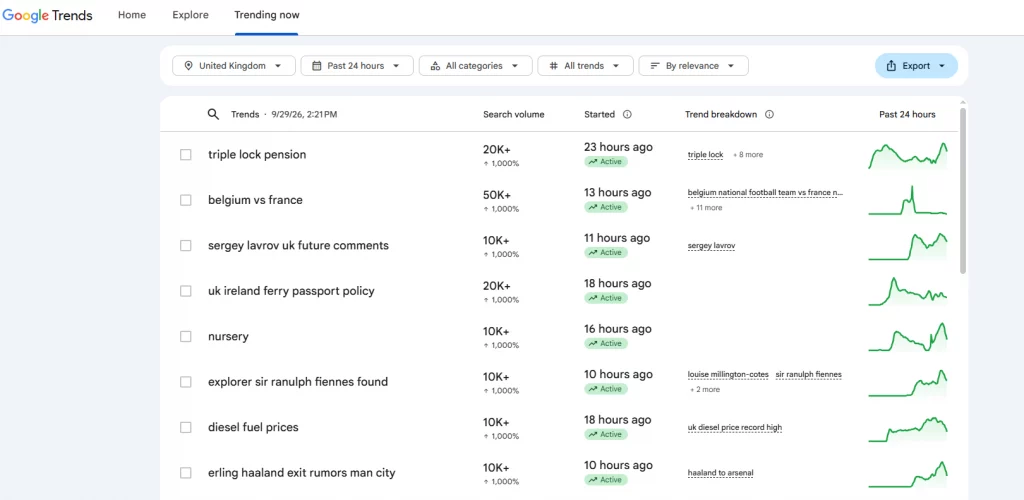
Trending Now serves a different purpose from Explore. According to Google, it shows queries experiencing a recent surge connected to a news story or cluster.
Trends can be viewed over periods such as the last 4 hours, 24 hours, 48 hours, or 7 days. The data refreshes on average about every ten minutes and can be filtered across more than 100 countries and regions.
For Shopify merchants, this makes Trending now more useful as a content and campaign timing tool than a product-selection tool. In a Google Trends Shopify workflow, this feature is better suited to finding timely topics than deciding which products to add to the store.
A sudden search spike may be connected to a news event or short-lived topic. That makes it suitable for reactive content, social posts, and short-term ad creative, but not necessarily for deciding what products to stock.
The numbers in Trending now should also not be mixed directly with Explore data. Google notes that Trending now uses exact-match queries, while Explore uses broad matching. The same phrase can therefore produce different results in the two tools.
A practical routine is to check Trending now regularly for topics that genuinely relate to the store’s category, then move into Explore to determine whether the interest appears sustained enough to support a longer-term campaign.
Pair Google Trends with Shopify data
The most useful Google Trends and Shopify workflow does not stop with external search data. Once a potential opportunity has been identified, the next step is to compare it with what visitors are already doing on the store.
Shopify provides several relevant reports. In Analytics, the Behavior reports include Searches by search query, which shows terms visitors use in the store’s search function. There is also a Searches with no clicks report and a Top online store searches with no results report. Shopify’s Search & Discovery app provides similar search analytics, including recent search activity and reporting options.
These reports answer a question Google Trends cannot: What are people already visiting my store trying to find?
A zero-result search for a phrase that is also rising in Google Trends can be particularly useful because it combines an external demand signal with an existing customer signal.
| Source signal | What it tells you | Limitation |
|---|---|---|
| Google Trends Shopping | Direction and seasonality of category-level interest | Relative data only; no sales information |
| Shopify no-result searches | Products or phrases visitors want but cannot find | Only reflects existing store traffic |
| Shopify Searches by search query | Vocabulary visitors actually use | Limited to on-site search users |
| Shopify sales and conversion reports | Whether interest converts into revenue | Backward-looking |
A practical decision rule follows from these signals: confidence increases when at least two independent sources point in the same direction. For example, rising Google Shopping interest combined with repeated on-site searches for the same phrase provides a stronger signal than either source alone.
If a phrase appears in Shopify search reports but not in Google Trends, that does not automatically mean there is no demand. The search volume may simply be too small for Trends to display. In that case, customer feedback and small product tests can provide additional evidence.
Conclusion
Google Trends for Shopify is most useful when it helps turn search patterns into better store decisions. Use it to validate product interest, identify seasonal cycles, understand customer language, compare markets, and find timely content opportunities. At the same time, remember that Trends shows relative interest rather than sales or absolute search volume. The strongest approach combines Google Trends and Shopify search and sales data, so broader market interest can be compared with what actual store visitors search for and buy.
For Shopify stores looking for a professional invoice solution that’s easy to customize without any coding, Vify Shopify Order Printer app is worth considering. Try it for free today and see how it fits your store’s needs.