You want to start a Shopify store, but you’re not ready to commit to a monthly subscription yet. The good news is that Shopify offers a free trial that lets you test the platform before spending a dime, and with the extended $1/month offer, you get three full months to build, launch, and grow your store. Let’s explore more about everything you might want to know about the Shopify free trial. Learn how to claim it, what’s included, and how to make the most of every day.
What is the Shopify Free Trial?
The Shopify free trial is a risk-free way for new users to explore the platform and build their online store before paying full price.
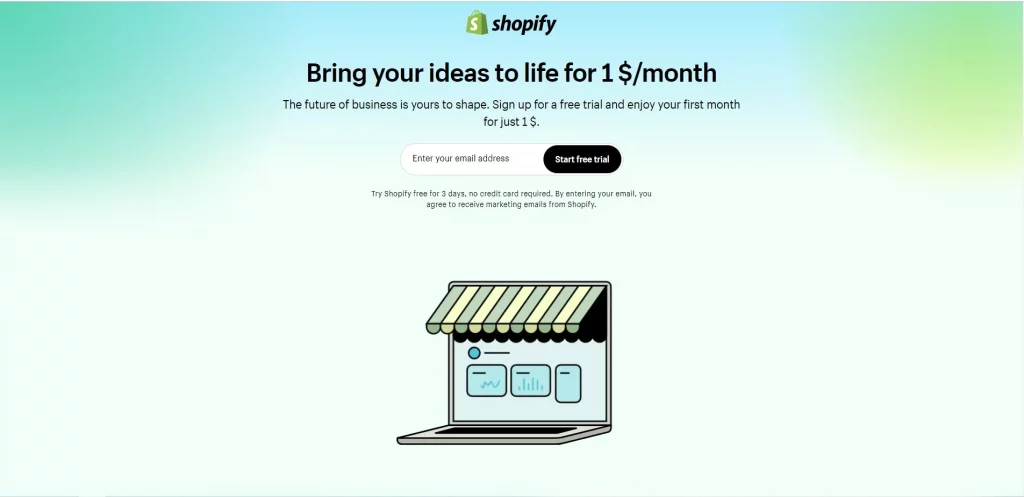
- 3 days completely free — no credit card required
- After 3 days, extend your trial for 90 more days at just $1/month
- That means a total of 93 days of access for only $3
To put that in perspective: Shopify’s Basic plan normally costs $39/month. With this trial, you get three full months to test the platform and start generating sales before you ever pay standard pricing.
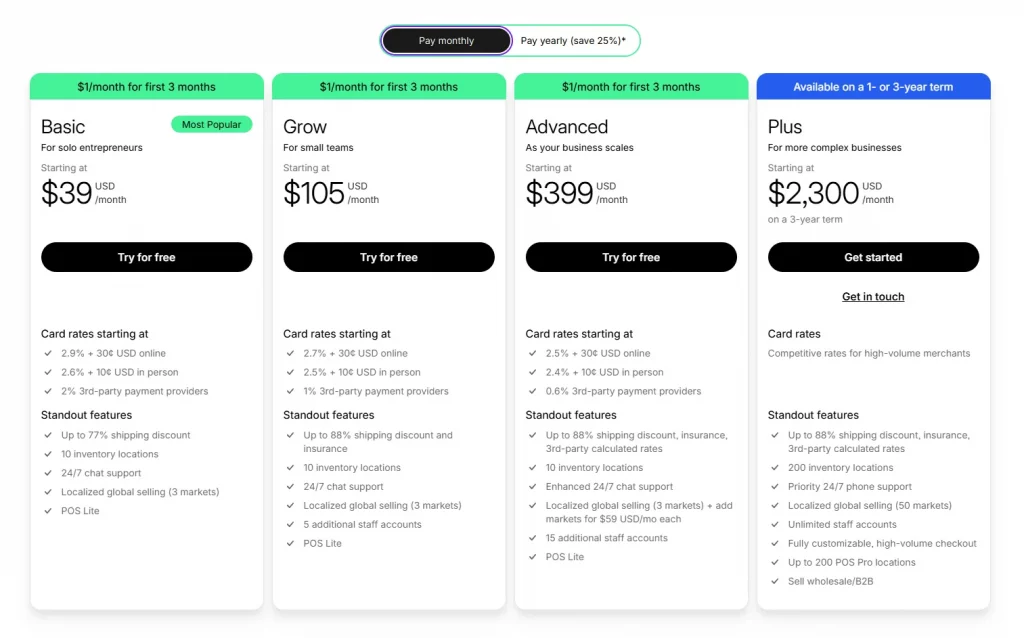
During your free trial, you get access to nearly everything Shopify has to offer — store builder, themes, apps, analytics, and more. The one major limitation is that you can’t process real customer orders until you activate a paid plan.
It’s also worth noting: Shopify changed its trial structure a few years back. The old 14-day free trial is gone, and despite what some outdated blogs still claim, there is no longer a 90-day free trial or a Shopify free trial 6 months available to the general public. The current standard is 3 days free + $1/month for 90 days, and that’s the best deal on the table right now.
How to start your free Shopify trial
Starting your free trial Shopify is simple and takes less than five minutes.
Step 1: Go to Shopify.com and click “Start Free Trial”
Head to Shopify and look for the “Start Free Trial” button on the homepage. You can’t miss it. No referral link or coupon code is needed for the standard 3-day trial.
Step 2: Enter your email address
You don’t need a credit card at this stage. Just provide a valid email address. You can also sign up using your Google, Facebook, or Apple account if you prefer.
Step 3: Set up your Shopify account
Shopify will ask you a few quick questions about your business — whether you’re already selling, what you plan to sell, and where you’re located. These questions help Shopify personalize your dashboard. It only takes a minute and helps you see the most relevant features right away.
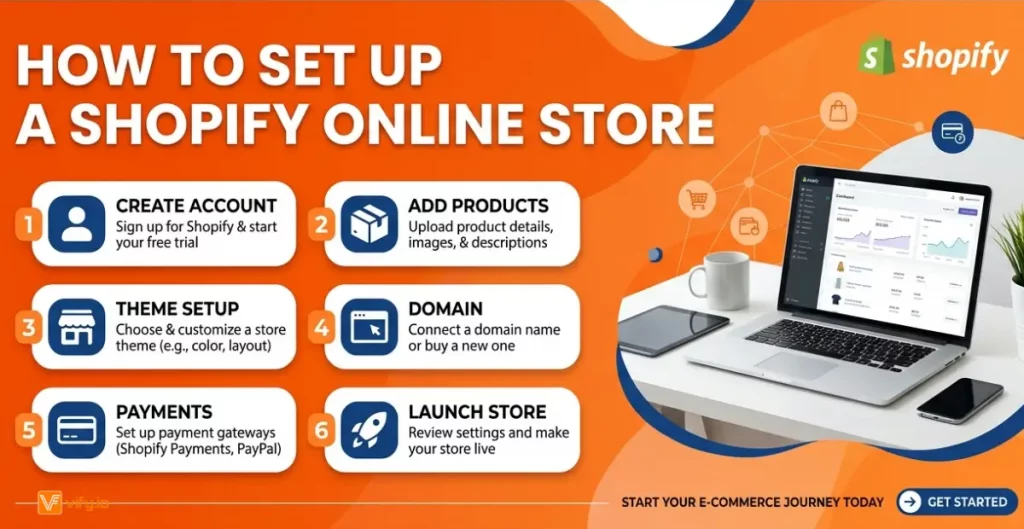
Step 4: Create your store name
Choose your store name carefully — it becomes part of your default Shopify URL (yourstore.myshopify.com). You can connect a custom domain later, but your myshopify.com handle stays with your store permanently.
Step 5: Start building
You now have full access to Shopify for 3 days. Start customizing your theme, adding products, and setting up your navigation.
Step 6: Before the 3 days end, activate the $1/month plan
This is the most important step many new users miss. Before your 3-day trial expires, go to Settings → Plan and select the $1/month promotional plan. You’ll need to enter a credit card at this point, but you’ll only be charged $1/month for the next three months. This unlocks checkout so you can start accepting real orders.
What Shopify free trials offer
Understanding the trial’s limitations upfront saves you from surprises later.
What you CAN do during the free trial
- Build and customize your online store — choose from 1000+ free and paid themes, customize layouts, colors, fonts, and branding.
- Add unlimited products — upload product photos, write descriptions, set pricing, and organize into collections.
- Install apps — explore the Shopify App Store and install tools for email marketing, reviews, upsells, invoice order printer (consider Vify Shopify Order Printer app as the best choice for you. Free trial and free plan available).
- Set up payment gateways — configure Shopify Payments, PayPal, and other payment methods so you’re ready to sell the moment your paid plan activates.
- Configure shipping and taxes — set up shipping zones, rates, and tax rules for your target markets.
- Access Shopify Analytics — explore your dashboard, set up Google Analytics integration, and get familiar with reporting.
- Test the admin interface — navigate orders, customers, inventory, and all other backend features.
Recommendation: Explore how to Create a Shopify Store without Coding
What you CANNOT do during the free trial
- Accept real customer orders — your checkout is locked until you activate a paid plan. Visitors can browse your store, but they can’t complete a purchase.
- Process real payments — even if you’ve configured Shopify Payments, no real transactions go through during the free trial period.
- Use your custom domain for a live store — you can connect a domain, but the store won’t be publicly open for business
Conclusion
The Shopify free trial gives entrepreneurs a valuable opportunity to explore one of the world’s leading eCommerce platforms with minimal upfront investment. With 3 days of free access and an additional 90 days at just $1 per month, you have time to build your store, test products, customize your brand, and prepare for launch. Taking advantage of the free Shopify trial can help you gain hands-on experience and make an informed decision before committing to a full subscription. The sooner you start, the sooner you’ll be ready to turn your ideas into a profitable online store.