
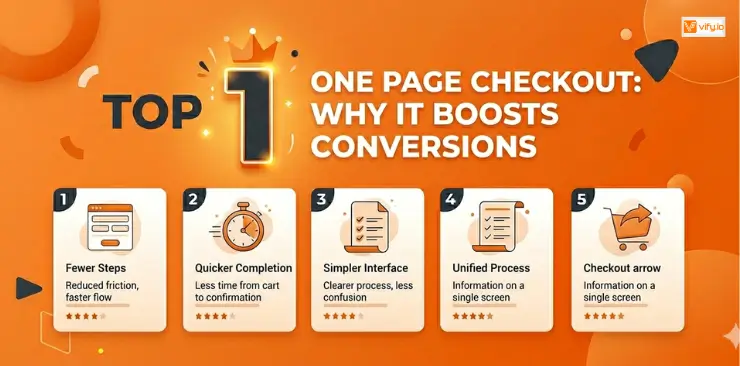
For enterprise merchants, the checkout experience is also a revenue lever. Every extra step, every unnecessary form field is an opportunity for a customer to leave and never come back. That is the problem Shopify one page checkout was built to solve. By collapsing the entire purchase flow into a single screen, it removes the friction that kills conversions. In this guide, you will learn what Shopify one page checkout is and how to enable it in minutes to drive measurable improvements in conversion rate and revenue.
What Is Shopify One Page Checkout?
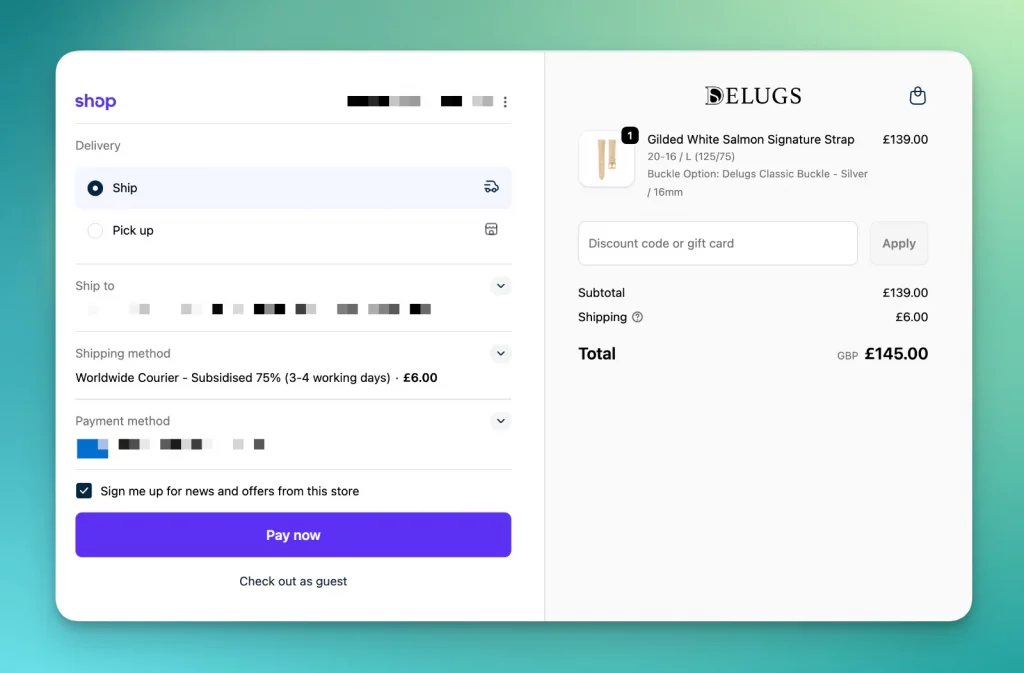
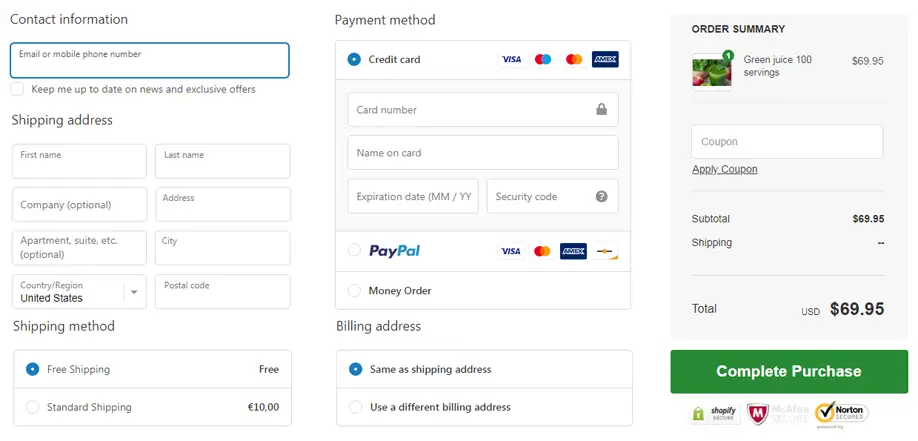
Shopify one page checkout is a native checkout layout that consolidates all the information a buyer needs to complete a purchase — contact details, shipping address, delivery method, and payment — onto a single scrollable screen.
This stands in contrast to Shopify’s default multi-step checkout, which walks buyers through three sequential pages: customer information, shipping method, and payment. While that flow works well for many stores, it introduces friction at every page transition. Each redirect is a moment where a customer can second-guess their decision, get distracted, or simply lose patience.
One page checkout eliminates those transitions entirely.
| Feature | Shopify Standard | Shopify One Page Checkout |
|---|---|---|
| Number of checkout steps | 3 pages | 1 page |
| Express payment placement | Below shipping step | Above the fold, immediately visible |
| Form completion | Spread across pages | All fields in one view |
| Page loads during checkout | 2–3 redirects | 0 redirects |
| Mobile experience | Requires multiple taps | Single scroll |
| Customization capability | Limited | Full via Checkout Extensibility |
How Shopify One Page Checkout Works
When a customer clicks “Checkout” on a Shopify store using the one-page layout, they land on a single screen that is intelligently organized to minimize effort and maximize speed.
Here is what that experience looks like in practice.
Auto-Address Detection and Smart Form Filling
The checkout uses browser autofill and Shop Pay’s stored data to pre-populate name, email, phone, and address fields the moment a customer starts typing — or even before. For returning customers who have used Shop Pay before, most fields are completed automatically. This alone removes one of the biggest friction points in any checkout: the tedium of filling out the same information for the hundredth time.
Express Payment Methods Above the Fold
One of the most strategically important aspects of the one page checkout Shopify layout is where express payment options appear. Shop Pay, Apple Pay, and Google Pay are displayed prominently at the top of the page — before the customer has filled in a single field. This means a returning customer with stored payment credentials can complete a purchase in two taps without ever manually entering their information.
Placing these options above the fold means the path of least resistance leads directly to purchase.
Real-Time Order Summary and Dynamic Shipping
The order summary panel sits persistently alongside the checkout form (on desktop) or above it (on mobile). It shows the cart contents, applied discounts, and estimated totals — all updating in real time as the customer selects shipping options or applies a discount code.
Shipping rates calculate and display dynamically as the customer enters their address, so there are no surprises at the final step. Customers always know what they are about to pay.
How to Enable One Page Checkout on Shopify
Enabling Dhopify one page checkout requires no custom code and no developer involvement. It is a setting change that takes under five minutes.
- Log in to your Shopify account.
- Go to Settings in the bottom-left corner of the dashboard.
- Click Checkout.
- Under the “Checkout layout” section, you will see two options: One-page checkout and Three-page checkout.
- Select One-page checkout.
- Click Save.
Benefits of Shopify One Page Checkout
The business case for one-page checkout is well-supported by research and real-world merchant data.
Reduced Cart Abandonment
The Baymard Institute, which conducts large-scale UX research on e-commerce, consistently identifies checkout length and complexity as one of the top reasons shoppers abandon their carts. Their research indicates that the average documented cart abandonment rate across e-commerce is nearly 70%, and that roughly 17% of users have abandoned a checkout specifically because the process was “too long or complicated.”
Removing two page transitions and consolidating all inputs into one view directly addresses this. Fewer steps mean fewer exit points.
Faster Time to Purchase
We have three-page checkout, a customer makes three distinct “go/no-go” decisions — one at each page transition. On a one-page layout, that decision happens once. The psychological commitment is front-loaded, and the path from that decision to confirmation is shorter and more immediate.
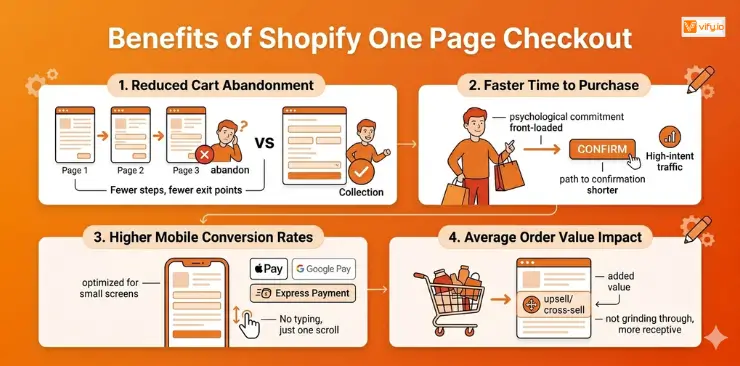
For high-intent buyers (which is what your paid traffic and email campaigns are delivering), this is particularly powerful. When someone is ready to buy, the last thing you want is a three-page process standing between them and completing the purchase.
Higher Mobile Conversion Rates
Mobile commerce now accounts for a majority of e-commerce traffic for most enterprise brands, yet mobile conversion rates consistently lag behind desktop. One major reason: multi-page checkouts are painful to navigate on a small screen.
The one-page checkout is optimized for mobile from the ground up. A single scroll replaces multiple taps and page loads. Express payment options like Apple Pay and Google Pay are shown immediately, making it possible to complete a purchase without typing a single character on a phone keyboard.
Average Order Value Impact
Fewer friction points do not just increase the number of orders — they can increase the quality of orders. When customers are not grinding through a long checkout process, they are more receptive to upsell and cross-sell blocks presented within the checkout.
Conclusion
The checkout page is the highest-stakes real estate in your entire store. Everything upstream — your ads, your SEO, your product pages, your email campaigns — exists to deliver a customer to that page. What happens there determines whether all of that investment converts into revenue or evaporates.
Shopify one page checkout is one of the highest-leverage, lowest-effort improvements a Shopify merchant can make. It is a single setting change that removes page transitions, surfaces express payment options immediately, and creates a faster, less friction-laden experience for every customer who reaches your checkout. For enterprise brands on Shopify, there is no good reason not to enable this. The conversion data supports it, the setup requires no engineering resources, and the ongoing maintenance overhead is zero.
If you’re selling on Shopify and need a professional invoice solution, then Vify Shopify Order Printer app is the best choice for you. Try it for free today and experience it for yourself. We’re confident you’ll love it.