
Managing payments is one of the most important parts of running a successful online store, and Shopify Payments is designed to make that process as seamless as possible. As Shopify’s native payment gateway, it allows merchants to accept major payment methods, track payouts, and manage transactions directly from the Shopify admin. This complete guide covers everything store owners need to know about Shopify Payments, including setup requirements, transaction fees, supported payment methods, and common issues you may encounter along the way.
What is Shopify Payments?
Shopify Payments is the built-in payment processing system developed by Shopify. It allows store owners to accept credit cards, debit cards, and digital wallets directly through their Shopify store, without needing to integrate a separate payment gateway like Stripe or PayPal.
Launched in 2013, Shopify Payments has grown into one of the most widely used payment solutions in ecommerce, processing billions of dollars in transactions each year. It’s powered by Stripe on the backend but managed entirely through the Shopify admin dashboard.
How Shopify Payments works
When a customer places an order and enters their card details at checkout, Shopify Payments handles the entire transaction flow and deposits the funds directly into your connected bank account on a rolling payout schedule.
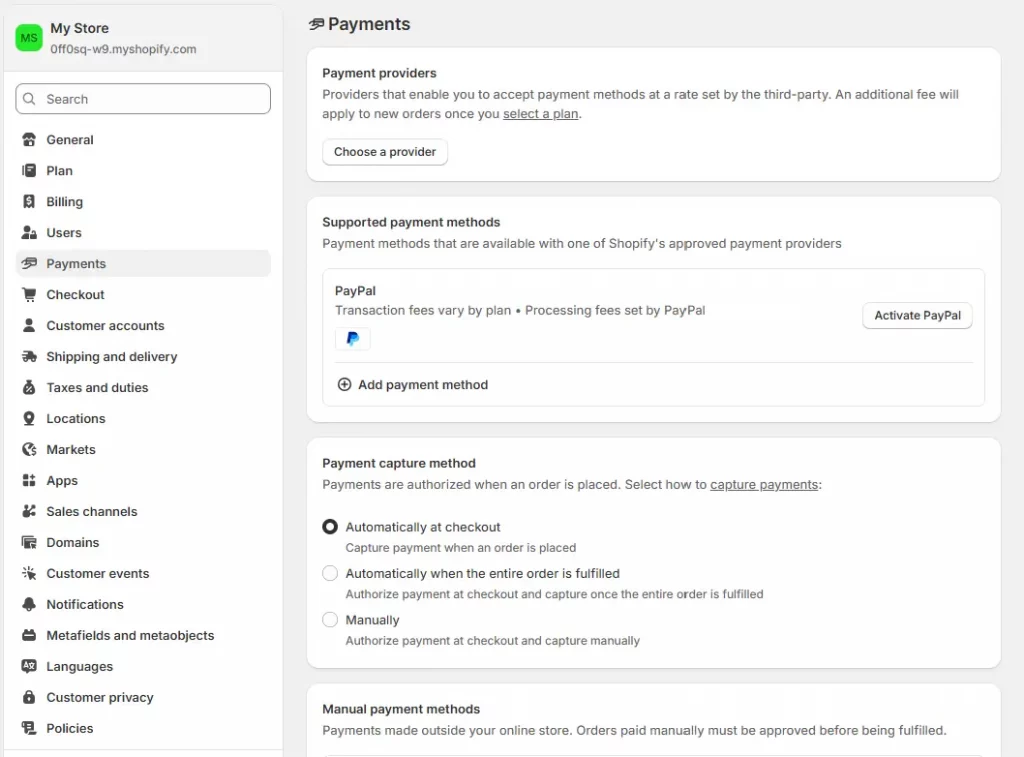
The integration is native, meaning there’s no additional API setup, no separate merchant account to manage, and no third-party dashboard to check. Everything lives inside your Shopify admin under Settings > Payments.
Shopify Payments vs. Third-Party Payment Providers
Shopify supports hundreds of external payment gateways, but using Shopify Payment instead of a third-party provider comes with one significant financial advantage: you avoid Shopify’s additional transaction fee (0.5%–2.0% depending on your plan). That fee is charged on top of whatever the third-party gateway charges, a double cost that adds up fast at scale.
Beyond the fee savings, Shopify Payments also unlocks features exclusive to native payment Shopify users, including Shop Pay, accelerated checkout buttons, and built-in fraud analysis tools.

Shopify Payments Fees & Pricing Breakdown
Understanding the fee structure is critical before you commit to any payment solution. Shopify Payments fees vary by plan, and choosing the right plan for your volume can save you thousands of dollars annually.
Transaction Fees by Shopify Plan
| Shopify Plan | Online Card Rate | In-Person Rate | 3rd-Party Fee |
| Basic | 2.9% + 30¢ | 2.7% | 2.0% |
| Shopify | 2.6% + 30¢ | 2.5% | 1.0% |
| Advanced | 2.4% + 30¢ | 2.4% | 0.5% |
| Shopify Plus | Custom rates | Custom rates | 0% |
Note: All rates shown are for standard US-based accounts. Rates may differ by country. International card processing and currency conversion fees are additional.
How to avoid the 2% Third-Party Transaction Fee
The simplest way to eliminate Shopify’s third-party transaction fee is to use Shopify Payments as your primary gateway. When you enable payment Shopify natively, Shopify waives the additional fee entirely, and you only pay the standard card processing rate.
If you must use a third-party gateway (for example, if Shopify Payments isn’t available in your country), consider upgrading to a higher Shopify plan to reduce the transaction fee from 2% to 1% or 0.5%.
How to set up Shopify Payments
Setting up payments on Shopify is one of the first tasks you’ll complete after creating your store. The process is straightforward and typically takes under 15 minutes if you have your business and banking information ready.
Step 1: Go to Payments in Shopify Admin
Log in to your Shopify admin panel and navigate to Settings in the bottom-left corner. Click on Payments. If Shopify Payments is available in your country, you’ll see it listed as the recommended option at the top of the page. Click Complete account setup to begin.
Step 2: Complete identity verification
Shopify Payments is a regulated financial product, which means Shopify is required by law to verify the identity of account holders. You’ll be asked to provide:
- Your full legal name and date of birth
- Your home address
- The last 4 digits of your SSN (US) or equivalent national ID
- Business details if you’re operating as an LLC, corporation, or other registered entity
Verification is typically instant, but may take up to 24–48 hours in some cases. During this period, you can still accept payments, but payouts will be held until verification is complete.
Step 3: Add Bank Account for Payouts
Once verified, you’ll link your bank account to receive payouts. In the US, this requires your routing number and checking account number. Shopify Payments does not support savings accounts or international bank accounts for payouts in most regions.
Step 4: Configure accepted payment methods
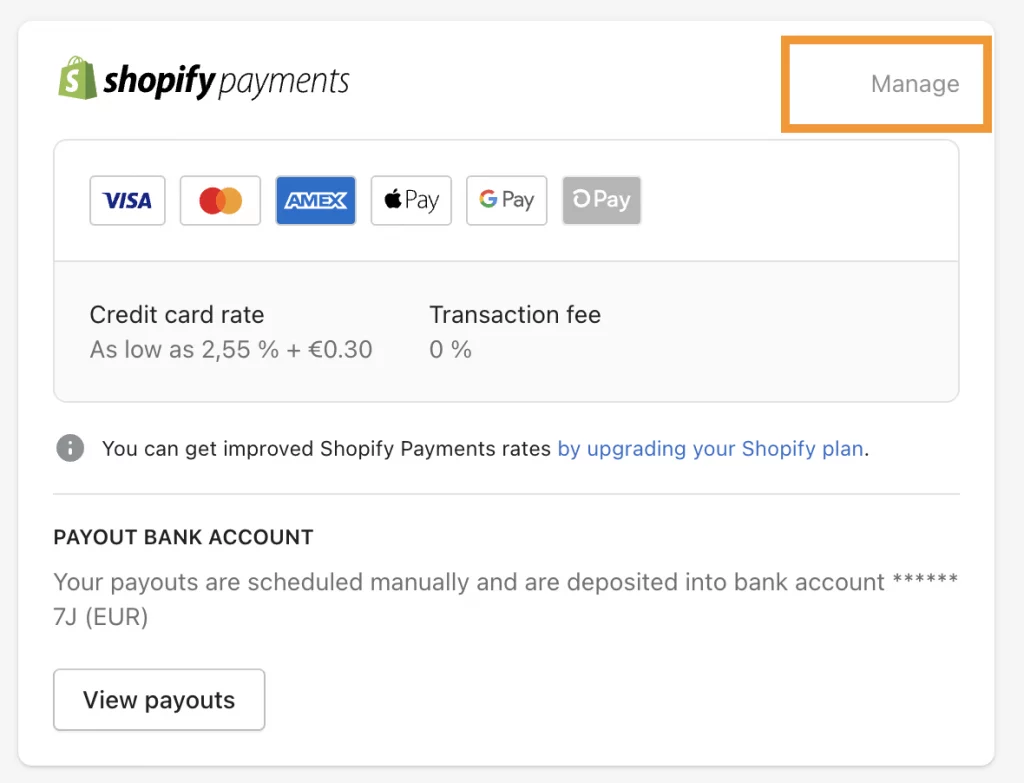
With your account active, you can now configure which payment methods to accept. By default, Shopify Payments enables Visa, Mastercard, American Express, and Discover. You can also toggle on Shop Pay, Apple Pay, Google Pay, etc.
Common Shopify Payments issues
Even with a well-configured store, you may run into payment issues on Shopify from time to time.
Shopify Payments not available
If the Shopify Payments option appears greyed out or unavailable in your admin, the most likely cause is that your store’s country is not supported. Check your store’s country setting under Settings > Store details. If your country is on the supported list but the option is still unavailable, contact Shopify Support. There may be a temporary account restriction or an issue with your account setup.
Identity verification failed
If your identity verification fails, Shopify will provide a reason in your admin notification. Common causes include:
- Name mismatch between your account and your ID
- Expired or unclear ID document
- Business address does not match the registered business documents
Resubmit with a clear, up-to-date government-issued ID. If issues persist, contact Shopify Support directly for manual review. In most cases, a human review resolves the issue within 1–2 business days.
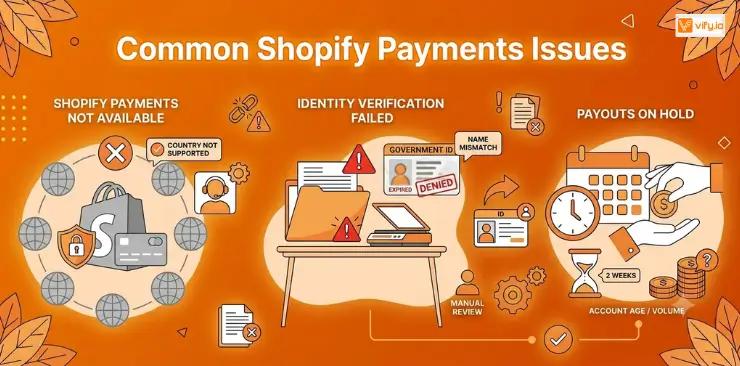
Payouts on Hold
Beyond the standard reasons listed earlier, payouts are sometimes held if your store is brand new and hasn’t yet reached the minimum account age (typically 2 weeks) or the minimum transaction volume required in some markets. Continue operating normally, ensure your identity verification is complete, and your payouts will typically begin releasing automatically.
Conclusion
Shopify Payments does more than process transactions, it simplifies one of the most critical aspects of running an ecommerce business. Understanding how Shopify Payments works, how its fee structure impacts your margins, and how to resolve common payment issues will help you make more informed decisions as your store scales. As your order volume increases, having a reliable and fully integrated payment solution becomes increasingly important, not only for operational efficiency but also for delivering a seamless checkout experience that customers trust.
If you’re selling on Shopify and need a professional invoice solution, then Vify Shopify Order Printer app is the best choice for you. Try it for free today and experience it for yourself. We’re confident you’ll love it.