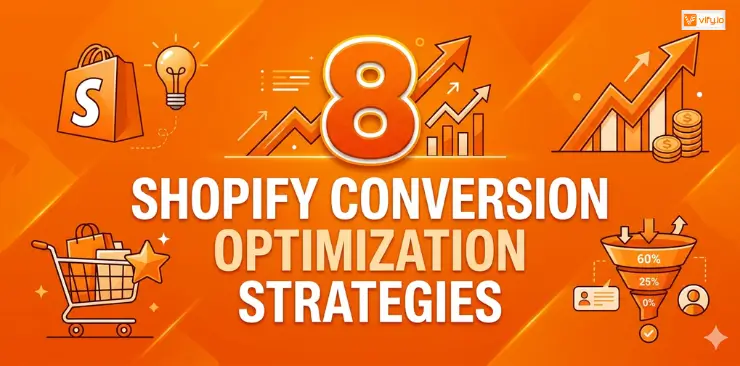
You’re driving traffic to your Shopify store. Ads are running. People are visiting. But the sales rate is not moving. Most Shopify store owners focus almost entirely on getting more visitors — when the real opportunity is converting the ones they already have. The average Shopify conversion rate sits around 1.4%. That means for every 100 people who land on your store, roughly 99 leave without buying. Even a modest improvement — say, getting from 1.4% to 2.8% — doubles your revenue without spending a single extra dollar on ads. That’s the power of Shopify conversion optimization. Let’s explore 8 battle-tested strategies for Shopify conversion rate optimization that actually work.
What is Shopify Conversion Optimization?
Shopify conversion rate optimization (CRO) is the process of improving your online store so that a higher percentage of visitors complete a desired action — most commonly, making a purchase.
Your conversion rate is calculated as:
Conversion Rate = (Number of Orders ÷ Total Sessions) × 100
So if your store gets 10,000 sessions per month and generates 140 orders, your conversion rate is 1.4%.
Shopify Conversion Rate Benchmarks by Industry
| Industry | CVR |
|---|---|
| Arts & Crafts | 3.84% |
| Baby & Child | 0.87% |
| Electrical & Commercial Equipment | 2.49% |
| Fashion & Apparel | 1.01% |
| Food & Beverage | 2.28% |
| Health & Beauty | 1.87% |
| Home & Garden | 1.55% |
| Pet Care | 2.20% |
| Sports & Recreation | 1.18% |
(Source: industry aggregated benchmarks, 2024)
Why CRO beats simply buying more traffic
Most store owners default to “spend more on ads” when they want more revenue. But consider this:
- Doubling your ad budget might cost you $5,000–$20,000/month extra
- Doubling your conversion rate costs you time, testing, and smart optimization
CRO has a compounding effect too. Once your store converts better, every future dollar you spend on paid traffic becomes more profitable. It’s the highest-leverage growth lever available to any Shopify merchant.
How to find your Shopify Conversion Rate
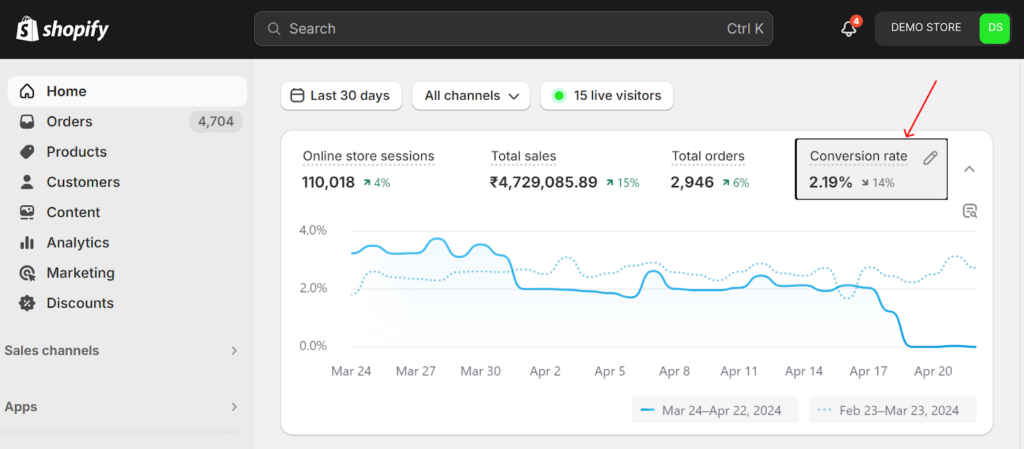
In your Shopify admin, go to Analytics → Overview Dashboard. You’ll see “Online store conversion rate” displayed alongside sessions, orders, and revenue.
For a deeper breakdown by traffic source, device type, or landing page, connect Google Analytics 4 (GA4) to your store. This reveals where your funnel is leaking — which makes the rest of this guide even more actionable.
8 strategies to increase Conversion Rate Shopify
Optimize Page Speed and Core Web Vitals
Speed is not a nice-to-have. It is your first conversion problem.
Research consistently shows that a 1-second delay in page load time reduces conversions by up to 7%. On mobile — where more than 60% of Shopify traffic comes from — the impact is even bigger.
How to speed up your Shopify store:
- Compress and convert all images to WebP format
- Remove unused or redundant third-party apps
- Enable lazy loading for images below the fold
- Use a lightweight, performance-optimized theme
- Minimize render-blocking JavaScript
Aim for a Largest Contentful Paint (LCP) under 2.5 seconds.
Write High-Converting Product Descriptions
Most Shopify product descriptions read like spec sheets. They list what the product is, not why someone needs it.
High-converting product copy leads with the benefit, not the feature.
Weak: “This moisturizer contains 2% hyaluronic acid and vitamin C.”
Strong: “Wake up to visibly plumper, brighter skin. Our formula with hyaluronic acid and vitamin C works overnight so you can skip the concealer in the morning.”
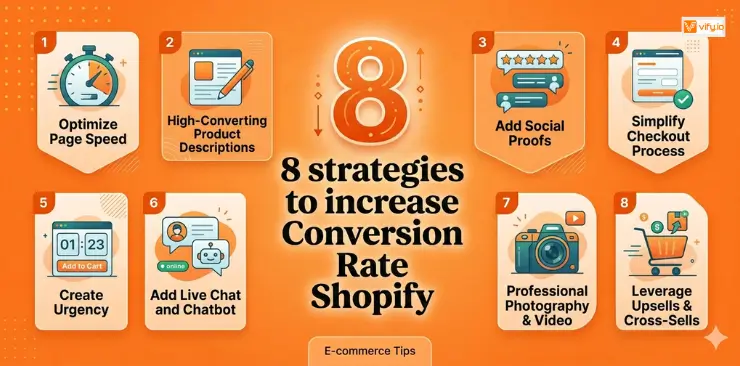
Framework for conversion-focused product descriptions:
- Hook — Lead with the core transformation or desire
- Benefits — What changes in the customer’s life
- Features — The proof behind the benefits
- Social proof integration — One embedded quote or review
- CTA reinforcement — Remind them what they’re getting
Keep descriptions scannable. Use short paragraphs, bullet points for features, and bold text for key phrases. Most shoppers skim before they read.
Use Professional Photography and Video
Your images are doing the selling that a salesperson would do in a physical store.
Low-quality, dark, or generic stock photos signal low-quality products. Customers can’t touch or try your product — they’re making a purchase decision based entirely on visuals.
- Multiple angles — front, back, side, detail close-ups
- Lifestyle shots — product in context (worn, used, displayed in a real setting)
- Scale reference — show the product next to a common object or on a model
- Short video or GIF — a 5–10 second product clip dramatically increases engagement
- User-generated content — real customer photos feel authentic and trustworthy
For video, even a simple smartphone setup with good natural lighting outperforms fancy stock footage. Authenticity converts.
Add Social Proofs
People don’t trust brands. They trust other people.
92% of consumers read online reviews before making a purchase. If your Shopify store has few reviews, no star ratings, or no visible social proof, you’re asking customers to take a leap of faith. Most won’t.
Social proof elements that move the needle:
- Star ratings displayed on product listings and detail pages
- Written reviews with photos (photo reviews convert 6× better than text-only)
- Review count — even 15–20 reviews is enough to build initial trust
- “As seen in” press mentions near the hero section
- Real-time purchase notifications (“Sarah from Austin just bought this — 3 hours ago”)
- Trust badges — secure checkout, money-back guarantee, free returns
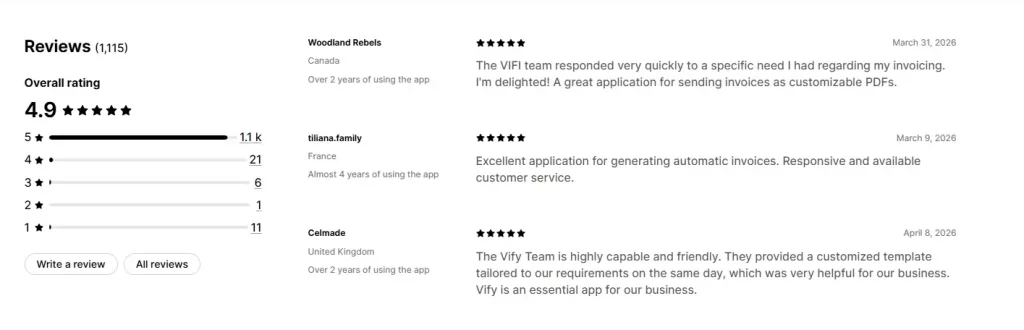
Recommendation: Top 5 Best Shopify Product Review Apps.
Simplify the Shopify Checkout Process
Checkout abandonment averages 69.9% across ecommerce globally. The majority of that is preventable friction.
The most common checkout killers:
- Forcing visitors to create an account before purchasing
- Asking for unnecessary information
- Surprising customers with shipping costs at the last step
- Limited payment options
- Poor mobile keyboard/form experience
How to improve Shopify conversion rate at checkout:
- Enable guest checkout
- Use Shopify’s one-page checkout
- Display a progress indicator so customers know how many steps remain
- Show security badges (SSL, Shopify Secure, payment logos) prominently
- Pre-fill fields where possible using Shop Pay or browser autofill
- Display the order summary throughout the checkout process
Create Urgency
Urgency is one of the most reliable conversion levers in ecommerce — when it’s real.
Manufactured scarcity (“Only 3 left!” when you have 500 in stock) destroys trust when customers figure it out. But legitimate urgency works extremely well.
Ethical emergency tactics:
- Countdown timer for a sale that genuinely ends at midnight
- Low stock alerts based on real inventory (“Only 4 left in size M”)
- Shipping deadlines — “Order in the next 3 hours for delivery by Friday”
- Limited-edition drops with a definitive end date
- Flash sales for email subscribers only
Place urgency signals close to your Add-to-Cart button, not buried in the footer. Visibility drives action.
Add Live Chat and Chatbot Support
Purchase hesitation often comes from a simple unanswered question. “Does this run small?” “Does it ship to my country?” “What’s your return policy?”
If the answer isn’t immediately visible, many customers leave rather than hunt for it. Live chat removes that barrier.
What the data shows:
- Websites with live chat see up to 40% higher conversion rates
- Average order value tends to be higher for customers who use chat before purchasing
- Chat interactions also generate valuable product FAQ data
Set up automated responses for your top 5–10 FAQs. Even a chatbot that answers “What’s your return policy?” and “Do you ship to X?” removes major conversion blockers around the clock.
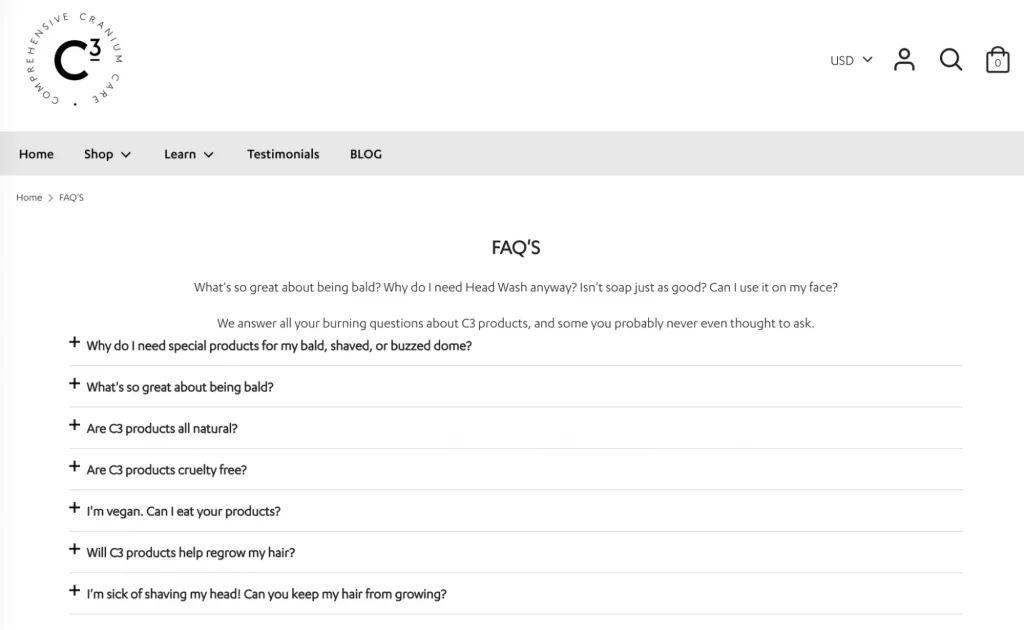
Explore more: How to Create an Effective FAQ Page for Shopify.
Leverage Upsells, Cross-Sells, and Bundle Deals
Getting a customer to buy is the hard part. Getting them to buy more is comparatively easy — because trust is already established.
Upselling: Recommends a higher-tier version of what the customer is viewing. “You’re looking at our 250ml bottle — most customers love the 500ml (better value, same formula).”
Cross-selling: Suggest complementary products. “Customers who bought this yoga mat also grabbed the matching strap and block set.”
Bundling: Package products together at a slight discount. “Buy the complete kit and save 15%.”
Where to place these offers:
- Product page (before adding to cart)
- Cart page (before checkout)
- Post-purchase page (after the order is confirmed — zero checkout friction)
- Email follow-up (1–2 days after purchase)
Post-purchase upsells are particularly effective because the customer is already in buying mode, no payment re-entry is needed (Shopify handles it), and there is no checkout friction at all.
Recommendation: Best 5 Upsell Apps on Shopify
Conclusion
Shopify conversion optimization is not a single tactic — it is a systematic approach to understanding why visitors don’t buy, removing those barriers, and continuously testing improvements. The stores that win in competitive Shopify markets are rarely the ones with the biggest ad budgets. They’re the ones that convert best — because they’ve built a shopping experience their customers actually trust.