Running promotions can drive more sales, but poorly planned discounts can quickly eat into profit margins. Shopify Promotions gives merchants several ways to create compelling offers, from percentage discounts and fixed amounts to bundles and free shipping. This guide explains how to plan, set up, and combine promotions strategically so offers attract customers while keeping margins under control.
What are Shopify promotions?
A Shopify promotion is any offer that gives shoppers a reason to buy now: a percentage off, free shipping, a gift, a bundle price. The catch is that “promotion” isn’t a single feature in the Shopify admin. Every promotion on Shopify is built from one of three mechanisms, and they behave differently.
Sale pricing lowers the product’s price and stores the original as the compare-at price. Discount codes apply when a customer enters a code or arrives through a link that carries it. Automatic discounts apply on their own once the cart meets your conditions. Shopify’s documentation treats sale pricing and discounts as separate tools, and that difference shapes how an offer looks to shoppers.
| Sale price (compare-at) | Discount code | Automatic discount | |
|---|---|---|---|
| Where you set it | Product or variant price fields | Discounts page, method “Discount code” | Discounts page, “Automatic discount” method |
| What the customer does | Nothing | Enter the code or clicks a shareable link | Adds eligible items to the cart |
| Shows on product pages | Yes, as price plus compare-at-price (theme-dependent) | No, unless you add an app or custom work | No, unless you add an app or custom work |
| Shows at checkout | Sale price only | Savings with a crossed-out price | Savings with a crossed-out price |
| Store limit | Inconsistent variant compare-at prices can hide the sale on collection pages | 20,000,000 unique codes per store | 25 active automatic discounts, app-based ones included |
| Best for | Straight markdowns and clearance | Targeted, trackable campaigns | Site-wide sales and spend thresholds |
Two practical consequences follow. If you want a discount to show a strikethrough price on product and collection pages, Shopify says you need a third-party discount app or a Shopify Partner to build it. And if you use compare-at pricing, only the sale price appears at checkout, so the “was/now” comparison disappears at the moment of purchase.
A Shopify store promotion is therefore usually one of these mechanisms plus a way of getting it in front of people: an email to a customer segment, a link in an ad, a banner on the homepage. We’ll cover distribution after the mechanics, because the mechanics decide what’s possible.
The four types of promotions on Shopify
Shopify’s admin lets you create four kinds of discounts natively: amount off products, amount off order, Buy X get Y, and free shipping. Each can run as a discount code or an automatic discount.
| Kind | What it does | Best goal | Watch out for |
|---|---|---|---|
| Amount of products | Percentage or fixed amount off specific products or collections | Clearance, spotlighting a collection | A code can name only 100 specific products, variants, or customers, so use collections for big catalogs |
| Amount off order | Percentage or fixed amount off the cart | Spend thresholds, welcome offers | Doesn’t reduce shipping; minimum-purchase checks run before and after product discounts |
| Buy X get Y | Discounts or frees an item when the customer buys another | Slow stock, cross-selling, rewards | The “get” item is never added to the cart automatically |
| Free shipping | Removes shipping cost, optionally in chosen countries | Lifting conversion at a threshold | Only one shipping discount can apply to an order |
Amount Off
Amount off discounts take a percentage or fixed value off products or the whole order, never shipping. When a fixed amount applies to all products, Shopify spreads it proportionally across the items in the cart, and an order can’t drop below $0.
The detail most merchants miss is how minimums work for order-level discounts. Both totals have to clear the minimum: the cart before product discounts, and the subtotal after them. So if a product discount pulls a cart under your “spend $100” threshold, the order discount stops applying, even though the customer’s original cart qualified.
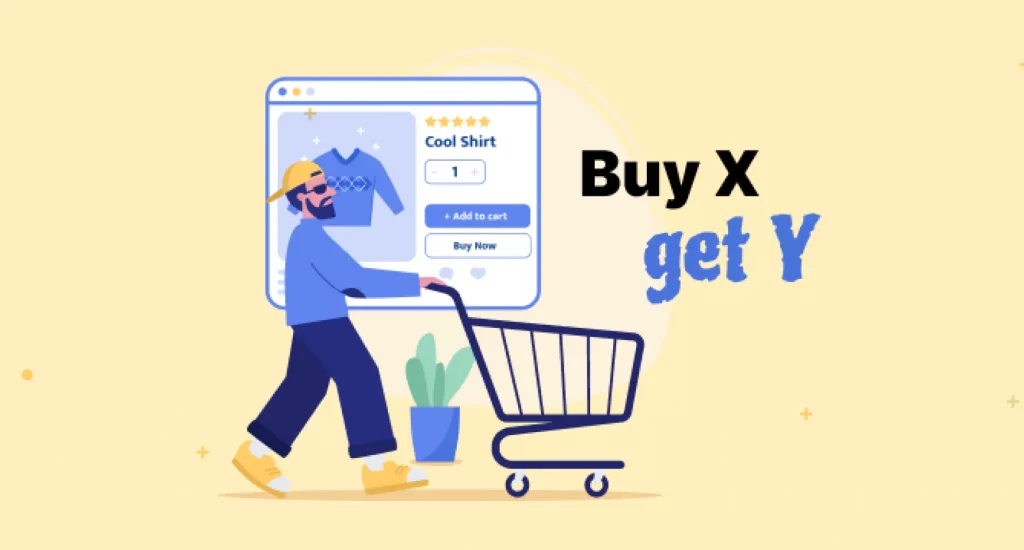
Buy X Get Y
Shopify positions Buy X get Y as a way to win new customers, reward loyal ones, and sell slow-moving inventory. Its behavior is stricter than the name suggests:
- Customers add every item to the cart themselves. The free or discounted item is never added for them, so your product page and cart messaging have to explain the offer.
- If you’re giving away a product, its inventory matters. When stock hits zero, the product shows as sold out and the offer cannot be redeemed.
- A minimum purchase counts products at full price and excludes shipping and taxes. An item that already carries another combinable product discount doesn’t count toward the minimum at all.
- With automatic Buy X get Y where the buy and get items come from the same collection, the lower-priced item is the one discounted.
Free Shipping
A free shipping discount can be limited to certain countries, and you can exclude shipping rates above a set amount so you don’t subsidize expensive express options. The trap is in the minimum: products count toward it at their discounted price when another discount can combine with it.
Here’s a hypothetical. You offer free shipping over $75 and a combinable 20% automatic discount. A $90 cart becomes $72 after the discount and no longer qualifies for free shipping. The customer sees the threshold vanish at checkout, which is the opposite of what a promotion should do. Set thresholds against post-discount subtotals.
Discount codes vs. Automatic discounts
Shopify describes automatic discounts as useful for site-wide sales, collection promotions, and bulk purchases, and discount codes as the common choice for email campaigns and partnerships. Each has a stated downside.
| Discount code | Automatic discount | |
|---|---|---|
| Customer effort | Must enter the code; forgotten codes can lead to cart abandonment | None |
| Customer awareness | High, because they typed it | Shoppers may not realize they’re getting a discount |
| Main risk | Friction at checkout | Customers might receive too high a discount |
| Channels | Redeemable on every sales channel you’ve set up; you can’t restrict by channel | Applies on all your channels; in Shopify POS, only on POS Pro locations |
| Tracking | Sales by discount report shows how often each code is used | Applied broadly, so compare results against a baseline period |
| Best for | Email, influencers, partners, targeted offers | Public, rule-based offers such as spend-and-save |
A workable rule: use an automatic discount when the offer is public and rule-based, and use a code when you need to control who receives it or attribute the results to a campaign.
One targeting detail deserves attention. Discounts restricted to a customer segment apply only to existing customers. A shopper checking out for the first time has no customer profile until that first order completes, so a “new customer” offer built on a segment can miss them. A general code with a one-use-per-customer limit, distributed through your sign-up form, does the job instead.
For distribution, Shopify’s managing discounts page explains shareable links. A link in the form /discount/CODEapplies the code automatically, and adding ?redirect=/collections/your-collectionsends shoppers to a specific page. Codes applied through a link still obey your combination rules and the five-code limit per order. You can also activate sales channels for a discount so it can feature in social posts, ads, and POS tiles.
Matching each Shopify promotion to a business goal
The reason a promotion “didn’t work” is usually that it was asked to do three jobs. Give each Shopify store promotion exactly one goal, then choose the mechanic and guardrail that fit it.
| Goal | Mechanic that fits | Guardrail |
|---|---|---|
| Raise average order value | Automatic free shipping or amount off order above a minimum | Set the threshold above your current average order, measured after discounts |
| Clear slow inventory | Buy X get Y with the slow SKU as the “get” item, or a collection discount | Watch stock on the “get” item; at zero, the offer disappears |
| Win a first order | General welcome code, one use per customer | Don’t build it on a segment; first-time checkouts aren’t in one yet |
| Bring past buyers back | Code sent to a customer segment | Set an end date so the offer has a real deadline |
Raising order value. Thresholds work when they sit a modest step above what people already spend. Set free shipping at a level most carts already meet and you’ve simply cut revenue; set it out of reach and shoppers ignore it. Check your current average order value first.
Winning first orders. Because segments miss first-time checkouts, first-order offers usually work better as plain codes. Add the one-per-customer limit, which tracks email address or phone number, and use a shareable link so the offer is one click from your sign-up email.
How discount stacking works on Shopify
Stacking is where most Shopify promotions go wrong, because discounts don’t combine automatically. You have to open each discount and choose which classes it can combine with: product, order, or shipping.
The calculation order. Product discounts apply first, to individual items. Order discounts then apply to the reduced subtotal. Shipping discounts apply last.
Percentages add up, they don’t compound. When two percentage order discounts apply, both are calculated on the same subtotal. A 10% code and a 15% automatic discount take 25% off, not 23.5%.
Supported combinations. Every merchant can combine order discounts with free shipping, product discounts with free shipping, and product discounts on separate items. Combining product discounts with order discounts, or order discounts with each other, requires that your store has no checkout.liquidcustomizations and doesn’t use the Licensify app. Stacking two product discounts on the same item is limited to Shopify Plus.
The limits. You can have up to 25 active automatic discounts. A customer can use up to five product or order codes plus one shipping code per order. Combinations work only on the Online Store, the Storefront API, and Shopify POS, so they don’t carry over to Facebook, Instagram, Google, or other external checkouts.
Buy X get Y is the exception. On plans other than Shopify Plus, products in a Buy X get Y discount can’t receive further product discounts. If a customer’s code covers those products, Shopify applies whichever gives the best overall value.
When discounts can’t combine, Shopify picks the best deal for the customer’s cart rather than the first one entered.
Check the margin before launching Shopify promotions
Percent-off promotions demand more volume than they feel like they should. If your gross margin is m and you discount by d (both as a share of the original price), you need d ÷ (m − d) more units to earn the same total gross profit. Example: a $50 product with a $20 margin (40%) sold at 20% off leaves $10 per unit, so you need to double unit sales just to break even.
| Discount ↓ / Gross margin → | 30% | 40% | 50% | 60% |
|---|---|---|---|---|
| 10% off | +50% units | +33% units | +25% units | +20% units |
| 15% off | +100% units | +60% units | +43% units | +33% units |
| 20% off | +200% units | +100% units | +67% units | +50% units |
| 25% off | +500% units | +167% units | +100% units | +71% units |
| 30% off | No profit per unit | +300% units | +150% units | +100% units |
The figures use simple gross margin. Use your contribution margin, after shipping, payment fees, and expected returns, for a truer read. If the required uplift looks unrealistic, switch mechanics before you switch percentages. A Buy X get Y that discounts one slow item, or a free shipping threshold, usually costs less per order than a store-wide percentage.
Conclusion
Strong Shopify promotions start with a goal, not a discount percentage. Choose the one native type that fits, decide whether a code or an automatic discount suits the audience, and configure combinations on purpose rather than by default. Then run the margin math, test the checkout, and read the Sales by discount report afterward.
For Shopify stores looking for a professional invoice solution that’s easy to customize without any coding, Vify Shopify Order Printer app is worth considering. Try it for free and see how it fits your store’s needs.