
Choosing the right Shopify website templates plays an important role in creating a professional store and a smooth shopping experience. With hundreds of free and paid themes available, finding the right fit requires more than focusing on appearance. This guide compares the available options and highlights key factors to help select a theme that suits the store’s needs and budget.
What are Shopify website templates?
Shopify website templates are called themes. A theme is a ready-made design for your online store that you customize with your own logo, colors, images, and products. You do not need to code, and you can switch themes later.
Most current themes are built for Online Store 2.0, which supports sections on every page, app blocks, and collection filtering. In practice, that means you can rearrange your homepage, product pages, and other page types in the theme editor instead of editing code. Inside a theme, templates define the layout for each type of page, such as products, collections, and blog posts, which is why people sometimes use “template” and “theme” interchangeably. If you want to see how stores put these building blocks to work, our examples of Shopify stores show what strong layouts look like in real brands.

Where to get website templates for Shopify
A Shopify template website can come from four sources:
| Source | Typical cost | Review and licensing | Best for |
|---|---|---|---|
| Free Shopify themes | $0 | Made and maintained by Shopify | New stores and simple catalogs |
| Paid themes in the Shopify Theme Store | $100 to $500, one-time | Reviewed by Shopify; licensed to one store | Stores that need niche layouts or built-in features |
| Third-party marketplaces | Varies widely | Not part of the Shopify Theme Store review; support terms differ | Buyers who accept more risk for lower prices |
| Custom theme | Agency or developer project cost | Defined by your contract | Brands with unique requirements |
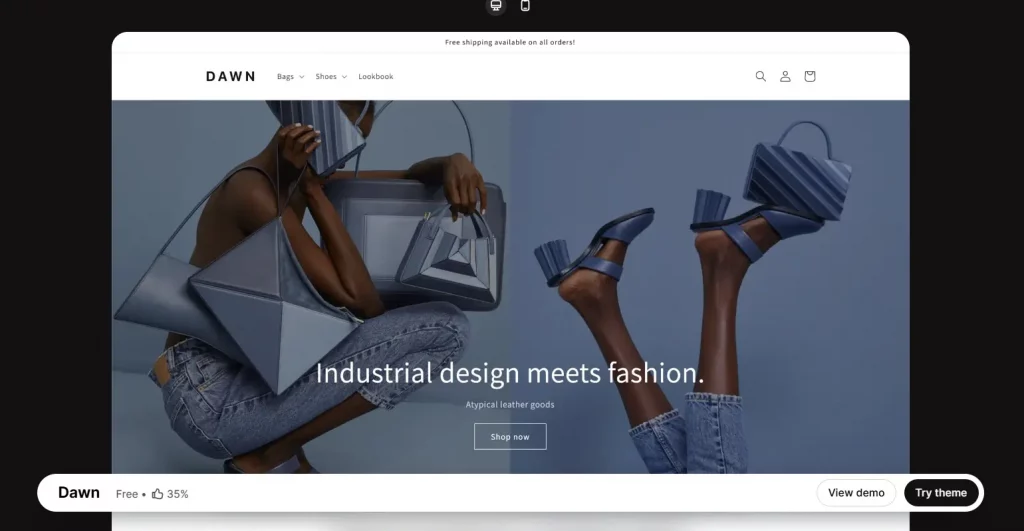
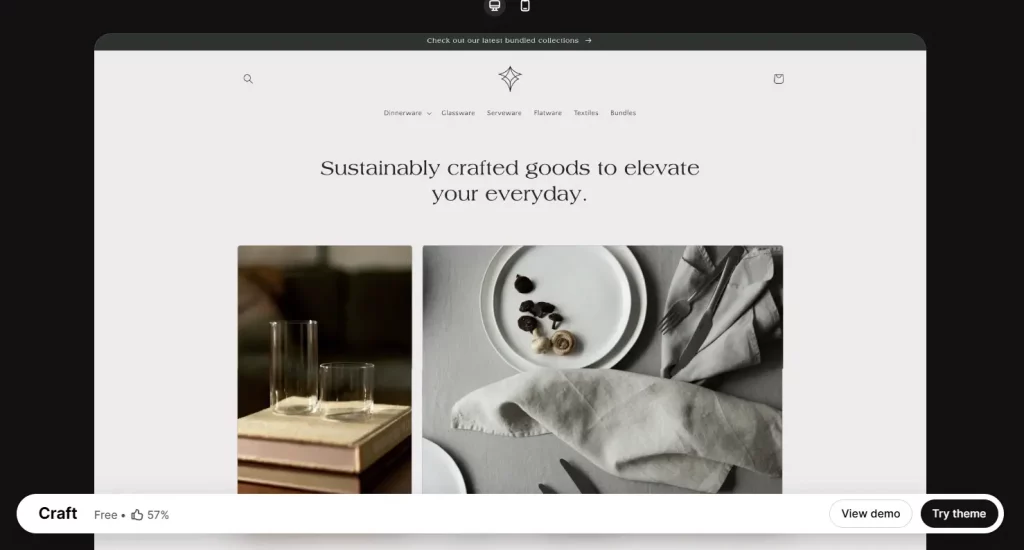
As of October 2026, the Theme Store lists 24 free themes in two families: 14 built on the Dawn base and 10 in the Horizon family. Horizon launched in May 2025 and is reported to be the default theme for newly created stores, while Dawn is still maintained. Paid themes range from $100 to $500 on the Theme Store, according to recent listing checks.
Free vs Paid Shopify website templates
| Factor | Free themes | Paid Theme Store themes |
|---|---|---|
| Price | $0 | $100 to $500, one-time |
| License | Free to use | Licensed to the store where you bought it; each extra store needs its own license |
| Refunds | Not applicable | Final sale and non-refundable |
| Try before buying | Yes | Yes, you can preview up to 19 paid themes at once |
| Typical strength | Clean layouts, solid basics, regular updates from Shopify | More ready-made layouts, niche-specific sections, and extra built-in features |
For most new stores, a free theme is the sensible start. Horizon and Dawn cover the essentials and keep your first-year costs down. A paid theme earns its price when you need specific layouts or features that free themes lack. Discover our guide to 12 best free Shopify themes to find your best starter one.
A quick break-even calculation
A theme is a one-time cost, so you can spread it over time and ask how much extra sales it needs to pay back. The table below assumes a store with $10,000 in monthly sales and a 30% gross margin, and spreads the price over 12 months. These are illustrative assumptions, so replace them with your own numbers.
| Theme price | Monthly cost over 12 months | Extra monthly sales needed to cover it | Share of monthly sales |
|---|---|---|---|
| $100 | $8.33 | $27.78 | 0.28% |
| $250 | $20.83 | $69.44 | 0.69% |
| $500 | $41.67 | $138.89 | 1.39% |
Even a $500 theme needs to lift sales by only about 1.4% to pay for itself within a year on those assumptions. The harder question is whether it will. A theme helps when it fixes a specific problem, such as weak product pages or navigation that does not suit a large catalog. It does not help simply because it costs more.
How to choose website templates for Shopify
| Criterion | What to check | Why it matters |
|---|---|---|
| 1. Catalog fit | Navigation and filtering for the number of products you sell | Large catalogs need strong menus and filters |
| 2. Online Store 2.0 support | Sections on every page and app blocks | Makes the store easier to edit without code |
| 3. Speed | Load times on mobile with your real images and products | Slow pages cost conversions |
| 4. Mobile design | How the demo looks and works on a phone | Most shoppers browse on mobile |
| 5. Built-in features | Which features you need that come with the theme | Avoids paying for extra apps |
| 6. Support and updates | Developer support terms, update history, and recent reviews | Keeps the theme working as Shopify changes |
| 7. Customization limits | How far you can change the layout without a developer | Prevents outgrowing the theme quickly |
On criterion five, remember that features can come from an app instead of a more expensive theme. Before you pay extra for a theme with a built-in feature, check whether a Shopify App Store app offers the same capability at a lower total cost, and compare the monthly app fee with the theme’s one-time price.
Conclusion
The best Shopify website templates fit your catalog, load quickly on a phone, and leave room to grow without a rebuild. Start with a free theme unless you have a specific need it cannot meet, use the try-before-you-buy option for any paid theme, and calculate the price against realistic sales before you commit. A theme is one decision in a store that keeps changing, so pick one you can adjust over time.
For Shopify stores looking for a professional invoice solution that’s easy to customize without any coding, Vify Shopify Order Printer app is worth considering. Try it for free today and see how it fits your store’s needs.
FAQs
Are Shopify web templates free?
Some are. As of October 2026, the Shopify Theme Store offers 24 free themes, in the Dawn and Horizon families. Paid themes are also available from independent designers.
How much do website templates for Shopify cost?
Paid themes on the Shopify Theme Store range from $100 to $500 as a one-time payment, according to recent listing checks. Third-party marketplaces vary, and a custom theme costs whatever the developer quotes.
Can I use one Shopify web template on more than one store?
Not with a single license. A paid Theme Store theme is licensed to the store where you bought it, and each additional store needs its own license. Free themes have no such restriction.
Can I try a Shopify template before buying it?
Yes. You can click Try theme to add a paid theme to your store as a draft and preview up to 19 paid themes at once. You only pay when you decide to publish one.
Can I get a refund on a Shopify theme?
Shopify says Theme Store purchases are final sale and non-refundable. The exception is transferring a paid theme between stores you own, which goes through Shopify Support.
What is the best template for a new Shopify store?
For most new stores, a free theme is the best start. Horizon is reported to be the default for new stores and Dawn remains maintained. The right choice depends on your catalog size, navigation needs, and the features you want built in.