
Successful ecommerce businesses never rely on guesswork, they rely on trustful data. Shopify Analytics gives merchants access to valuable insights into sales, customers, products, and marketing performance, making it easier to identify opportunities and make informed business decisions. In this complete guide, you’ll learn how to use Shopify Analytics, understand its most important reports and metrics, and turn your store’s data into practical strategies for increasing sales and long-term growth.
What is Shopify Analytics?
Shopify Analytics is Shopify’s built-in reporting and analytics platform that helps merchants monitor key aspects of their store’s performance, including sales, orders, customer activity, traffic sources, and product performance. Because it uses data generated directly from your Shopify store, reporting begins automatically as soon as your store is live. There’s no need to install additional tracking code to access the core analytics features.
The reports and insights available through Shopify Analytics vary depending on your subscription plan. Merchants on the Basic plan have access to a live overview dashboard and a selection of essential reports. Higher-tier Shopify plans unlock a broader range of analytics, while Shopify Plus offers advanced capabilities such as custom report creation and extended historical data. As businesses continue to grow, many eventually supplement Shopify’s native reporting with dedicated analytics tools to gain deeper insights and more flexible reporting options.
At its foundation, Shopify analytic data helps answer three critical questions that every ecommerce business needs to understand: Which products are generating sales? Who are your customers? And where is your traffic coming from? These insights provide the data needed to make more informed decisions about marketing, merchandising, and overall business growth.
Why Shopify Analytics matters
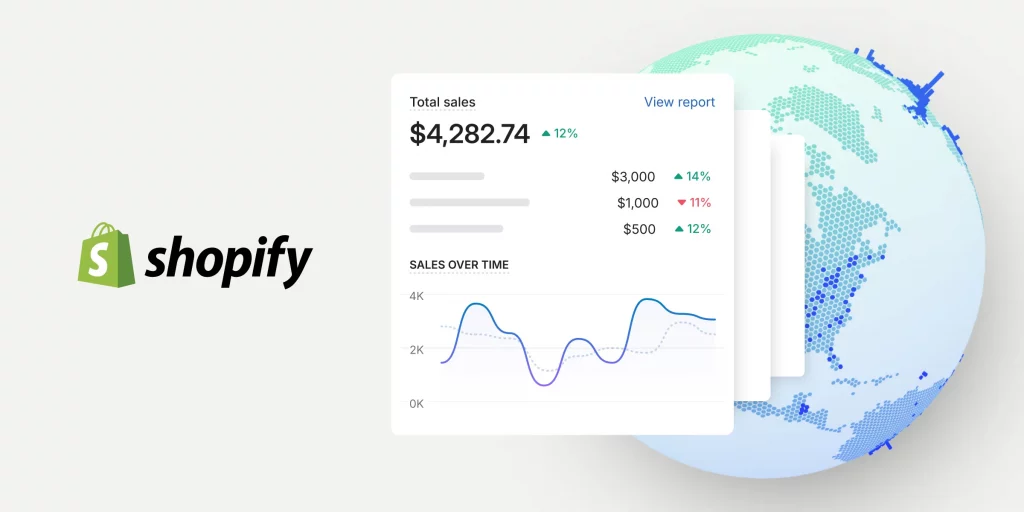
Making business decisions based on assumptions can quickly become costly. Without reliable data, it’s easy to continue investing in underperforming marketing campaigns, overstock products with declining demand, or overlook issues that are quietly affecting sales. Shopify Analytics helps replace guesswork with measurable insights, allowing merchants to make decisions backed by real store data. Key advantages include:
- Identify what’s driving results. Instead of relying on intuition, merchants can analyze traffic sources, conversion rates, and sales performance to understand which marketing channels, campaigns, and products generate the strongest return.
- Detect potential problems before they have a significant impact. For example, a sudden decline in mobile conversion rates could indicate a checkout issue, a broken theme update, or another technical problem. Spotting these changes early allows merchants to resolve them before they lead to substantial revenue loss.
- Improving inventory and pricing decisions. Product performance reports, sell-through rates, and sales trends make it easier to identify best-selling items that need replenishing while reducing the risk of overstocking slow-moving products that tie up valuable inventory.
Rather than reviewing performance only at the end of each month, merchants who monitor Shopify Analytics on a regular basis are better positioned to identify trends, respond to changes quickly, and make ongoing improvements that support long-term ecommerce growth.
Key Shopify Analytics metrics
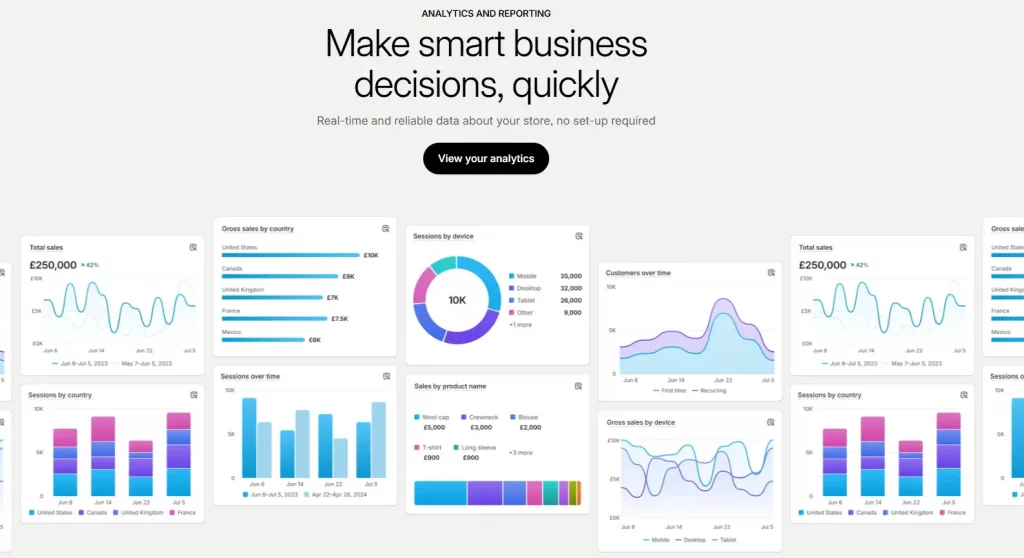
Shopify provides a wide range of reports, but not every metric carries the same business value. Focusing on the right data helps you make smarter decisions and identify growth opportunities more quickly.
Sales Metrics
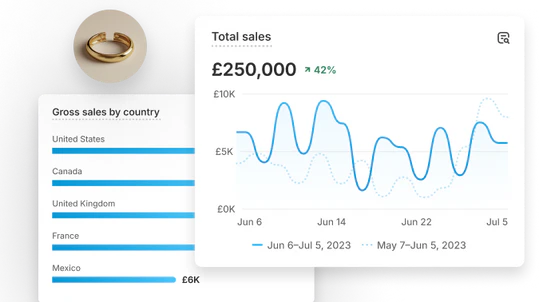
- Total sales and net sales provide two different perspectives on your revenue. Total sales reflect your gross income, while net sales account for discounts, refunds, and returns, giving you a more accurate picture of actual revenue.
- Average order value (AOV) measures how much customers spend per purchase. Increasing AOV is one of the most effective ways to grow revenue, making this metric especially valuable when evaluating upselling, cross-selling, and product bundle strategies.
- Sales by product highlights which products consistently generate revenue and which items contribute little to overall sales. These insights can guide inventory planning, merchandising decisions, and product promotions.
Customer Metrics
- New versus returning customer rate reveals how well your business retains customers. While attracting new buyers is important, a healthy percentage of returning customers often indicates stronger customer loyalty and sustainable long-term growth.
- Customer lifetime value (LTV) estimates the total revenue a customer generates throughout their relationship with your business. Understanding LTV helps merchants determine appropriate customer acquisition costs and prioritize long-term retention strategies.
Marketing and Traffic Metrics
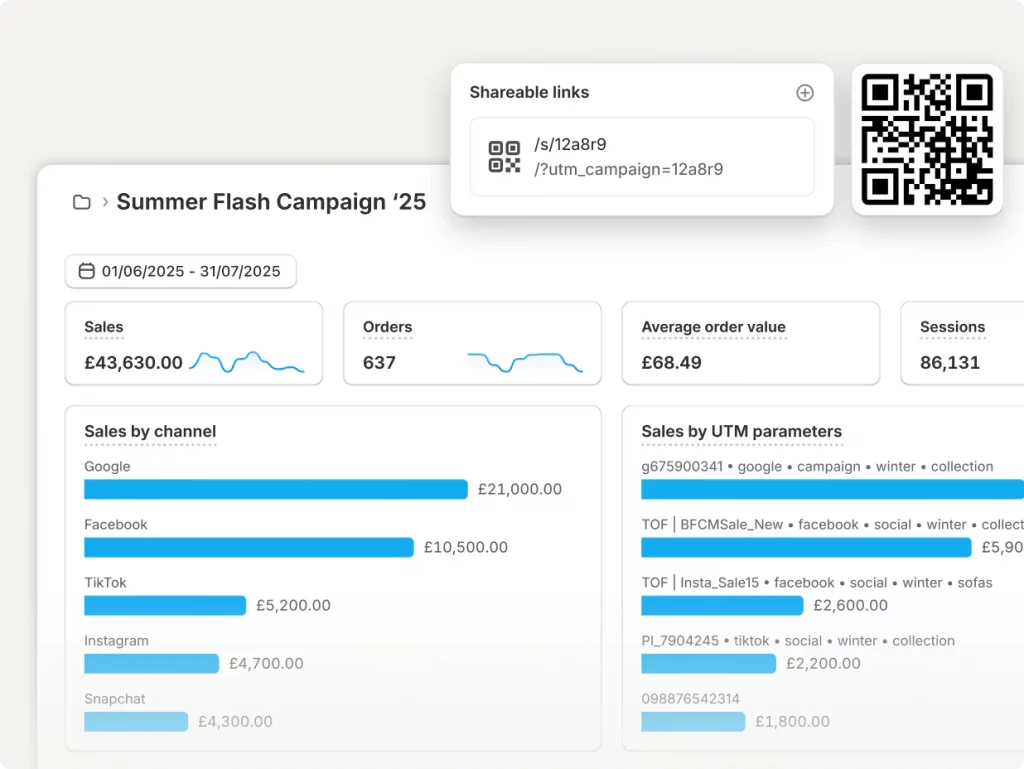
- Sessions by traffic source show where visitors are coming from, including organic search, paid advertising, email marketing, social media, and direct traffic. This data makes it easier to identify the channels delivering the strongest results and allocate marketing budgets more effectively.
- Conversion rate by channel provides additional context beyond traffic volume. A marketing channel generating fewer visitors may still outperform others if those visitors convert at a significantly higher rate, making conversion data essential for evaluating campaign performance.
Customer Behavior Metrics
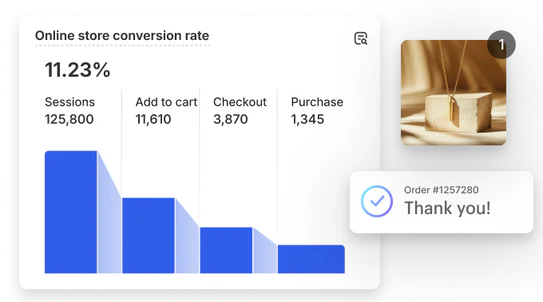
- The online store conversion funnel tracks how visitors progress through the purchasing journey. Monitoring each stage helps identify where potential customers are dropping off and where improvements can increase conversions.
- Cart abandonment rate measures the percentage of shoppers who leave before completing checkout after adding products to their cart. A high abandonment rate often signals friction during the checkout process or opportunities for remarketing campaigns.
Limitations of native analytics Shopify
Although Shopify Analytics offers valuable built-in reporting, its capabilities become more limited as your business grows and requires deeper analysis. The most considerable limitations include:
- No true profit tracking. Shopify reports revenue accurately but doesn’t automatically calculate true profit by incorporating costs such as cost of goods sold (COGS), advertising expenses, shipping costs, and payment processing fees.
- Limited customization. While existing reports can be filtered, merchants cannot easily create highly customized reports that combine multiple business metrics for more advanced analysis.
- Shallow marketing attribution. Shopify identifies traffic sources but doesn’t provide comprehensive multi-touch attribution that shows exactly which campaigns, ads, or customer touchpoints contributed to a conversion.
- Lack of behavior visualization tools such as heatmaps and session recordings, making it difficult to understand how visitors interact with your storefront or identify usability issues affecting conversions.
- Report access is plan-gated. Some of the most useful analytics features are only available on higher-tier plans, prompting many growing businesses to supplement Shopify Analytics with a dedicated analytics app that provides deeper reporting.
Recommendation: Explore the 8 Best Shopify Analytics Apps available
Conclusion
Shopify Analytics gives merchants the insights they need to understand store performance, customer behavior, marketing effectiveness, and sales trends, all from a single dashboard. While its built-in reports are more than enough for many businesses getting started, growing stores may eventually benefit from additional analytics tools that offer deeper reporting and greater flexibility. By reviewing your key metrics consistently and turning data into actionable decisions, you can identify new opportunities, improve the customer experience, and build a stronger foundation for long-term ecommerce growth.
If you’re selling on Shopify and need a professional invoice solution, then Vify Shopify Order Printer app is the best choice for you. Try it for free today and experience it for yourself. We’re confident you’ll love it.