If you’ve been researching ways to grow your Shopify store through influencer marketing or affiliate programs, you’ve probably come across the term “Shopify Collabs app” more than once. But what exactly is it, how is it different from the dozens of other affiliate apps you’ll find in the Shopify App Store, and most importantly, is it the right choice for your store? Let’s break it down.
What is the Shopify Collabs app?
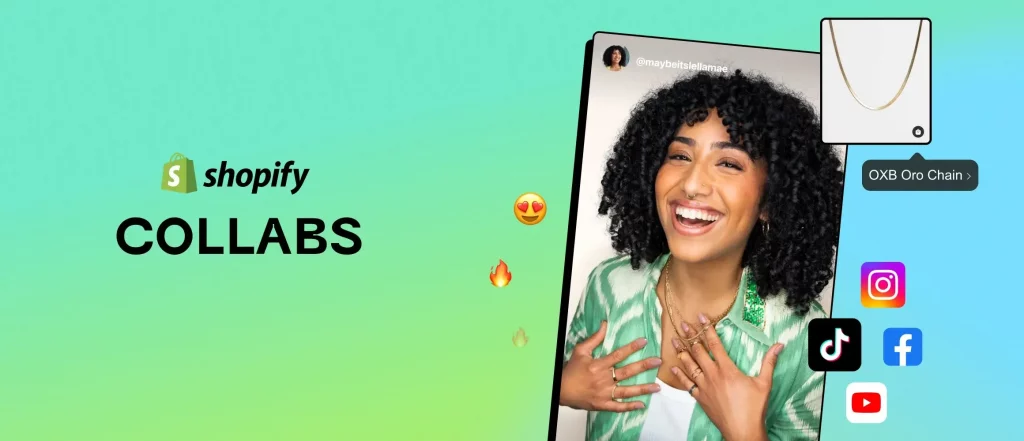
The Shopify Collab app is not quite like other apps you’d find by searching the Shopify App Store. Instead of being a separate piece of software built by a third-party developer that you install, configure, and pay a monthly fee for, Shopify Collabs is a feature built directly by Shopify, integrated right into your store’s admin.
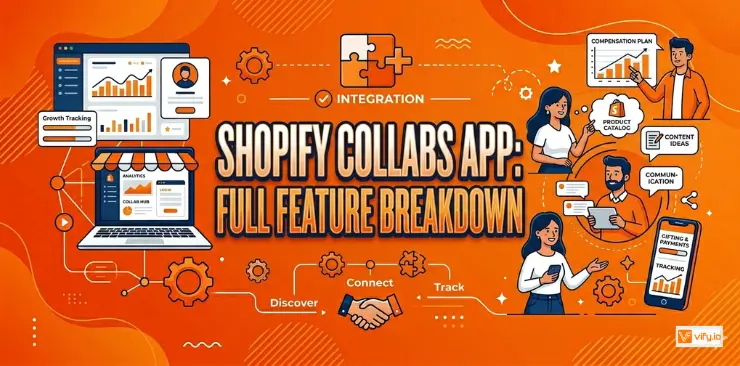
In practical terms, this means the app gives you a dedicated dashboard for managing creator partnerships — handling affiliate links, discount codes, commission tracking, and product gifting. Your product catalog, your order history, your checkout process: all of it is already connected, because the app isn’t a separate system bolted on from the outside.
This is actually a pretty big deal if you’re new to this. With most third-party apps, there’s a setup process that involves connecting your store, granting permissions, sometimes re-entering product information, and learning an entirely new interface. With the collabs app Shopify, much of that friction doesn’t exist because it’s not really “installing” something new in the traditional sense.
Core features of Shopify Collabs app
So what can you actually do with this app? Let’s go through the main features one by one.
Creator marketplace access
One of the standout features is access to a marketplace of active creators. If you’ve ever tried to do influencer marketing the traditional way — searching social media, sending cold messages, hoping for a reply — you’ll appreciate how much time this can save.
Instead of you having to find creators, many of them are already browsing for brands like yours. This doesn’t mean you’ll never need to reach out to anyone directly (you absolutely still can, especially for creators you already admire), but it does mean you have a built-in pool of interested people to start with.
Application & approval workflow
The app includes built-in application forms as your first line of defense for quality control. Rather than handing out affiliate links and discount codes to anyone who asks, you can require interested creators to fill out a short application before you decide whether to approve them.
Affiliate link & discount code generation
Once a creator is approved, the app automatically generates unique, trackable links and/or discount codes for them. This is the technical backbone that makes the whole system work. Without unique tracking, there’d be no reliable way to know which creator deserves credit for which sale.
Automated commission tracking
This is one of the most valuable features for anyone who’s ever tried to manually track affiliate sales using spreadsheets. Every sale that comes through a creator’s link or code is automatically tracked in real time, and the corresponding commission is calculated based on the rate you’ve configured.
If you’re working with even just five or ten creators, doing this manually would quickly become a headache — checking which codes were used, matching them to orders, calculating percentages, and keeping records. The app essentially removes all of this manual work.
Built-in payout processing
The Shopify Collabs app handles this through Shopify’s existing payment infrastructure, meaning merchants generally don’t need to set up separate payment processes, write individual invoices, or manually transfer funds to each creator.
This is the biggest time-saver. Payment logistics are often one of the most tedious parts of running an affiliate or referral program, and having it built into the same platform you already use for everything else removes a major operational burden.

Performance reporting
The Shopify Collabs app includes a reporting dashboard that shows you which creators are generating clicks, which of those clicks are converting into sales, and how much revenue each creator is responsible for.
This kind of visibility is essential for making smart decisions over time. Without it, you’d essentially be running your program blind, unable to tell whether a particular partnership is actually worth the commission, or whether your time would be better spent elsewhere.
How to set up the Collabs Shopify app
Step 1: Access Collabs from Shopify admin
Rather than searching the App Store, look within your existing Shopify admin dashboard. Depending on how your store is configured, Collabs may appear as a dedicated section, a channel, or an app already available to you.
Step 2: Configure program settings
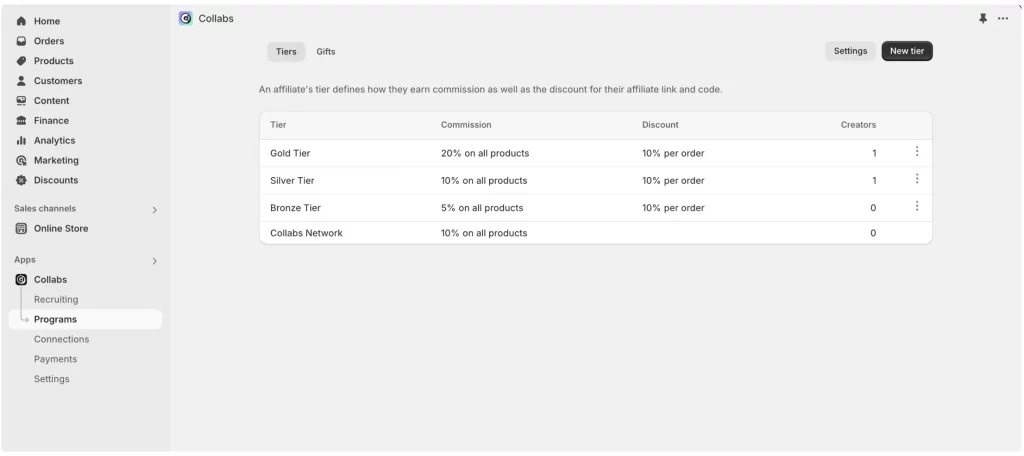
Before creators can start applying, you’ll want to configure some basic settings for your program. This typically includes:
- Default commission rates — the percentage you’ll pay creators for sales they generate
- Whether you’ll offer free products to creators as part of the program, in addition to or instead of commissions
- Any general program terms you want creators to be aware of before applying
Taking a bit of time here to think through your offer will save you from having to make awkward adjustments later, after creators have already joined.
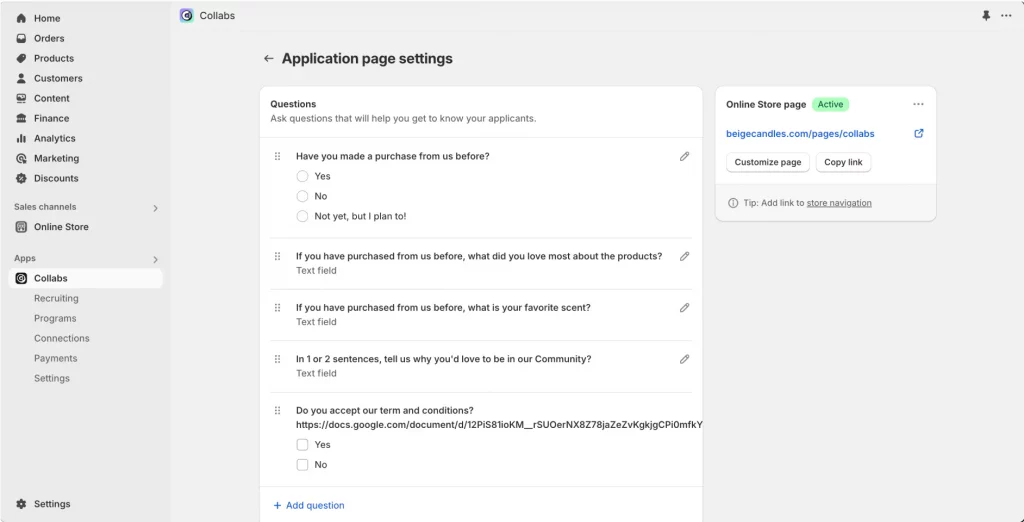
Step 3: Build creator application form
This is where you decide what information you actually want to know about potential creator partners before approving them. Common questions include things like which social platforms they use, roughly how large their audience is, what kind of content they typically post, and why they’re interested in your brand.
Think about what would actually help you make a good decision. If you’re a fashion brand, knowing whether someone’s content style matches your aesthetic might matter more than raw follower counts.
Step 4: Publish program
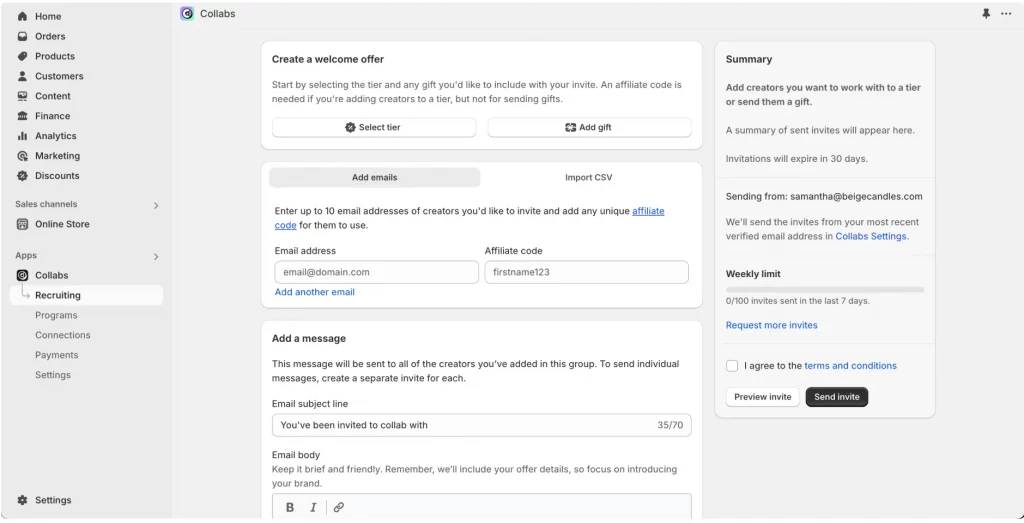
Once your settings and application form are ready, you can publish your program so that creators browsing the Shopify Collabs marketplace can discover and apply to it. In addition, you can send direct invitations to specific creators you already have in mind, perhaps people whose content you’ve come across and genuinely admire.
Step 5: Review applications & approve creators
As applications start coming in, take the time to review each one. Look at the information they’ve provided, check out their content if possible, and make a judgment call about whether they seem like a good fit for your brand. Once approved, creators get immediate access to their affiliate tools.
Step 6: Monitor performance & adjust
Once your program is up and running, regularly check the analytics dashboard to see how things are going. Are certain creators driving more sales than others? Is your commission rate attracting enough quality applicants? Treat this as an ongoing process rather than a “set and forget” situation.
Recommendation: Explore Shopify Collabs Access Guide for Creators & Merchants
Conclusion
The Shopify Collabs app gives merchants a no-cost, deeply integrated way to launch creator and affiliate marketing directly from their existing Shopify admin. For anyone hesitant to dive into influencer marketing because it seemed complicated, expensive, or like it required a whole new set of tools and logins, this app removes a lot of those barriers.
If you’re selling on Shopify and need a professional invoice solution, then Vify Shopify Order Printer app is the best choice for you. Try it for free today and experience it for yourself. We’re confident you’ll love it.