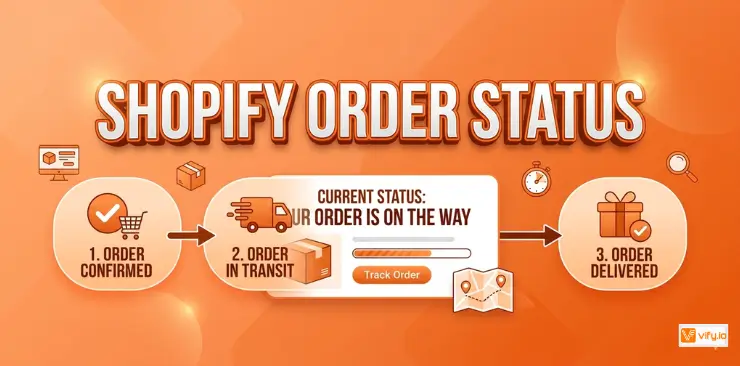
Understanding Shopify order status is essential for both merchants and customers. Clear order updates help shoppers track their purchases with confidence while reducing the number of order-related support inquiries. From payment processing and fulfillment to shipping and delivery, each status provides valuable information about an order’s progress. This guide explains how Shopify order status works, how order tracking is managed, and how merchants can create a smoother post-purchase experience through effective order communication.
What is Shopify order status?
Shopify order status refers to the current stage of fulfillment for a specific customer order. Every order in Shopify moves through a sequence of statuses that reflect what has happened to it so far and what comes next. Merchants see these statuses in the Shopify Admin, and customers see a version of them on the dedicated Shopify order status page.
The order status system serves two audiences simultaneously: it provides merchants with operational clarity of what needs to be done, and it gives customers peace of mind that their purchase is progressing.
What is Shopify order status page?
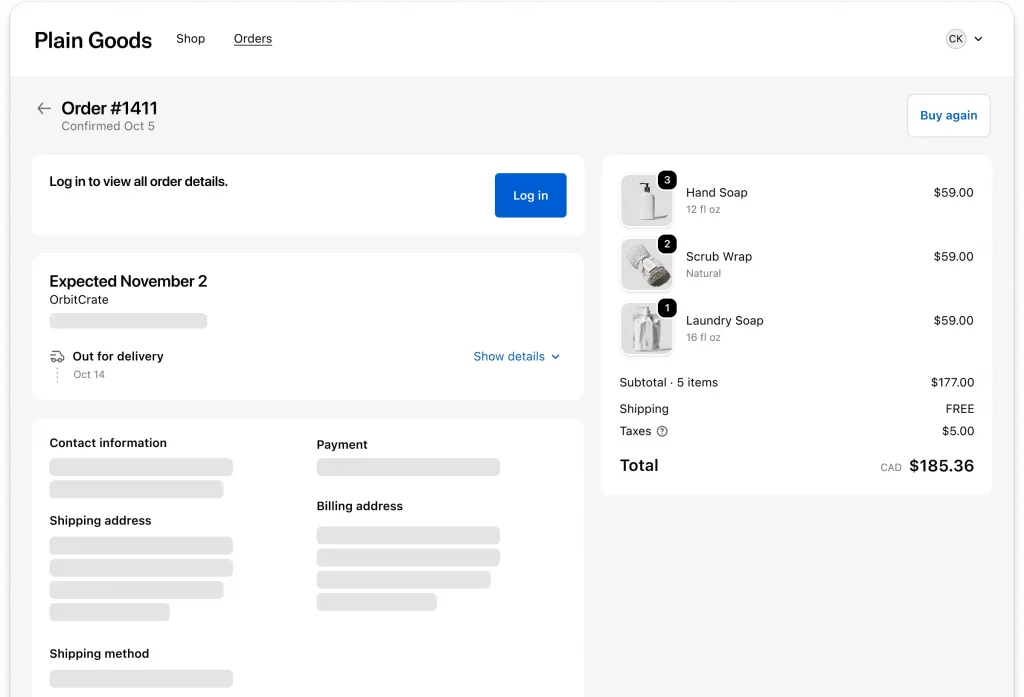
The order status page Shopify provides is the final screen customers see immediately after completing checkout. It is a dedicated, order-specific URL that customers can bookmark and return to at any time to check the latest status of their purchase.
Think of it as the post-purchase home base for your customer. Rather than contacting your support team to ask where their package is, customers can find all the information they need in one place.
Shopify order status types
Shopify tracks several layers of order status simultaneously. Understanding each layer helps you manage your store more effectively and answer customer questions accurately.
Payment status
Payment status indicates whether money has been collected for an order. The key values are:
| Payment Status | What It Means |
| Authorized | Payment has been pre-authorized but not yet captured. Common with manual capture settings. |
| Paid | Full payment has been successfully captured. Standard status for most completed orders. |
| Partially Paid | Only part of the order total has been paid. Can occur with split payments or partial refunds after payment. |
| Pending | Payment is in process but not yet confirmed. Common with bank transfers or cash on delivery. |
| Refunded | The full order amount has been returned to the customer. |
| Partially Refunded | Only part of the payment has been refunded. |
| Voided | The authorized payment was canceled before capture. |
Fulfillment status
Fulfillment status tracks whether the physical or digital goods have been shipped or delivered. The core statuses include:
| Fulfillment Status | What It Means |
| Unfulfilled | The order has been paid but not yet shipped. Action required by the merchant. |
| Fulfilled | All items in the order have been shipped with tracking information added. |
| Partially Fulfilled | Some items have been shipped but others are still pending. Common for multi-item orders shipped in batches. |
| In Transit | The shipment is on its way to the customer and tracking is active. |
| Out for Delivery | The package is with the delivery carrier and expected to arrive today. |
| Delivered | Confirmed delivery to the customer’s address. |
| Attempted Delivery | A delivery was attempted but unsuccessful. The package may need rescheduling. |
| On Hold | Fulfillment is intentionally paused, usually pending stock or a customer request. |
Order status
At the top level, an order in Shopify Admin will show one of two overall statuses:
Open — The order is active and requires attention. Either it has not been fulfilled or there is an outstanding action required.
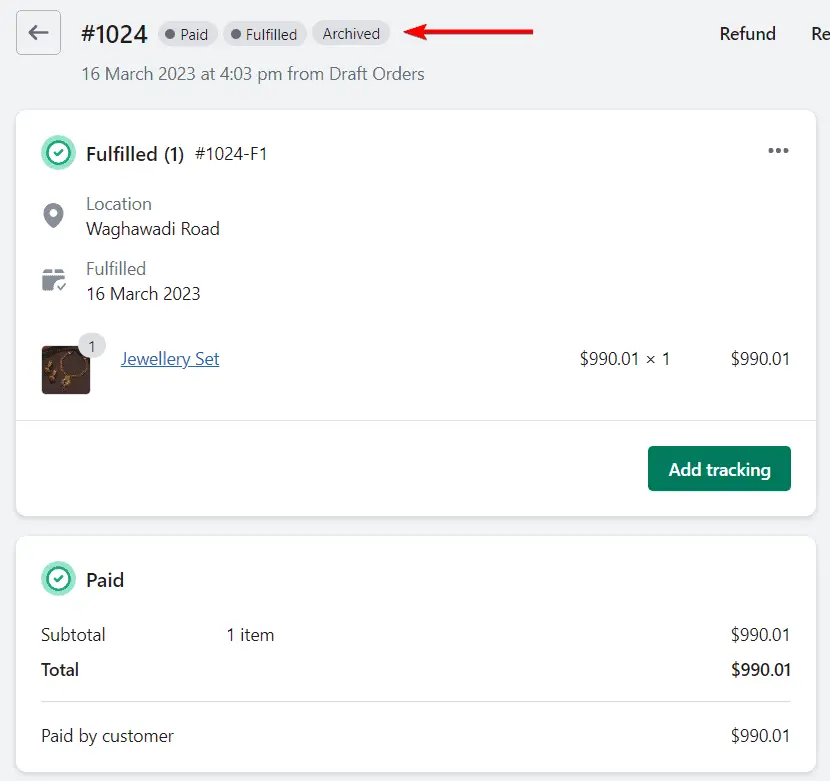
Archived — The order has been completed and removed from the active view. Archiving typically happens automatically once an order is both paid and fulfilled.
Managing Shopify order status
Always add tracking numbers
Adding tracking numbers when you fulfill orders is one of the highest-value actions you can take to reduce support volume. Once a tracking number is in place, the order status page gives customers a direct way to monitor their shipment without contacting you. Every order fulfilled without a tracking number is a potential support ticket waiting to happen.
Update fulfillment status promptly
The most common reason customers contact support about their order is that the order status page shows ‘Unfulfilled’ for too long after they have placed their order. Even if you have not yet shipped the item, customers become anxious when nothing changes on their status page.
If your fulfillment process takes time — for example, if you make products to order or have a processing window — set clear expectations at checkout and in your order confirmation email so customers know what to expect.
Use order status emails proactively
Shopify’s automated notification emails — order confirmation, shipping confirmation, and delivery confirmation — all link back to the order status page. Keep these emails active and ensure they are arriving in customers’ inboxes. These touchpoints are the primary way customers navigate to their order status page after the initial checkout.
Handle partially fulfilled orders clearly
If an order ships in multiple packages or has some items on backorder, the Partial Fulfillment status can confuse customers who expect to see everything in one shipment. Proactively communicate split shipments in your shipping confirmation email so customers understand why they are receiving multiple packages.
Conclusion
The Shopify order status system does much more than provide shipment updates. It serves as a critical communication channel between your store and your customers throughout the post-purchase journey. When order statuses are accurate and tracking information is easy to access, customers feel informed, confident, and less likely to contact support for routine updates.
By understanding how order status Shopify works and maintaining a clear, consistent order tracking experience, merchants can improve customer satisfaction, reduce operational workload, and strengthen trust long after a purchase has been made. Small improvements to your order management process can have a lasting impact on the overall customer experience and encourage repeat business over time.
If you’re selling on Shopify and need a professional invoice solution, then Vify Shopify Order Printer app is the best choice for you. Try it for free today and experience it for yourself. We’re confident you’ll love it.